Tạo ảnh nhân vật đồng nhất: Hướng dẫn thực tế
Giữ nguyên nhân vật AI trong cả ảnh và video: giới hạn ảnh tham chiếu trên Nano Banana 2 và Pro, phương pháp bảng mô tả nhân vật, storyboard, Veo 3.1.

Tạo ảnh nhân vật đồng nhất (character consistency) là một nhóm kỹ thuật giúp mô hình AI vẽ cùng một nhân vật—với cùng khuôn mặt, mái tóc và trang phục—trên nhiều bức ảnh khác nhau, thay vì cứ mỗi lần tạo là vẽ ra một người xa lạ. Nó tạo ra sự khác biệt giữa việc gõ "một người phụ nữ tóc đỏ trong quán cà phê" và nhận về một người hoàn toàn mới sau mỗi lượt chạy, với việc nhận đúng người phụ nữ tóc đỏ của bạn, người xuất hiện từ khung hình đầu tiên trong truyện tranh, chiến dịch quảng cáo hay storyboard của bạn.
Tóm tắt nhanh: có hai phương pháp hiệu quả và chúng có thể kết hợp với nhau. Đầu tiên, hãy tải lên các ảnh tham chiếu của nhân vật—đây chính là cơ chế tham chiếu vận hành tính năng nhân vật đồng nhất trên nền tảng. Nano Banana 2 hỗ trợ tối đa 4 ảnh tham chiếu nhân vật, Nano Banana Pro lên đến 5 ảnh, và Veo 3.1 có thể giữ tới 3 ảnh khi chuyển sang video. Thứ hai, viết một prompt mô tả nhân vật (character sheet)—một đoạn mô tả cố định, chi tiết mà bạn sẽ dán vào mọi lượt tạo ảnh. Trên BananaBanana, chi phí để tạo nhân vật đồng nhất chỉ từ $0.06 cho mỗi 1K ảnh trên Nano Banana 2. Toàn bộ bản demo trong bài viết này đều được tạo trực tiếp trên nền tảng, vì thế bạn hoàn toàn có thể sao chép và sử dụng các prompt dưới đây y hệt.
Mình cũng sẽ thẳng thắn chia sẻ về những điểm chưa hoàn hảo. Khả năng đồng nhất của các mô hình hiện tại ở mức tốt chứ chưa hoàn mỹ. Bạn sẽ thấy những lúc AI bị "lệch nhịp".
Tại sao cùng một nhân vật lại trông khác nhau sau mỗi lần vẽ?
Các mô hình tạo ảnh không có bộ nhớ lưu trữ giữa các yêu cầu. Mỗi lần tạo ảnh đều bắt đầu từ một màn nhiễu hạt (noise), và prompt là chiếc cầu nối duy nhất. Nếu prompt ghi "một phụ nữ trẻ tóc đỏ", mô hình sẽ lấy ngẫu nhiên một trong hàng triệu người phụ nữ tóc đỏ mà nó có thể vẽ. Chạy năm lần, bạn nhận về năm người khác nhau. Họ có thể chung một phong thái, nhưng gương mặt thì chắc chắn không.
Hiện tượng này gọi là trôi lệch nhân vật (character drift), và nó càng tệ hơn nếu prompt quá mơ hồ. Những câu kiểu "vẫn là người phụ nữ lúc nãy" chẳng có tác dụng gì cả, vì làm gì có "lúc nãy" nào. Mô hình chưa từng thấy bức ảnh trước đó của bạn trừ khi bạn đính kèm nó một cách rõ ràng.
Sự trôi lệch cũng len lỏi ngay trong cùng một quy trình làm việc. Chỉ cần đổi góc máy, đường xương hàm đã khác. Thay trang phục, tàn nhang đột nhiên biến mất. Theo kinh nghiệm của mình, những chi tiết dễ bị biến dạng nhất lại chính là những đặc điểm chúng ta dùng để nhận diện một người: dáng mắt, mũi và đường chân tóc. Phần nền và quần áo thường được giữ khá tốt, nhưng gương mặt thì rất dễ "đi chơi xa".
Vì vậy, mấu chốt của cuộc chơi là phải liên tục nhắc cho mô hình nhớ về danh tính nhân vật trong mỗi yêu cầu—bằng pixel (ảnh tham chiếu) hoặc bằng văn bản (mô tả cố định). Tốt nhất là kết hợp cả hai.
Mỗi mô hình hỗ trợ tối đa bao nhiêu ảnh tham chiếu?
Dùng ảnh tham chiếu là phương pháp mạnh hơn trong hai cách: bạn tải ảnh nhân vật lên và mô hình sẽ coi đó là chuẩn gốc. Theo tài liệu ảnh của Gemini API từ Google, giới hạn này khác biệt rất lớn giữa các mô hình, và bạn nên nắm rõ điều này trước khi chọn.
| Mô hình | Ảnh tham chiếu nhân vật | Ảnh tham chiếu vật thể | Ảnh tham chiếu phong cách | Giá trên 1K ảnh |
|---|---|---|---|---|
| Nano Banana 2 Lite | không | tối đa 14 | không | $0.03 |
| Nano Banana 2 | tối đa 4 | tối đa 10 | tối đa 3 | $0.06 |
| Nano Banana Pro | tối đa 5 | tối đa 6 | không | $0.11 |
Bất ngờ nhất trong bảng trên là bản Lite. Nó chấp nhận nhiều ảnh nhất (14 ảnh), nhưng tài liệu ghi rõ rằng đó chỉ là tham chiếu vật thể, hoàn toàn không hỗ trợ đồng nhất nhân vật. Chúng mình đã rút ra bài học này từ thực tế: Lite vui vẻ nhận một khuôn mặt làm đầu vào, nhưng rồi đối xử với nó như ảnh chụp sản phẩm—tập trung khớp chiếc áo khoác và làm mất dạng người. Nếu quy trình làm việc của bạn xoay quanh nhân vật, hãy bỏ qua Lite, bất kể mức giá có rẻ thế nào. (Với những nhu cầu khác thì đây thực sự là một mô hình giá rẻ rất tốt; chúng mình đã viết một hướng dẫn riêng về việc khi nào thì Lite là đủ.)
Giữa hai mô hình còn lại: Nano Banana 2 với giá $0.06 là nơi mình khuyên bạn nên bắt đầu. Khả năng nhận diện mạnh mẽ hơn cùng vị trí ảnh tham chiếu thứ năm của Pro sẽ rất quan trọng cho các cảnh nhiều nhân vật hoặc thành phẩm cuối cùng. Với mức giá $0.11 mỗi ảnh, đây không phải là một khoản phụ thu quá lớn khi bức ảnh thực sự được đưa vào sử dụng thực tế.
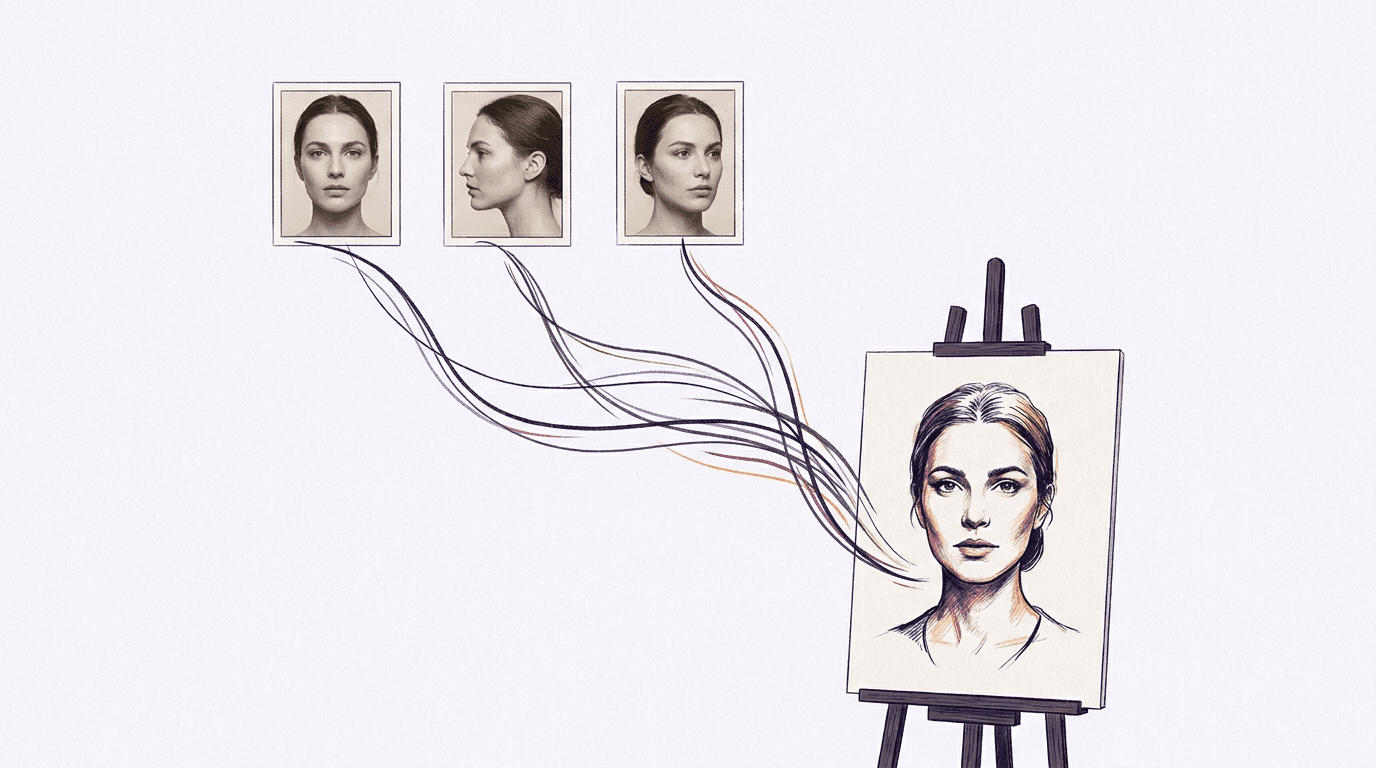
Góc chụp của ảnh tải lên quan trọng hơn số lượng. Ba ảnh tham chiếu ở cùng một góc chỉ dạy cho mô hình đúng góc đó. Một bức chụp trực diện, một bức chụp nghiêng (profile) và một bức chụp góc ba phần tư sẽ giúp mô hình dựng được toàn bộ phần đầu.
Phương pháp bảng mô tả nhân vật (character sheet) là gì?
Bảng mô tả nhân vật (character sheet) là một đoạn văn bản cố định mô tả chi tiết và toàn diện về nhân vật của bạn, thứ bạn sẽ sao chép nguyên văn vào mỗi prompt. Đây là phương án dự phòng thuần văn bản khi bạn chưa có ảnh tham chiếu, và thực tế cũng chính là cách để bạn tạo ra những bức ảnh tham chiếu đầu tiên. Đây cũng là phương pháp hoạt động hiệu quả khi dùng các AI agent: nếu bạn tạo ảnh trong Claude Code thông qua MCP server của chúng mình, bảng mô tả nhân vật này sẽ đi kèm trực tiếp trong prompt mà không cần tải lên bất kỳ tệp tin nào.
Quy tắc là: hãy mô tả nhân vật theo cách mà một họa sĩ phác họa của cảnh sát mong muốn. Tuổi tác, vóc dáng, làn da, màu tóc và kiểu tóc, màu mắt, các đặc điểm nhận dạng nổi bật, một hoặc hai phụ kiện đặc trưng. Những tính từ mơ hồ rất dễ bị trôi lệch; những danh từ cụ thể sẽ giúp định hình chắc chắn.
Dưới đây là chính xác đoạn mô tả được dùng cho các bản demo bên dưới:
a woman in her late 20s with shoulder-length copper-red wavy hair,
pale skin with faint freckles across the nose and cheekbones,
green eyes, a small silver hoop earring in her left ear,
wearing a mustard-yellow corduroy jacket over a white t-shirt
Cả hai bức ảnh dưới đây đều được tạo bằng Nano Banana Pro từ chính đoạn mô tả đó. Chỉ có phần văn bản mô tả bối cảnh xung quanh là thay đổi. Không hề có ảnh tham chiếu nào được đính kèm, hoàn toàn là sự đồng nhất dựa trên văn bản cố định:
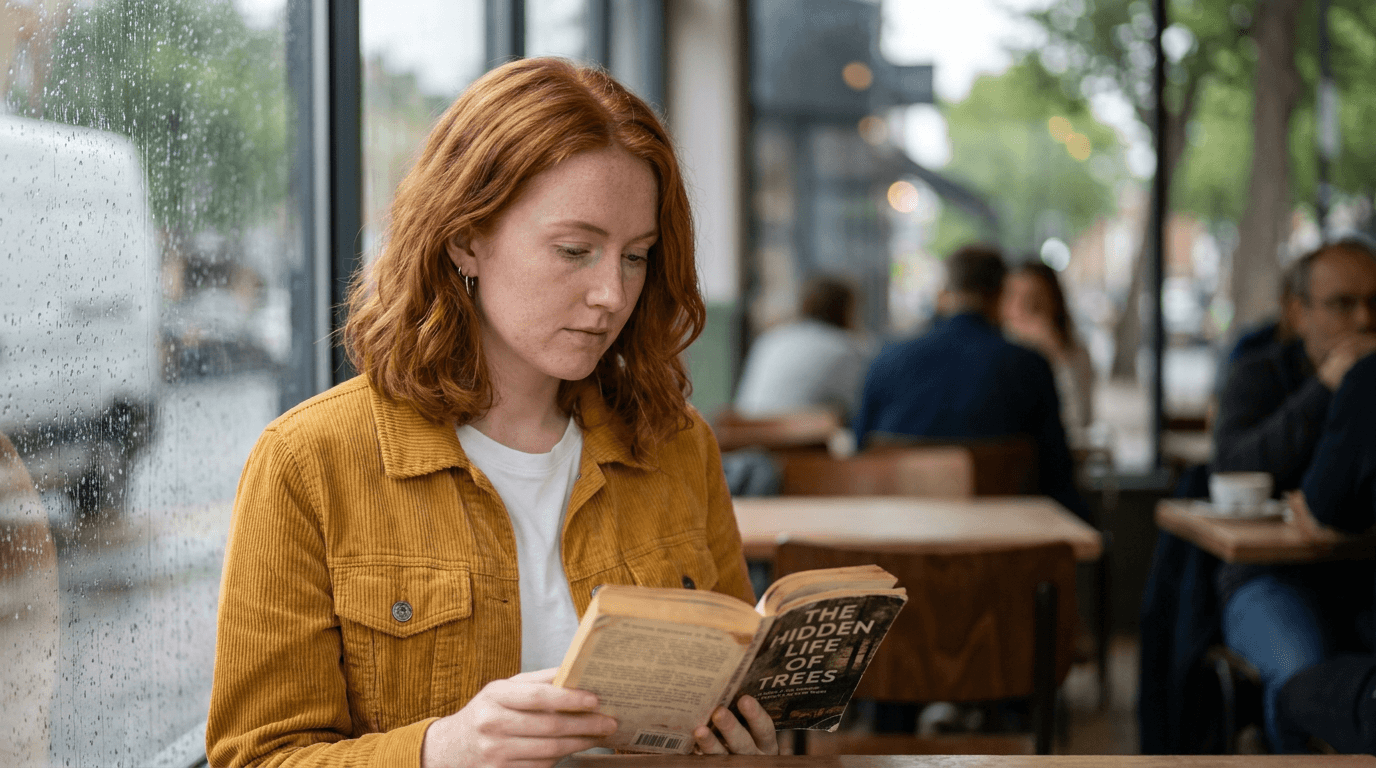
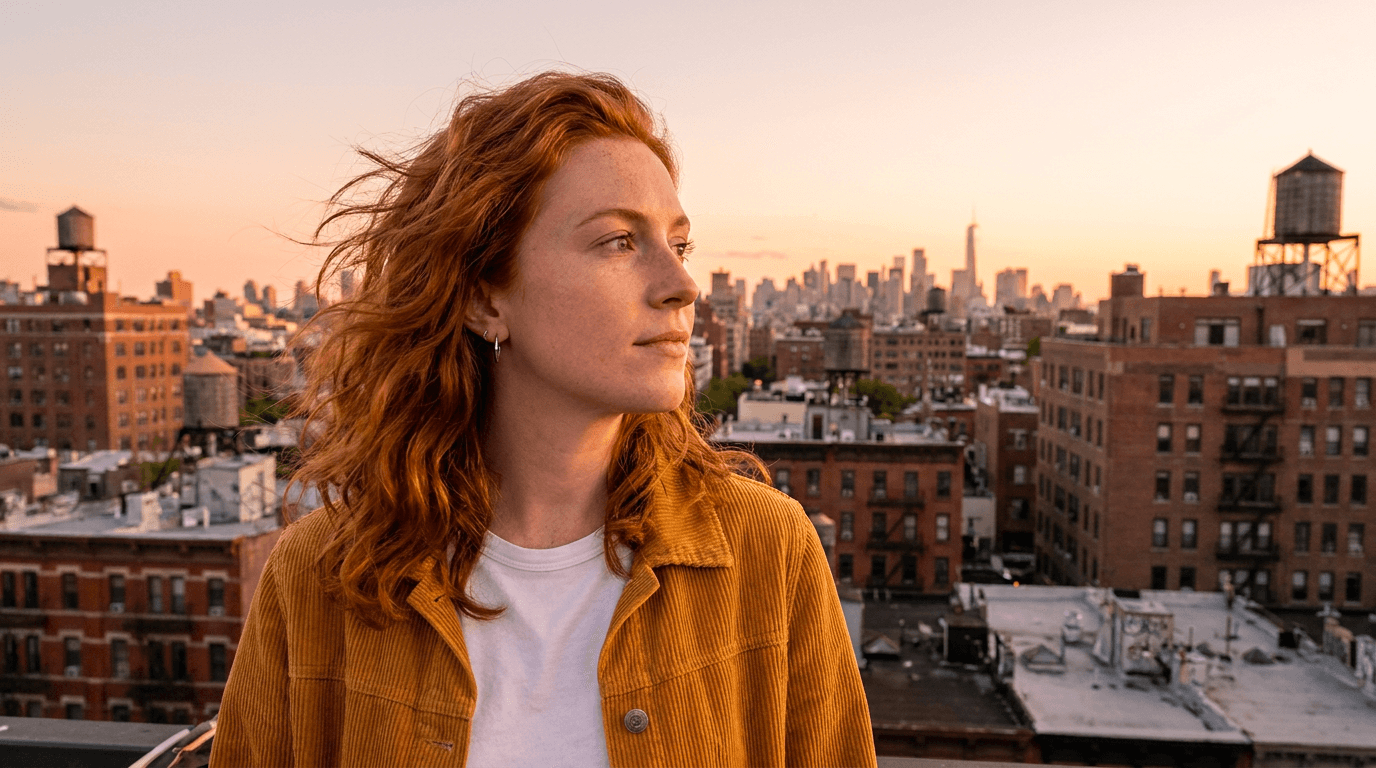
Có đúng là cùng một người không? Rất gần rồi. Gương mặt giữ phom tốt, chiếc áo khoác và khuyên tai được cố định, tàn nhang xuất hiện đồng nhất trong cả hai cảnh. Nếu bạn soi kỹ từng pixel, bạn sẽ thấy độ dài tóc có chút thay đổi nhẹ. Đó là giới hạn thực tế của việc đồng nhất thuần bằng văn bản. Chính vì vậy quy trình làm việc chuyên nghiệp thường kết hợp cả hai phương pháp: tạo ra bức ảnh nhân vật đẹp nhất từ bảng mô tả, sau đó nạp ngược chính bức ảnh đó làm ảnh tham chiếu nhân vật cho tất cả các lần tạo sau. Văn bản thiết lập danh tính, còn pixel sẽ siết chặt sự đồng nhất.
Hai mẹo nhỏ đúc rút từ quá trình vận hành thực tế. Các phụ kiện đặc trưng (như khuyên tai, áo khoác) giúp nhận diện cực kỳ hiệu quả mà tốn rất ít token; hãy trang bị cho mỗi nhân vật một món như vậy. Ngoài ra, hãy giữ bảng mô tả dưới 60 từ, vì nếu dài hơn, phần mô tả bối cảnh sẽ bắt đầu tranh chấp sự tập trung của mô hình với phần mô tả nhân vật.
Cảnh nhiều nhân vật và storyboard bằng AI
Khi có hai nhân vật cần giữ đồng nhất trong cùng một khung hình, các mẹo vặt giá rẻ sẽ không còn tác dụng. Việc gộp chung bảng mô tả văn bản cho cả hai nhân vật thường dẫn đến hiện tượng lẫn lộn đặc điểm: nhân vật A mượn tóc của nhân vật B, còn nhân vật B lại lấy áo khoác của nhân vật A. Vấn đề này có thể giải quyết nếu bạn chạy lại nhiều lần, nhưng chạy lại nhiều lần thì tốn tiền.
Ảnh tham chiếu sẽ giải quyết triệt để việc này. Nano Banana 2 hỗ trợ tối đa 4 ảnh tham chiếu nhân vật và Nano Banana Pro lên đến 5 ảnh theo tài liệu của Google, và các vị trí này có thể chia đều cho những người khác nhau. Hãy tải lên hai hoặc ba bức ảnh của mỗi nhân vật, sau đó viết mô tả bối cảnh và gọi tên họ theo vai trò ("người phụ nữ tóc đỏ đưa ly cà phê cho người đàn ông râu xám"). Danh tính sẽ bám vào đúng người một cách đáng tin cậy hơn nhiều, mặc dù việc vẽ hai người chuyền tay nhau đồ vật, ở thời điểm năm 2026, vẫn giống như chơi xổ số vậy.
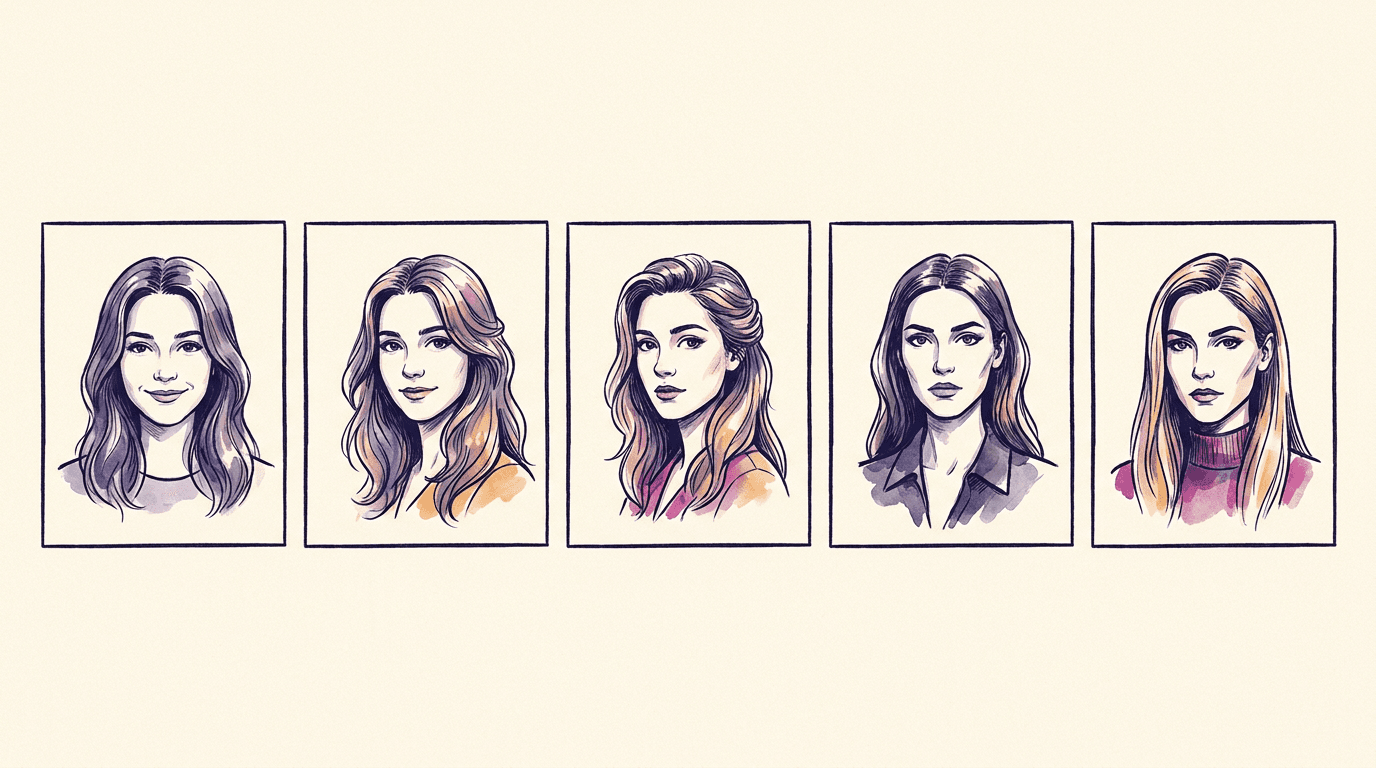
Storyboard là bước tiến tự nhiên tiếp theo, và có hai cách để thực hiện. Tạo từng khung hình (frame by frame): mỗi khung hình là một lần tạo riêng biệt, đính kèm ảnh tham chiếu nhân vật cho từng khung, tốn $0.06 một khung trên Nano Banana 2, vậy một bảng 6 khung hình sẽ tốn $0.36. Hoặc tạo trên một ảnh duy nhất: yêu cầu Nano Banana Pro tạo bố cục nhiều khung hình trong một lượt chạy duy nhất. Bảng dưới đây được tạo theo cách đó, chỉ tốn một yêu cầu giá $0.11, sử dụng cùng một bảng mô tả nhân vật như trên:
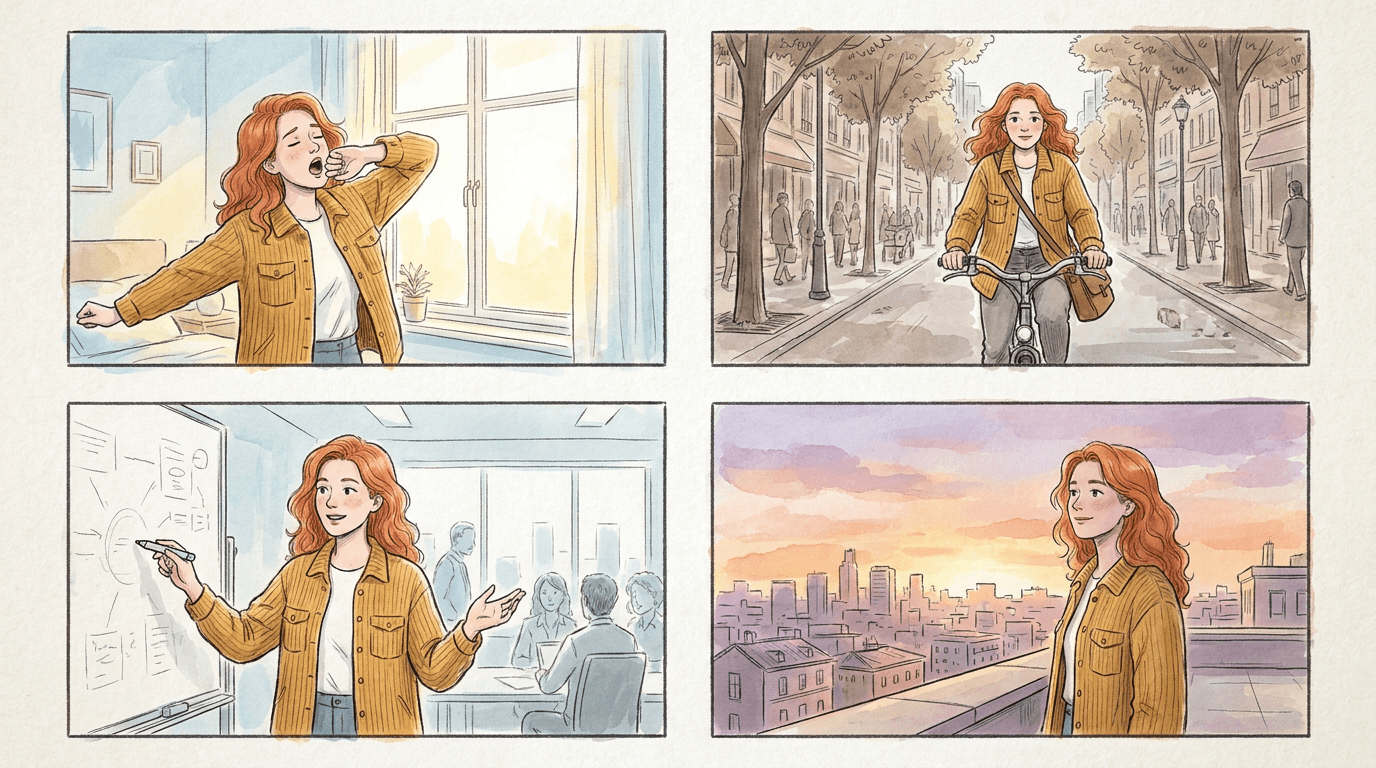
Sự đồng nhất trong một bức ảnh duy nhất về cơ bản là hoàn toàn miễn phí, vì mô hình vẽ tất cả các khung hình trong một lượt chạy và có thể tự tham chiếu sản phẩm của chính mình. Đánh đổi lại là độ phân giải: mỗi khung hình chỉ bằng một phần tư khung ảnh gốc. Với các bài thuyết trình ý tưởng (pitch deck) hay phim nháp (animatic) thì hoàn toàn ổn. Còn đối với các khung hình cần sử dụng riêng lẻ, hãy tạo từng khung một và trả khoản phí $0.36.
Bạn có thể đưa nhân vật đồng nhất vào video không?
Có chứ, và đây là nơi quy trình trở nên thú vị hơn cả. Veo 3.1 hỗ trợ tính năng mà tài liệu Veo của Google gọi là ảnh tham chiếu tài nguyên (asset reference images): tối đa 3 ảnh chụp một người, nhân vật hoặc sản phẩm, và mô hình sẽ bảo toàn diện mạo của chủ thể đó trong clip được tạo ra. Trong trình tạo của chúng mình, đây là phần Subject Reference (Tham chiếu chủ thể), Gemini Omni Flash, luôn có kèm âm thanh, thì hào phóng hơn: hỗ trợ tối đa 10 ảnh tham chiếu mỗi clip và có thể kết hợp với một khung hình khởi đầu ($0.10 mỗi giây, đọc đánh giá chi tiết về Omni tại đây).
Bảng mô tả nhân vật vẫn phát huy giá trị lớn trong prompt video. Clip dưới đây được tạo bằng Veo 3.1 Fast, chỉ dùng văn bản, sử dụng cùng đoạn mô tả như các ảnh phía trên, cộng thêm ngôn ngữ chuyển động và góc máy:
Prompt được dùng: bảng mô tả nhân vật, sau đó là "walking toward the camera along a city street at golden hour, slow dolly back, medium shot, shallow depth of field." Sáu giây, định dạng 720p không tiếng, giá $0.52. Nhân vật trong video trông rất giống với nhân vật trong ảnh tĩnh, một kết quả thực sự tốt hơn mong đợi đối với việc chuyển giao thuần văn bản giữa hai mô hình khác nhau.
Một lưu ý nhỏ rút ra từ nhật ký hệ thống: ảnh tham chiếu tài nguyên đôi khi làm đơ biểu cảm khuôn mặt. Khuôn mặt khớp nhưng trông hơi giống sáp, đặc biệt là trong các cú bấm máy góc rộng khi mặt nhân vật chỉ chiếm một vài pixel. Các góc quay cận cảnh sẽ cho kết quả tốt hơn. Nếu clip nhận về có nhân vật chính với ánh mắt vô hồn, hãy đổi sang góc máy hẹp hơn thay vì cứ cố tạo lại cùng một cú máy đó.
Quy trình đầy đủ sẽ là: bảng mô tả nhân vật → tạo ảnh chân dung xuất sắc trên Nano Banana Pro → dùng những ảnh đó làm ảnh tham chiếu nhân vật cho tất cả ảnh tĩnh khác và làm ảnh tham chiếu tài nguyên cho video. Một danh tính nhân vật, một quy trình đồng bộ, ảnh chỉ từ $0.06 và clip chỉ từ $0.10 trên trang bảng giá.
FAQ
Mô hình AI nào tốt nhất để tạo nhân vật đồng nhất?
Xét về thông số, câu trả lời là Nano Banana Pro: hỗ trợ tối đa 5 ảnh tham chiếu nhân vật và có khả năng khóa nhận diện mạnh mẽ nhất trong đại gia đình, với giá $0.11 cho mỗi ảnh 1K hoặc 2K. Nano Banana 2 là lựa chọn kinh tế hơn với giá $0.06, hỗ trợ 4 ảnh tham chiếu nhân vật cộng thêm ảnh tham chiếu phong cách (tính năng mà Pro không có). Tránh dùng Nano Banana 2 Lite cho nhu cầu này; nó hoàn toàn không hỗ trợ ảnh tham chiếu nhân vật.
Làm thế nào để giữ cùng một khuôn mặt trong các ảnh AI khi không có ảnh tham chiếu?
Hãy viết một bảng mô tả nhân vật (character sheet): một đoạn mô tả cố định dài khoảng 40–60 từ bao gồm tuổi tác, tóc, mắt, da, đặc điểm nhận dạng nổi bật và một phụ kiện đặc trưng, rồi dán nó nguyên vẹn vào mỗi prompt. Sau đó, chọn thành phẩm đẹp nhất làm ảnh tham chiếu cho các lần tạo tiếp theo. Chỉ dùng văn bản giúp bạn đạt kết quả tương đối; văn bản kết hợp với ảnh tham chiếu mới là chìa khóa giữ chân vật ổn định hoàn toàn.
Tôi có thể dùng ảnh người thật làm ảnh tham chiếu nhân vật không?
Về mặt kỹ thuật, API chấp nhận mọi bức ảnh. Về mặt pháp lý và đạo đức, bạn chỉ nên sử dụng những hình ảnh mà bạn có quyền sở hữu và đã được sự đồng ý của người đó. Việc tạo hình ảnh người thật có thể nhận dạng được khi chưa được sự cho phép là vi phạm điều khoản dịch vụ của hầu hết các nền tảng, bao gồm cả chúng mình.
Tôi nên tải lên bao nhiêu ảnh tham chiếu?
Ít ảnh nhưng góc chụp đa dạng sẽ tốt hơn nhiều ảnh tương tự nhau. Ba bức ảnh bao gồm góc trực diện, góc nghiêng và góc ba phần tư thường hiệu quả hơn hẳn năm bức ảnh tự sướng gần như giống hệt nhau. Giới hạn cứng: tối đa 4 ảnh nhân vật trên Nano Banana 2, 5 ảnh trên Nano Banana Pro, và 3 ảnh cho video Veo 3.1.
Tính năng đồng nhất nhân vật có hoạt động với các nhân vật không phải con người không?
Hầu hết là có. Các linh vật, robot và động vật được cách điệu hóa thường giữ tính đồng nhất tốt hơn cả con người, bởi danh tính của chúng nằm ở các hình khối và màu sắc nổi bật chứ không phụ thuộc vào các đường nét hình học tinh tế trên khuôn mặt. Các phương pháp áp dụng hoàn toàn tương tự: sử dụng các đặc điểm cố định, đặc trưng trong bảng mô tả và dùng ảnh tham chiếu ngay khi bạn đã có một thiết kế chuẩn.