Veo 3.1 プロンプトガイド:意図通りに動かす書き方
Veo 3.1の実践プロンプトガイド:7つの要素、カメラワーク用語、オーディオ指示、そして1動画$0.10からの Before/After 比較。

Veo 3.1のプロンプトとは、Googleの動画生成モデルに対して「何をどのように撮影するか」を指示する短いシーン説明です。モデルは、入力されたテキストを「監督からの指示書」のように解釈します。被写体、アクション、スタイル、カメラワーク、構図、レンズの選択、およびライティングといった情報を読み取り、指定がなかった要素はモデル側の推測で補います。優れたプロンプト作成とは、この「推測に頼る部分」をいかに減らすかということに尽きます。
時間がない方向けに1段落でまとめると、ポイントは「1つの被写体が1つのアクションを行っている様子を説明し、そこにカメラワークを加えること」です。実践的なテンプレートは、"[shot type] of [subject] [doing action] in [setting], [camera movement], [lens or focus], [lighting and mood]"([ショットの種類] [被写体] が [設定・背景] で [アクションを行っている]、[カメラの動き]、[レンズやフォーカス]、[ライティングと雰囲気])となります。カメラと光の指定を加えるというこの1つの習慣だけで、退屈な動画から使えるクオリティの動画へと劇的に変化します。以下では、その詳細と具体例を解説します。
私たちは動画生成機能のローンチ以来、BananaBananaで毎日 Veo 3.1 を動かしていますが、大雑把なプロンプトと構造化されたプロンプトの差は、どの画像生成モデルよりも顕著に現れます。画像はある程度の曖昧さを許容してくれますが、動画はフレーム(構図)とモーション(動き)の両方でその曖昧さを厳しく露呈させます。
優れた Veo 3.1 プロンプトの条件とは?
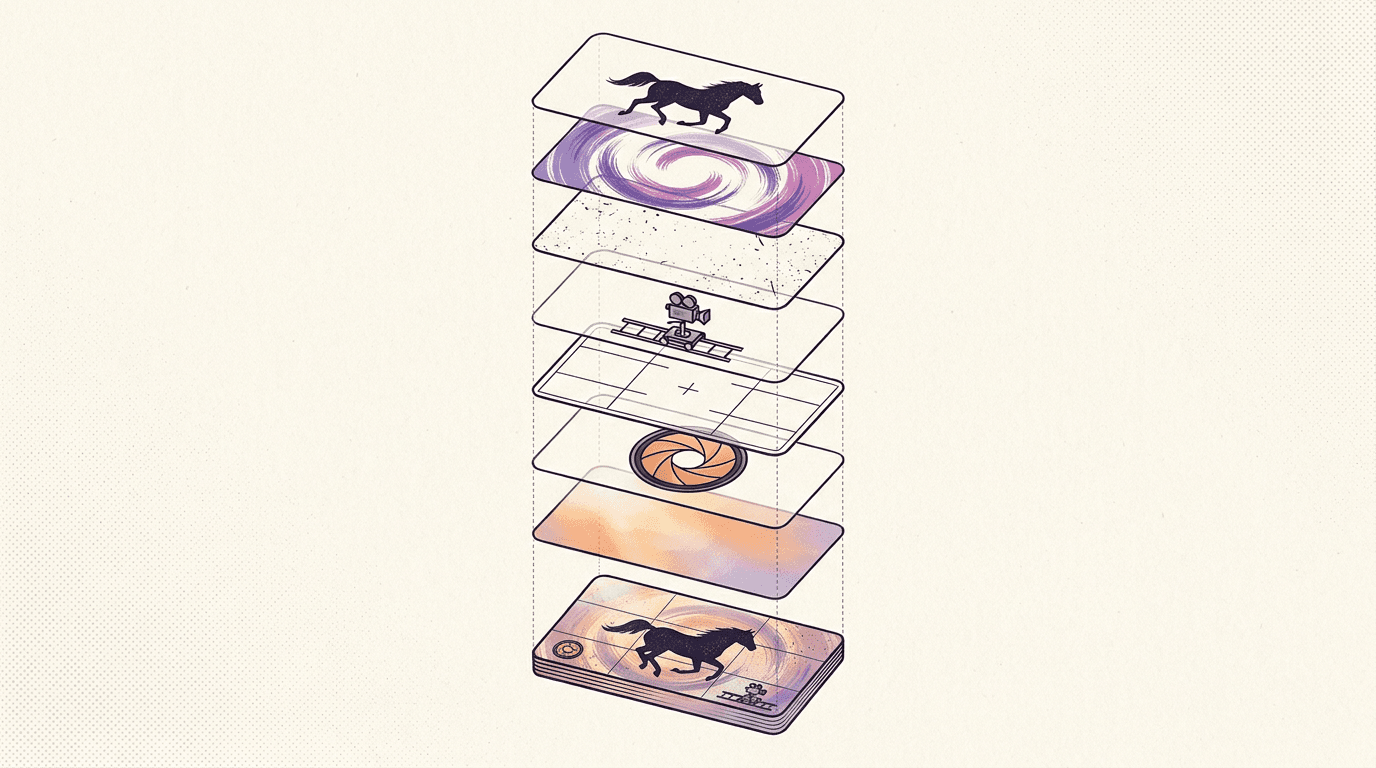
GoogleのVeo公式ドキュメントによると、効果的なプロンプトは、被写体(Subject)、アクション(Action)、スタイル(Style)、カメラの位置(Camera positioning)、構図(Composition)、フォーカスとレンズ効果(Focus and lens effects)、雰囲気(Ambiance)の7つの要素で構成されます。毎回これらすべてを指定する必要はありませんが、指定を省いた要素はモデルが即興で補うことになるため、何を意図的に省くかを意識することが重要です。
| 要素 | 制御内容 | 指定例 |
|---|---|---|
| Subject | 画面に映る人物や物 | "an elderly potter with clay-stained hands" |
| Action | クリップ中に起こる動き | "shaping a bowl on a spinning wheel" |
| Style | 全体的な作風やビジュアル | "cinematic documentary style" |
| Camera | カメラの位置と動き | "slow dolly-in at eye level" |
| Composition | フレーミング(構図) | "close-up" |
| Lens / focus | 光学的な特徴(ボケなど) | "shallow depth of field" |
| Ambiance | 光と色彩が作り出す雰囲気 | "warm window light, dust in the air" |
プロンプト内の順序は、世間で思われているほど重要ではありません。私は通常、モデルが解釈の基準にする被写体とアクションを最初に書き、カメラワークと照明の指定を最後にまとめています。それよりも重要なのは具体性です。単に "a horse"(馬)と書くだけでは、どの種類の馬にするかが完全にモデル任せになってしまいますが、 "a chestnut Arabian horse"(栗毛のアラブ種)と指定すれば、ブレを未然に防ぐことができます。
ここで、率直な注意点を1つ。Veo 3.1 にはGoogle側で動作するプロンプトの自動書き換え機能(Prompt rewriter)があり、生成前に短いプロンプトを自動で拡張します。この拡張内容は完全には見えないため、短いプロンプトでは意図しない詳細が勝手に追加されることがあります。細部を自分で書き込むことこそが、自動書き換え機能に主導権を握らせない唯一の方法です。
カメラワークを制御する方法
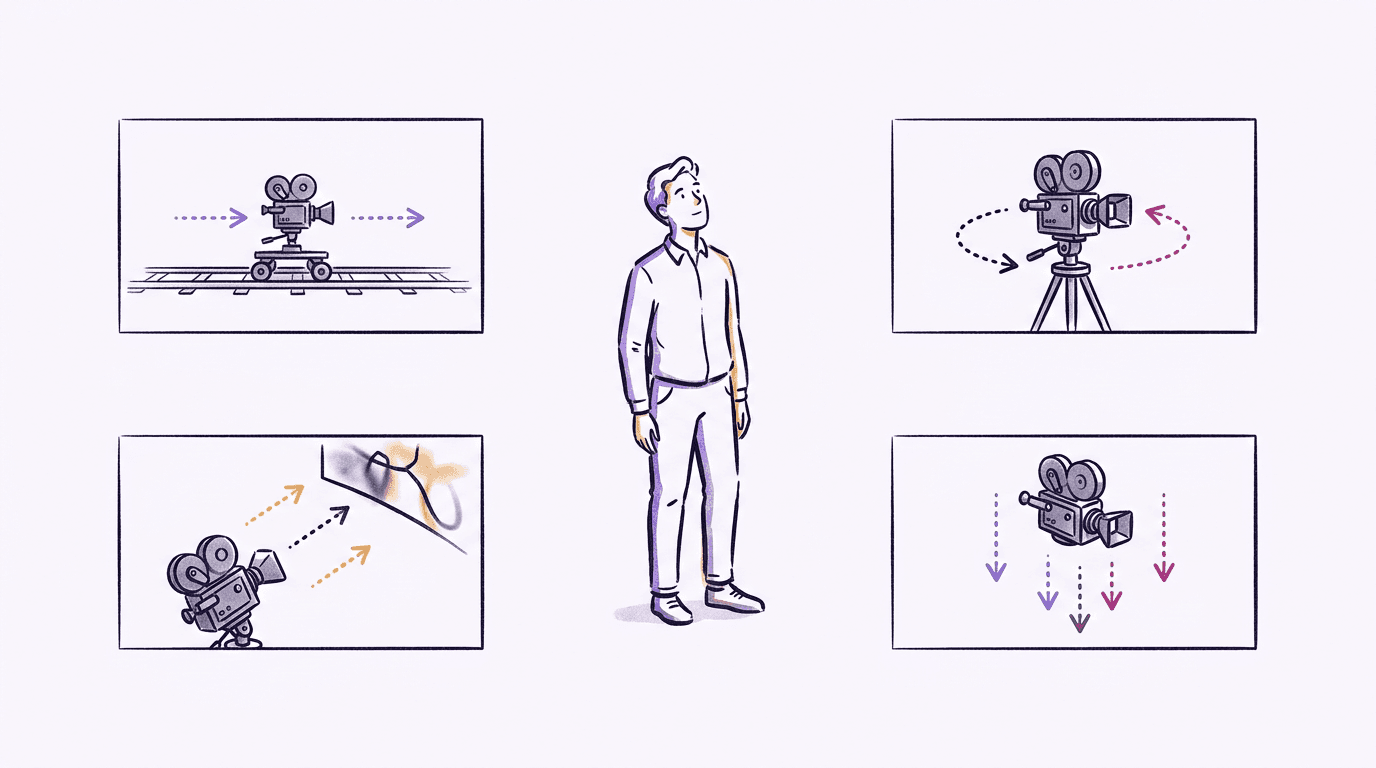
カメラに関する用語の指定は、Veo 3.1 プロンプトにおいて最も効果が高い一方で、多くの人が見落としがちな部分です。モデルは一般的な映画制作用語を理解するため、そのままシンプルに使用してください。
位置の指定:aerial view(俯瞰)、eye-level(目線の高さ)、low-angle shot(ローアングル)、top-down shot(真上からのショット)、over-the-shoulder(肩越し)。動きの指定:dolly in or out(ドリーイン・アウト)、tracking shot(トラッキングショット)、pan left or right(パン左・右)、tilt up(ティルトアップ)、slow zoom(スローズーム)、POV shot(主観視点)。フレーミング:extreme close-up(超至近)、close-up(アップ)、medium shot(ミディアムショット)、wide shot(引きの絵)、establishing shot(状況設定カット)。光学特性:shallow focus(浅い被写界深度)、deep focus(深い被写界深度)、macro lens(マクロレンズ)、wide-angle lens(広角レンズ)、soft focus(ソフトフォーカス)。
私たちが検証を重ねる中で見つけた2つの実用的なルールがあります。1つ目は、1クリップあたりのカメラの動きは1つに絞ること。プロンプトで "a pan that becomes a dolly-in and then tilts up"(パンした後にドリーインし、さらにティルトアップする)などと要求しても、大抵はどれか1つがランダムに選ばれるか、中途半端な動きになります。動画は4〜8秒しかありません。1つの動きを美しく見せるのが鉄則です。2つ目は、競合した場合は「動詞」がカメラの「名詞指定」より優先されること。被写体が "sprints"(猛ダッシュする)しているのに、カメラ指定を "static wide shot"(固定の広角ショット)にすると、モデルはダッシュの動きを優先し、カメラもつられて動いてしまいます。設定に矛盾がないようにしましょう。
ライティングも同様に、撮影監督のような専門的な用語で指定します。 "Golden hour backlight"(ゴールデンアワーの逆光)、"cool blue moonlight"(冷たい青の月光)、"harsh overhead fluorescent"(頭上のきつい蛍光灯)、"flickering torchlight"(揺らめく松明の炎)などは極めて忠実に再現されます。一方で、 "beautiful lighting"(美しい光)といった曖昧な表現は無視されてしまいます。
Before & After:同一テーマによる2つの記述例
百聞は一見に如かず。実際に BananaBanana の Veo 3.1 Fast を使い、同じテーマで2通りの生成を行いました(無音、6秒、720p)。これら2つのデモの生成コストは、合計で約 $1 です。
まずは、多くの人が最初に書きがちなプロンプト。単に "A horse running on a beach"(砂浜を走る馬)とだけ指定した例です:
悪くはありません。しかし、夕暮れのシチュエーションはモデルが自動的に(自動書き換え機能によって)選んだものです。フレーミングは引きのロングショットのままで、カメラワークに意図は見られず、ユーザーがコントロールできた要素はほぼありません。次に、同じテーマを7大要素の構造に当てはめて書き直した例です:"A chestnut Arabian horse gallops along wet sand at golden hour, kicking up spray of seawater with its hooves, low-angle tracking shot moving alongside the horse, shallow depth of field, warm backlit rim light from the setting sun"(ゴールデンアワーの濡れた砂浜を疾走する栗毛のアラブ馬。蹄が海水のしぶきを跳ね上げている。馬の側面に並走するローアングルのトラッキングショット、浅い被写界深度、沈む夕日からの温かい逆光のリムライト):
被写体、モデル、料金はすべて同じです。しかし2枚目のクリップ(修正版)には、意図されたカメラワーク、一貫した光の方向、および逆光をきれいに捉えた波しぶきが表現されています。これらは偶然の産物ではなく、すべてプロンプトに明記された言葉による成果です。
このデモ作成時に、2回ほど再生成を余儀なくされた教訓を紹介します。初期バージョンのプロンプトの最後に "cinematic 35mm look" という指示を入れていたところ、Veo は映画フィルムのメタファーを文字通りに解釈し、映像の上下に黒い帯(レターボックス)を焼き込んで出力してしまいました。しかも2回連続で。 "35mm" や "anamorphic"、"cinematic film look" といったスタイル用語は、アスペクト比の黒帯を含めた「劇場映画のような演出」を丸ごと引き込んでしまうことがあります。黒帯を入れずに映画的な雰囲気だけを出したい場合は、フィルム規格に言及する用語を避け、照明やレンズの特性を直接記述してください。
テキストからではなく写真(画像)から開始する場合、仕組みが少し異なります(画像が最初のフレームとして固定され、プロンプトには動きのみを記述します)。その手順については、こちらの 画像から動画への変換ガイド で詳しく解説しています。
オーディオ(音声)の指示方法
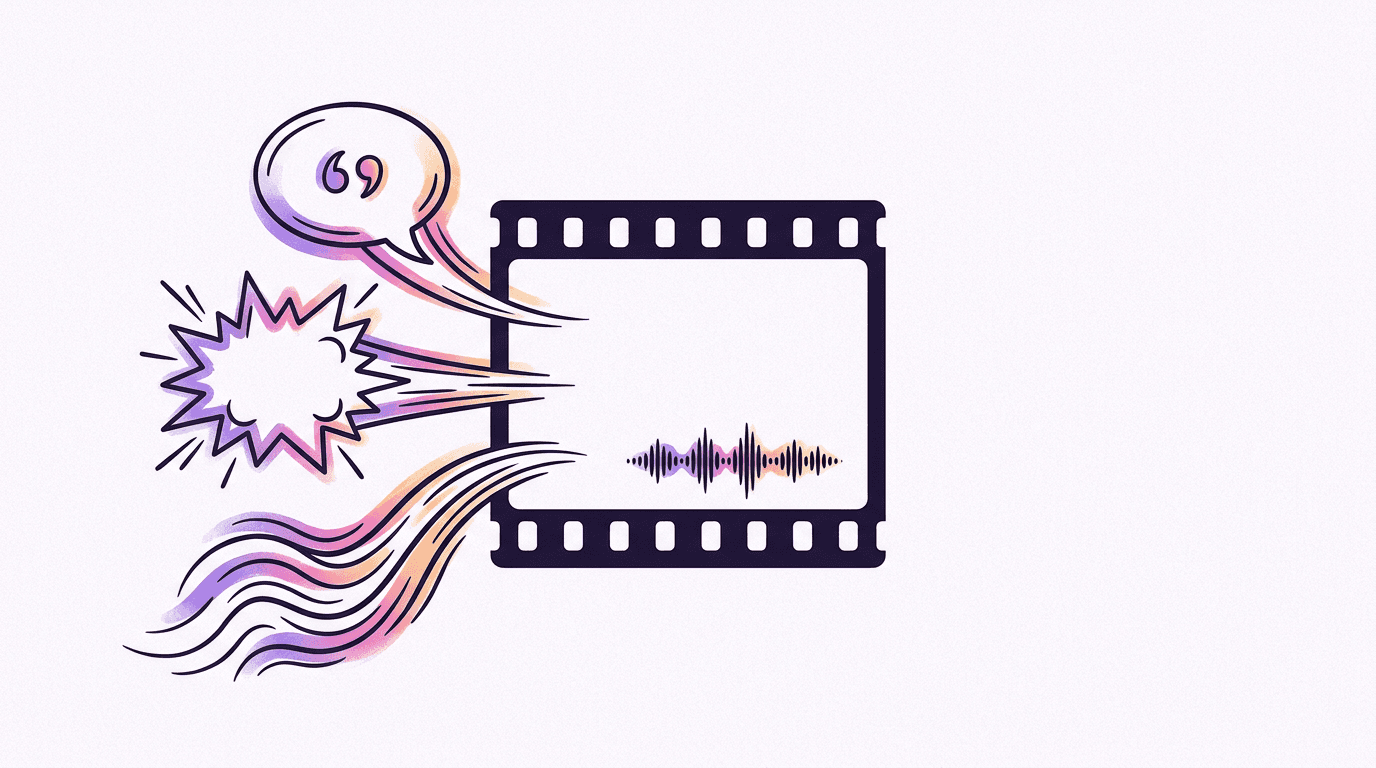
Veo 3.1 はネイティブ音声を生成できます。Googleのドキュメントによると、API経由では会話(ダイアログ)、効果音、環境音が常に有効化されており、映像と完全に同期します。これらはそれぞれ記述のルールが異なります。
- 会話はダブルクォーテーションで囲み、発話者と紐付けます: A man murmurs, "This must be it."(男が「ここに違いない」と呟く)
- 効果音は出来事として直接記述します: "tires screeching"(タイヤの軋み音)、"waves crashing against rocks"(岩に打ち寄せる波の音)
- 環境音は雰囲気として記述します: "faint hum of fluorescent lights"(蛍光灯の微かなハムノイズ)、"distant seagulls"(遠くのカモメの声)
Google公式のプロンプトサンプルに、その明確なパターンが示されています:"A close up of two people staring at a cryptic drawing on a wall, torchlight flickering. A man murmurs, 'This must be it.'"。クォーテーションで囲まれた会話部分はリップシンク(口の動きと同期)された音声になり、 "flickering" や "torchlight" といったワードがその空間の環境音(ルームトーン)を形作ります。
セリフは短く留めるのがコツです。私たちのテストでは、1つのセリフが約12語を超えると、8秒間の動画内で語尾が切れてしまったり、早口になりすぎたりするリスクがあります。また、大人数ではなく、1人または2人の対話にするのが賢明です。声が重なると音が潰れて聞き取りづらくなります。
BananaBanana ではオーディオの生成をオン/オフで選択でき、料金も異なります(Google側の課金体系に準拠しているため)。たとえば、Veo 3.1 Fast の8秒クリップの場合、無音は $0.70、音声付き(720p/1080p)は $1.00 となります。前述のデモ動画があえて無音なのは、オートプレイ(自動消音再生)される用途であれば、無音のままにするのが最も賢い予算の使い方だからです。(もしデフォルトで常に音声を含めたい場合は、Omni Flash モデル が逆のアプローチを提供しています:音声は常にオン、1秒あたり$0.10となります。)
ネガティブプロンプト、再生時間、および料金体系
ネガティブプロンプトの仕様は少々複雑ですが、API側での動作状況を共有します。Gemini API の Veo 3.1 向けドキュメントには、ネガティブプロンプトのパラメータに関する記載がありません。しかし、Google の Veo API は negativePrompt を受け入れ、実際の生成結果にも明らかな効果が見られます。そのため、私たちのジェネレーターにはこのフィールドが用意されており動作しますが、完全に除外できる厳密なフィルターとして過信しないようにしてください。
ネガティブプロンプトを指定する際、Googleのプロンプトガイドライン には少し意外なルールが記載されています。それは、ネガティブ指定欄に "no"(なし)や "don't"(するな)といった否定語を書かないこと。除外したい対象は、単なる名詞として並べて記述してください。たとえば、 "Cartoon, low quality, text overlay, watermark"(アニメ、低画質、文字、ウォーターマーク)は効果的ですが、 "no cartoons" と書くと、プロンプト内に "cartoon" という単語が含まれていると認識され、逆にアニメ調になってしまう裏目に出るリスクがあります。
再生時間と出力形式は、Googleのドキュメントおよび私たちの稼働環境において、アスペクト比 16:9 または 9:16 で、4秒、6秒、7秒、または8秒から選択でき、解像度は 720p、1080p、4K に対応しています。参照画像機能を利用するには、基本クリップの長さを8秒にする必要がありますが、1080pと4K、および動画の延長(Extension)は4つのいずれの長さでも利用できます。この「延長」機能は Veo の強力な隠し機能です。1回の要求ごとに動画を7秒ずつ、最大20回まで追加で延長可能なため、1つのプロンプトチェーンから2分を超える動画を生成することができます。
現在、BananaBanana における8秒の 720p クリップの料金体系は以下の通りです:
| モデル | 無音 | 音声付き |
|---|---|---|
| Veo 3.1 Lite | $0.20 | $0.36 |
| Veo 3.1 Fast | $0.70 | $1.00 |
| Veo 3.1 | $1.40 | $3.00 |
ちなみに、Lite モデルの4秒・無音クリップはわずか $0.10 です。新規アカウントに付与される無料クレジットで、これを2本作成できます。つまり、最初の Veo ビデオは実質無料で作成できます。プロンプトの構成やカメラワークの仕組みを学ぶには、720p の Lite モデルで十分に検証が可能です。本番環境(Fast やフル機能モデル)で実費を支払う前に、ぜひここでプロンプトを練り上げてみてください。全モデルの料金表は 料金ページ でご覧いただけます。
私のおすすめのワークフロー:まずは Lite でプロンプトのドラフトを作成し、意図通りのカメラワークや動きが得られるまで試行錯誤します。仕上がりが確定した最終プロンプトを使用して、Fast または最上位の Veo 3.1 で本生成を行います。プロンプトの完成度自体はどのプランのモデルでも同様に反映されます。追加料金を支払う価値は、主にレンダリングの画質にあります。
よくある質問(FAQ)
Veo 3.1 の最適なプロンプト構成は?
被写体、アクション、スタイル、カメラ、構図、レンズ、雰囲気の順で記述するのがベストです。簡潔なテンプレート:"[shot type] of [subject] [action] in [setting], [camera move], [lens], [lighting]"。形容詞よりも具体的な名詞を用い、1クリップあたりのカメラワークは1つに限定することが重要です。
Veo 3.1 はネガティブプロンプトに対応していますか?
Veo API自体では対応しています。 negativePrompt パラメータが有効に機能しますが、Gemini API ドキュメントには記載されていません。指定する際は、 "no" などの否定表現を使わず、単純に除外したい名詞("cartoon, blurry, watermark" など)のみを列挙してください。
Veo 3.1 でセリフ(音声)を生成させるには?
セリフをダブルクォーテーションで囲み、発話者と併せて記述します: A woman whispers, "We're not alone."(女性が「私たちは一人じゃない」と囁く)。短いフレーズであれば口の動きとも高精度に同期します。1動画あたり12語以下に抑えるのが目安です。
生成できる Veo 3.1 動画の長さは?
基本のクリップは4〜8秒です。動画延長(Extension)機能(1回の処理で7秒延長、Googleドキュメントによる最大20回の延長)を利用することで、1つのシークエンスで最長148秒(720p)まで拡張できます。
Veo 3.1 動画1本の料金は?
BananaBanana では、$0.10(Lite モデルの4秒・無音クリップ・720p)から最大 $4.40(Veo 3.1 最上位モデルの8秒・4K・音声付き)の幅があります。標準的かつおすすめな「Fast・8秒・無音クリップ」は $0.70 です。