Nano Banana Pro Ürün Fotoğrafçılığı: $0.11'lık Stüdyo
Nano Banana Pro ile ürün fotoğrafları: Stüdyo prompt şablonu, ışıklandırma ayarları, makro detay çekimleri ve $0.11'dan başlayan gerçek fiyatlar.

Nano Banana Pro ürün fotoğrafçılığı, fiziksel bir çekim organize etmek yerine Google'ın gemini-3-pro-image modeliyle stüdyo kalitesinde ürün görselleri üretme sürecidir. Ürünü, üzerinde durduğu yüzeyi, ışığı ve kamera açısını düz cümlelerle tanımlarsınız; model de bir dakikadan kısa sürede bir ürün çekimi (packshot), lifestyle (yaşam tarzı) sahnesi veya makro detay çekimi sunar. Bu işlem BananaBanana üzerinde görsel başına yalnızca $0.11 tutar.
Eğer bu sayfadan sadece tek bir şey almak istiyorsanız, işte kısa yanıt: Google'ın görsel oluşturma belgelerinden bu şablonu kopyalayın ve köşeli parantezleri doldurun. "A high-resolution, studio-lit product photograph of [product] on [surface]. The lighting is a [lighting setup]. [Camera angle]. Ultra-realistic, with sharp focus on [key detail]." Bu tek cümlelik yapı, bu makaledeki her bir ürün çekimini, her seferinde ilk denemede üretti.
Demoların dürüstlüğünden emin olmak için, aşağıdaki her şey hayali bir ürün etrafında kurgulanmıştır: fırçalanmış çelik kasalı, orman yeşili sunburst kadranlı ve koyu kahverengi deri kordonlu minimalist bir kol saati. Saatler, ürün fotoğrafçılığının klasik zorluk testidir. Fırçalanmış metal, kadran üzerindeki cam, dikişli deri, ince dokular... Eğer model bir saatin altından başarıyla kalkabiliyorsa, mum kavanozlarınızı ve telefon kılıflarınızı hiç zorlanmadan halledecektir.
Ürün çekimi prompt şablonu nedir?
Google'ın belgeleri ticari çekimler için açık bir formül sunuyor ve bunu alıntılamaya değer çünkü çoğu insan bunu asla bulamaz: tanımlanmış bir yüzey üzerinde ürünün stüdyo ışığıyla çekilmiş bir fotoğrafı, adlandırılmış bir ışıklandırma kurulumu, belirtilmiş bir kamera açısı ve odağın en keskin olması gereken yere dair net bir kapanış talimatı. Başka bir deyişle, bir fotoğrafçıya vereceğiniz brifi yazın.
İşte aşağıdaki görselin arkasındaki tam prompt: "A high-resolution, studio-lit product photograph of a minimalist wristwatch with a brushed steel case, a forest-green sunburst dial with slim silver baton markers and a dark brown leather strap, standing upright on a low light-gray stone pedestal against a seamless off-white background. The lighting is a three-point softbox setup that creates soft gradients across the brushed steel and a gentle shadow under the strap. Slightly elevated 45-degree camera angle. Ultra-realistic, with sharp focus on the sunburst texture of the dial."
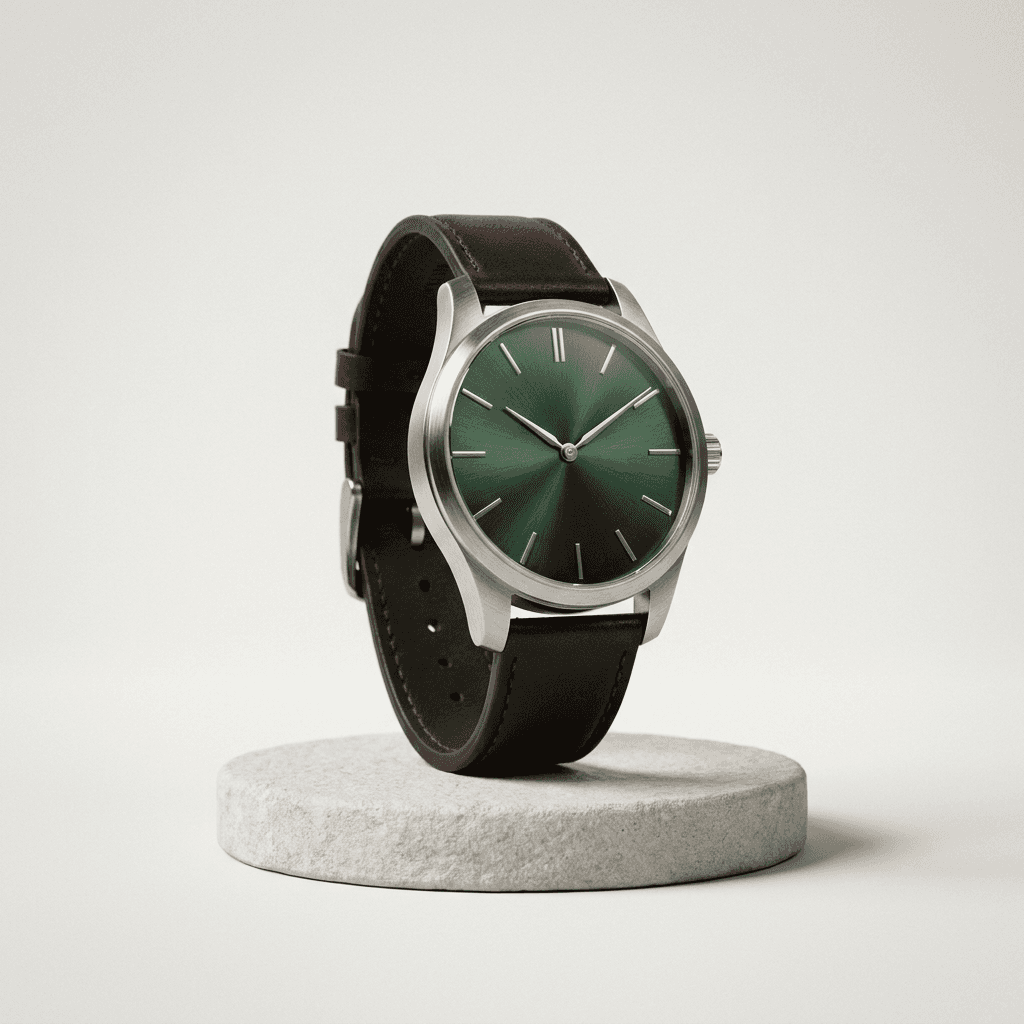
İstenmeden neyin üretildiğine dikkat edin. Akrep ve yelkovan yaklaşık on u on geçe konumunda duruyor; neredeyse her gerçek saat reklamının logoyu çerçevelemek için kullandığı pozisyon budur. Model, ürün fotoğrafçılığı kurallarını doğrudan ürün fotoğraflarından öğrenmiştir. Bu yüzden promptunuz bir brif gibi duyulduğunda, bu kuralları kendiliğinden elde edersiniz.
En büyük işi üstlenen kısımlar yüzey ("low light-gray stone pedestal") ve ışık ("three-point softbox setup") oldu. Bunları dışarıda bırakırsanız yine bir saat elde edersiniz, ancak her denemede farklı olacak şekilde rastgele bir ışık altında, rastgele bir masanın üzerinde durur.
Bir promptta hangi ışıklandırma kurulumlarını adlandırabilirsiniz?
Ürün çekimlerinin can damarı ışıklandırmadır ve Nano Banana Pro, bir stüdyo fotoğrafçısının kullandığı kelime dağarcığına mükemmel yanıt verir. Benim üretimlerimde en kararlı çalışan isimler şunlar: three-point softbox (temiz e-ticaret görünümü), single hard spotlight (dramatik, derin gölgeler), soft window light from one side (yaşam tarzı sıcaklığı), golden hour backlight (açık hava modu) ve overcast daylight (düz ve gerçekçi, renk doğruluğu için ideal).
Aynı saat, tamamen zıt bir brif: "A low-key product photograph... lying on black reflective acrylic with a soft mirror reflection. A single hard spotlight from the top right carves deep shadows, and a faint cool rim light traces the left edge of the case. Dark charcoal background."
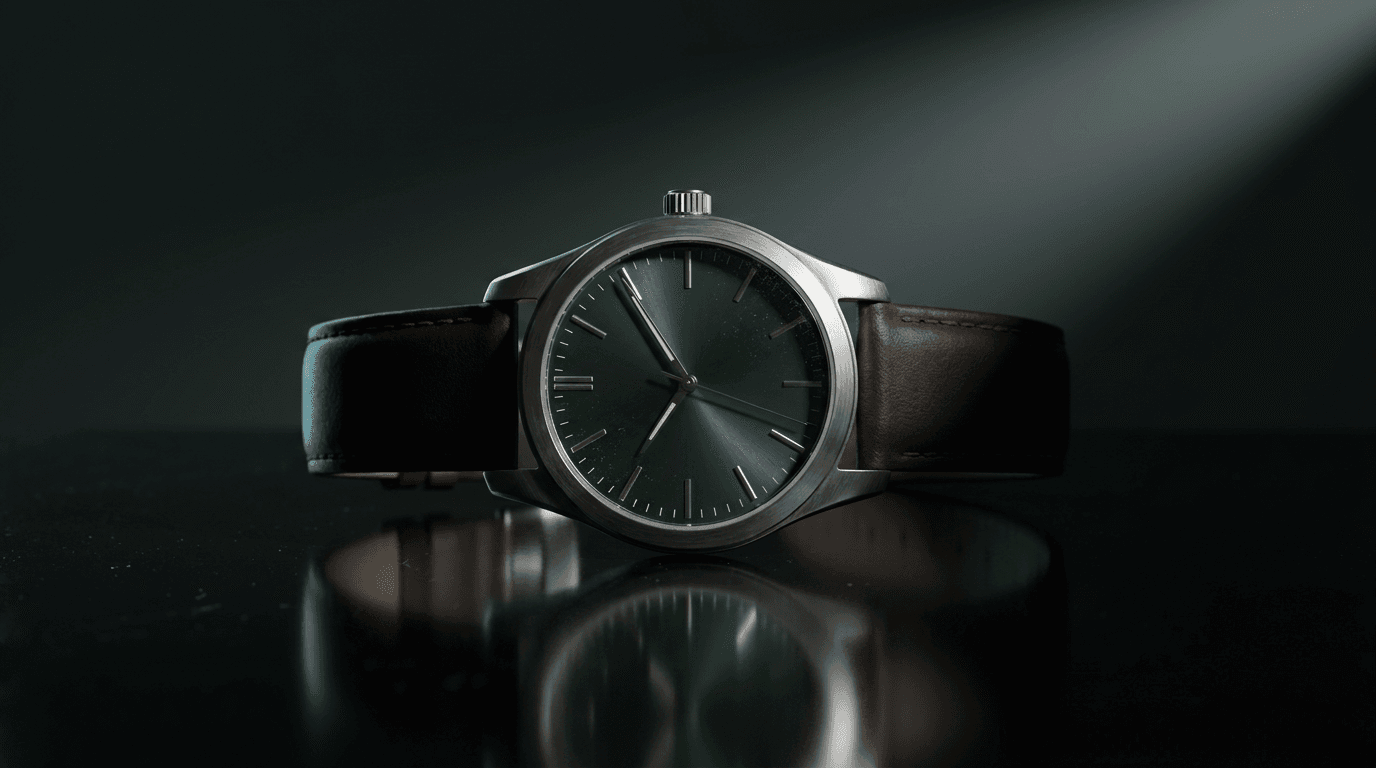
Bu karede iki şey bana yeni bir şey öğretti. Model, camın üzerine hafif toz zerreleri eklemiş; gerçek makro fotoğrafçılarının mücadele ettiği bu kusur, bir hatadan ziyade gerçekçilik hissi katıyor. Diğer yandan pek de istemediğim bir durum gerçekleşti: Bu versiyon, softbox versiyonunda olmayan, kadran kenarında ince bir dakika çizgisi (minute track) oluşturdu. Ürün açıklamamda hiçbir şekilde bundan bahsetmemiştim. Çekimler arasında, kelimelerle sabitlemediğiniz her detay yeniden pazarlığa açıktır. Tek seferlik bir görsel yerine bir seri üretirken bu durum oldukça önemlidir.
Hayali bir ürünü değil, gerçek ürününüzü nasıl çekersiniz?
Uydurma bir saat rehber için sorun değil. Ancak mağazanız gerçek bir nesne satıyor ve bunu yapay zeka kamerasının önüne çıkarmanın iki yolu var.
Birincisi referans görsellerdir. Gemini API belgelerine göre, Nano Banana Pro istek başına yüksek aslına uygunlukla (high fidelity) 6 adede kadar nesne referans görseli kabul eder. Ürününüzü telefonunuzla birkaç farklı açıdan, düzgün bir ışıkta, herhangi bir şekillendirmeye gerek duymadan fotoğraflayın. Ardından bunları generator alanına yükleyin ve etrafında oluşturmak istediğiniz sahneyi prompt olarak yazın. Model, fotoğraflarınızı şekil, renk ve marka için temel gerçeklik (ground truth) olarak kabul eder. Bu, karakter tutarlılığı rehberimizde yüzleri sabit tutmak için kullandığımız mekanizmanın aynısıdır; nesneler dürüst olmak gerekirse yüzlerden çok daha kolaydır.
İkinci yol ise (bu makalede kullandığımız yöntem), her promptta kelimesi kelimesine yeniden kullanılan eksiksiz bir metin açıklamasıdır. Bu yöntem ücretsizdir ve yükleme gerektirmez, ancak yukarıdaki dakika çizgisi örneğinde olduğu gibi, yalnızca yazmayı akıl ettiğiniz detayları sabitleyebilir.
Aşağıdaki lifestyle (yaşam tarzı) çekiminden çıkarılacak bir ders daha var; bu görsel sabah ışığı, kafe masası, keten peçete, kahve ve "an open paper notebook" (açık bir kağıt defter) olarak promptlanmıştı:
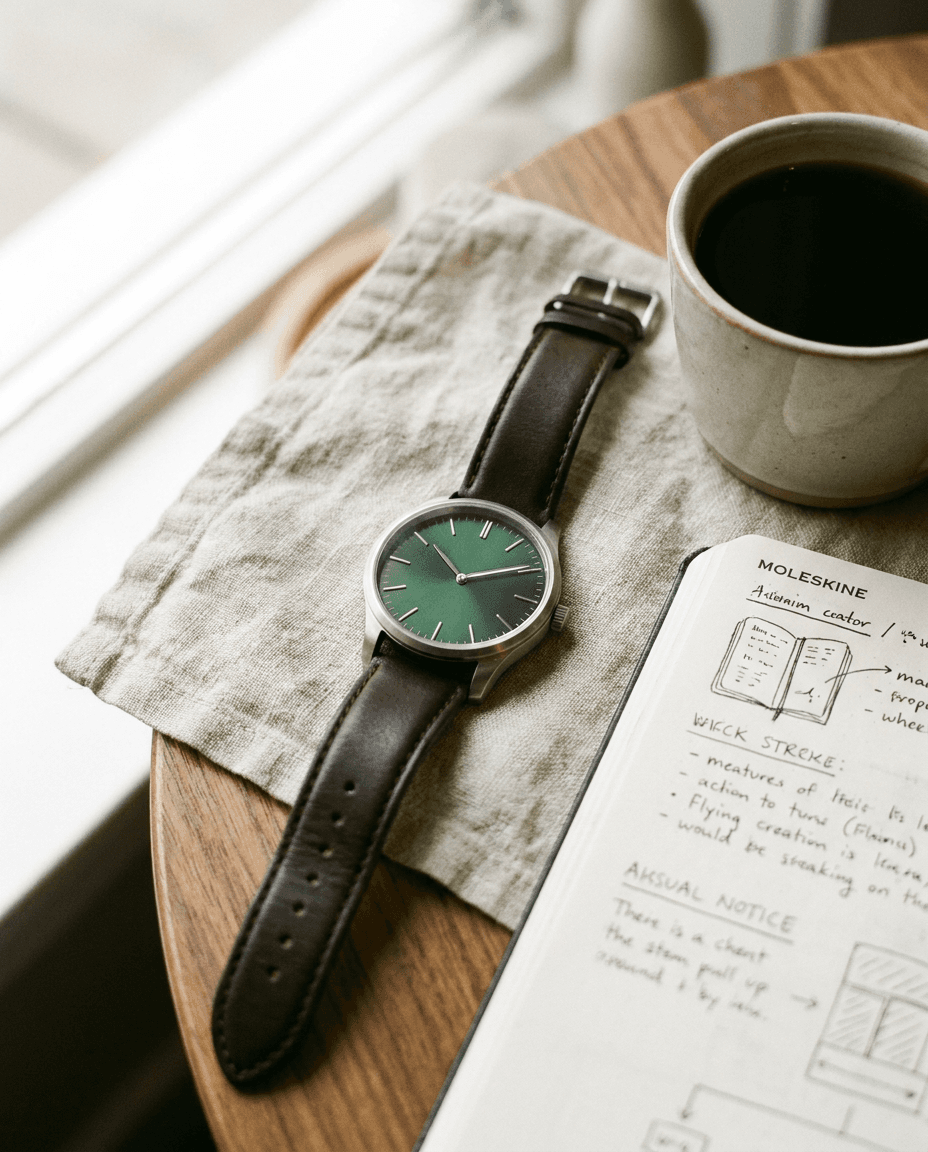
Deftere bakın. Model, promptta istenmediği halde üzerine gerçek bir kırtasiye markasının logosunu basmış ve sayfayı aslında okumaya çalıştığınızda rüya gibi anlamsızlaşan, kendinden emin bir el yazısıyla doldurmuş. Bir blog demosu için bu eğlenceli bir detay olabilir. Ancak ücretli bir reklam kampanyasında bu durum hem bir marka tescili (trademark) sorunu yaratır hem de tekinsiz vadi (uncanny valley) etkisi oluşturur. Bu yüzden sadece kendi ürününüzü değil, kadrajdaki her nesneyi kontrol edin; kırpmaya, yeniden oluşturmaya veya promptta "a blank unbranded notebook" istemeye hazır olun. Aksesuarlar yanıltıcı olabilir.
Çekimler yakın çekimlere ve pazaryeri kırpmalarına dayanıklı mı?
Detay çekimleri, Nano Banana Pro'nun çuvallayacağını düşündüğüm yerdi çünkü makro çekim fiziksel kameraların pahalılaştığı alandır. 100mm makro lens, odak istifleme (focus stacking) ve bolca sabır gerektirir. İşte tek bir anahtar ışık ve sığ alan derinliği ile üretilen "an extreme macro photograph of the watch crown and side of the watch, showing the knurled texture of the steel crown":
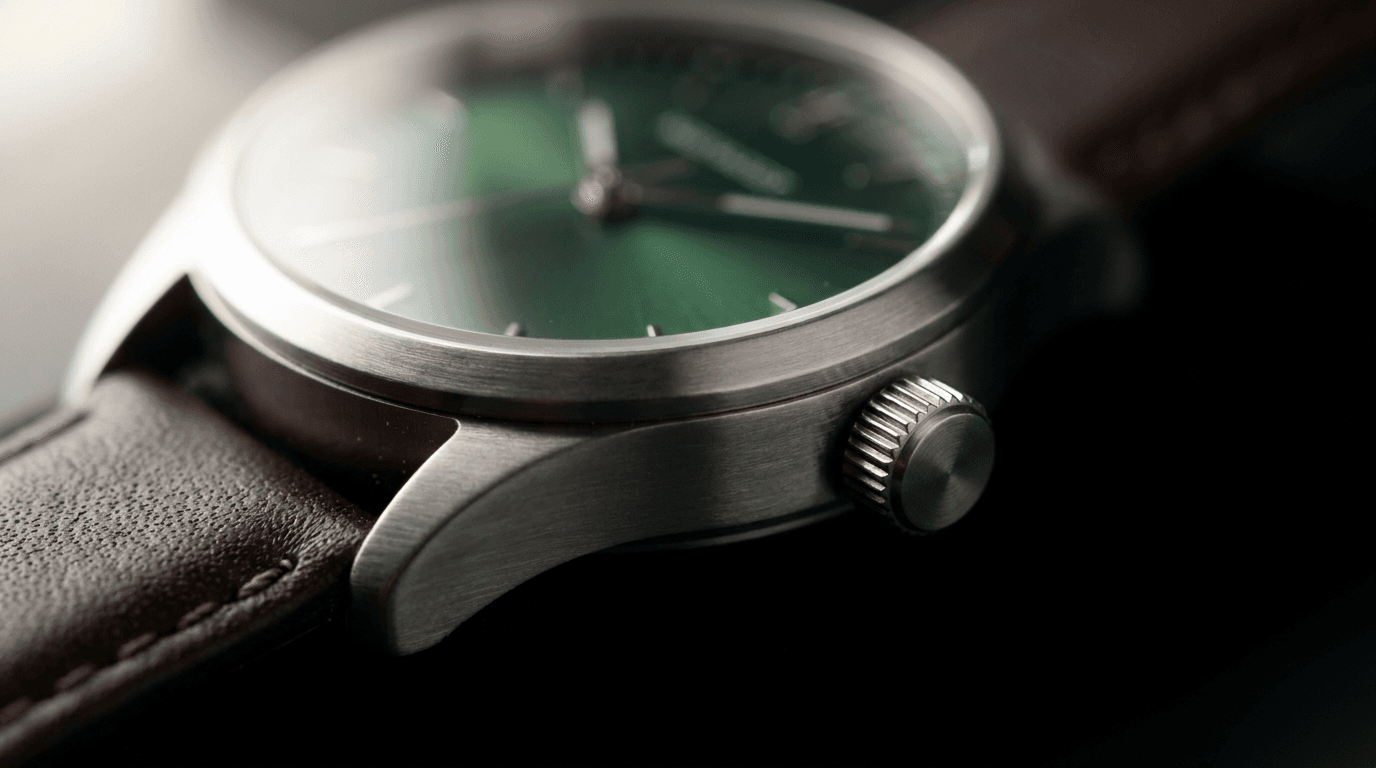
Kurma kolundaki tırtıklar keskin ve düzgün bir şekilde işlenmiş, kasa üzerindeki fırçalanmış metal dokusu tutarlı bir yönde ilerliyor ve odak geçişi (focus falloff) gerçek bir cam gibi davranıyor. Bu kareyi doğrudan kullanırdım. Bir ürün sayfasındaki detay satırları için, bu çekim türü ve packshot (ürün çekimi) kombinasyonu bir listelemenin ihtiyaç duyduğu her şeyi fazlasıyla karşılar.
Formatlar kırpma yoluyla değil, doğrudan oluşturma aşamasında ayarlanır. Belgeler on farklı en boy oranı listeliyor ve ticaret için en kullanışlı eşleştirmeler şunlar: Pazaryeri görselleri ve katalog ızgaraları için 1:1, akış (feed) paylaşımları için 4:5 (yukarıdaki kafe çekimi 4:5'tir), hikayeler ve dikey reklamlar için 9:16, web sitesi banner'ları ve manşetleri (hero) için ise 16:9 veya 21:9.
Pazaryeri ana görselleri, şablonun uyarlanması gereken tek yerdir. Amazon'un Jungle Scout'un gereksinimler kılavuzunda güzelce özetlenen listeleme kuralları; saf beyaz bir arka plan (RGB 255,255,255 ve tarayıcıları bunu kontrol eder), ürünün çerçevenin en az %85'ini kaplamasını, uzun kenarın en az 1000px olmasını, hiçbir metin veya logo içermemesini şart koşar. Benim kırık beyaz zemin üzerindeki taş kaidem bu taramadan iki nedenden ötürü geçemezdi. Ana görsel için promptta "on a pure white seamless studio background, product filling most of the frame" ifadesini kullanın ve kaide havasını marka sayfalarınıza saklayın. Ve elbette apaçık ama zorunlu olan kısım: Bir listeleme görseli, gerçekten gönderdiğiniz ürünü göstermelidir. Fiziksel ürünü yanlış tanıtan göz alıcı yapay zeka üretimleri, iade rekorları kırmanıza ve politika ihlallerine yol açar.
Yapay zeka ile ürün çekimi yapmanın maliyeti nedir?
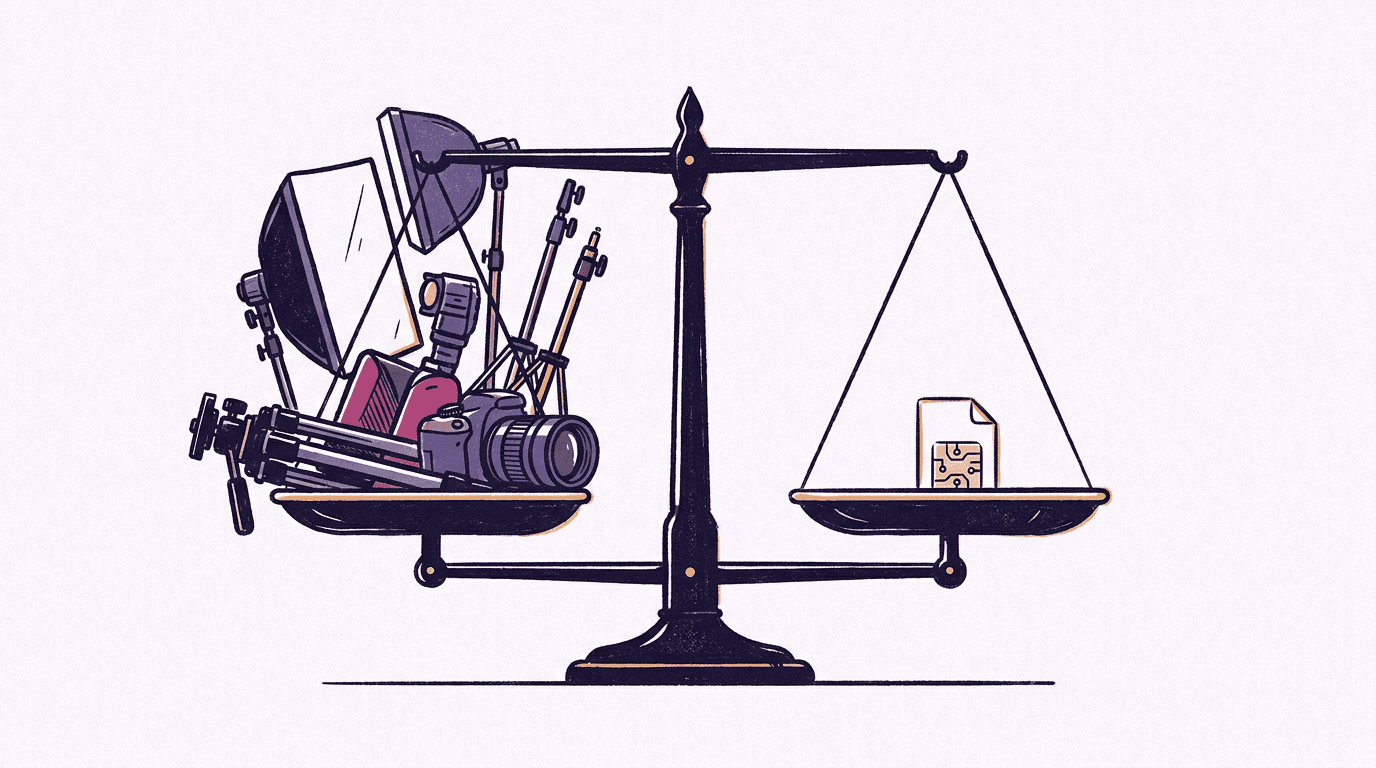
Nano Banana Pro için güncel BananaBanana fiyatları: 1K veya 2K çözünürlükte görsel başına $0.11, 4K çözünürlükte ise $0.20. 2K katmanı gizli kalmış bir fırsattır; 1K ile aynı fiyattadır ve 2048px ile pazaryeri sınırlarının rahatça üzerindedir. Kapak da dahil olmak üzere bu makaledeki her görsel toplamda yaklaşık $0.80 tuttu ki bu, kiraladığım herhangi bir stüdyonun yakınındaki otopark ücretinden bile daha ucuz.
Bu işi bu kadar ucuz tutan iş akışı şudur: Bütçe dostu katmanlarda kompozisyonu yineleyin, ardından Pro ile nihai hale getirin. Kadraj ve ışık oturana kadar Nano Banana 2 Lite ile $0.03 veya Nano Banana 2 ile $0.06 ödeyerek taslaklar oluşturun, ardından nihai promptu Pro'da 2K çözünürlükte bir kez çalıştırın. Prompt yapısı katmanlar arasında neredeyse kusursuz bir şekilde aktarılır; bu promptları yazmanın genel incelikleri Nano Banana prompt rehberimizde bulunabilir ve tüm fiyat tablosu ücretlendirme sayfasında yer almaktadır.
Fiziksel çekimin hâlâ kazandığı yerler: Referans görseller olmadan gerçek ürününüze olan birebir sadakat, 40 ürünlük bir katalogda garantili tekrarlanabilirlik ve makro mesafedeki kazınmış (engraved) metinler veya aşırı parlak ayna yansımaları gibi modelin baskı altında hâlâ zorlandığı malzemeler. Benim dürüst görüşüm, yapay zekanın küçük bir mağaza için packshot-lifestyle-detay üçlüsünü tamamen karşıladığı, ancak bir marka katalog ölçeğinde pikseli pikseline tutarlılığa ihtiyaç duyduğunda bir ikameden ziyade bir ön görselleştirme (pre-visualization) aracına dönüştüğüdür.
SSS
Nano Banana Pro gerçek ürünümün fotoğraflarını kullanabilir mi?
Evet. Gemini API belgeleri, istek başına yüksek aslına uygunlukla 6 adede kadar nesne referans görseline izin verir. Ürünün farklı açılardan çekilmiş birkaç telefon fotoğrafını yükleyin, ardından etrafında kurgulanmasını istediğiniz sahneyi, yüzeyi ve ışıklandırmayı tanımlayın.
Bir e-ticaret ürün çekiminde (packshot) hangi ışıklandırmayı istemeliyim?
Düz bir arka plan üzerinde "Three-point softbox setup" temiz standart görünümdür. Dramatik marka görselleri için "single hard spotlight with deep shadows"; yaşam tarzı (lifestyle) için "soft window light from one side". Adlandırılmış kurulumlar işe yarar; "professional lighting" gibi belirsiz ifadeler ise yaramaz.
Yapay zeka ile çekilen ürün fotoğrafları Amazon'un görsel gereksinimlerini karşılıyor mu?
Kurallar görselin nasıl üretildiğiyle değil, kendisiyle ilgilidir: Saf beyaz arka plan (RGB 255,255,255), ürünün çerçevenin en az %85'ini kaplaması, 1000px veya daha büyük olması, ek metin veya logo içermemesi ve satılan ürünü doğru şekilde yansıtması gerekir. Özellikle saf beyaz bir arka plan için prompt yazın; şık duran kırık beyaz zemin otomatik kontrollerden geçemez.
Ürün listelemeleri için hangi çözünürlükte üretim yapmalıyım?
2K (2048px), pazaryerlerinin yakınlaştırma (zoom) gereksinimlerini karşılar ve BananaBanana üzerinde 1K ile aynı fiyattadır ($0.11). Baskı veya büyük ana görsel (hero) kırpmaları için 4K çözünürlüğü ($0.20) tercih edebilirsiniz.
Bir adet yapay zeka ürün fotoğrafının maliyeti nedir?
BananaBanana üzerinde: Nano Banana Pro ile 1K veya 2K çözünürlükte $0.11, 4K çözünürlükte ise $0.20. Daha ucuz katmanlardaki taslaklar $0.03 ile $0.06 arasında değişir; bu nedenle denemelerle birlikte eksiksiz bir packshot-lifestyle-macro seti yaklaşık bir dolara mal olur.