100+ Nano Banana Prompts by Category (2 & Pro Guide)
Copy 100+ tested Nano Banana prompts by category: Nano Banana 2 and Pro prompts, photo editing prompts, text on images, and real per-image prices.

A Nano Banana prompt is a written scene description that Google's image models (Nano Banana 2, Nano Banana 2.1, Nano Banana Pro and the budget Lite tier) turn into a picture. These models are built on Gemini, so they read your prompt as language rather than as a bag of keywords. That single fact changes how you should write. According to Google's image generation docs, rich narrative descriptions consistently beat comma-separated tag lists, and our own generations back that up daily.
The short version, if you only want the template: "A photorealistic [shot type] of [subject] in [setting]. [Lighting description]. Shot from [camera angle] with [lens type]." Write complete sentences. Name the light source and the lens like a photographer would. Below that template sit 106 numbered, copy-ready Nano Banana prompts sorted by category, each in its own box so you can paste it straight into the generator.
It's the image-side companion to our Veo 3.1 prompt guide. Every demo here was generated on BananaBanana with the prompt shown, first attempt unless I say otherwise.
In this guide:
- Why narrative prompts beat keyword lists
- Photorealistic prompts: write like a photographer
- Nano Banana 2 prompts by category (prompts 1–53)
- Nano Banana Pro prompts: text, posters, and 4K detail (prompts 54–79)
- Prompts for photo editing (prompts 80–106)
- Negative prompts, aspect ratios, and prices
- FAQ
Why do narrative prompts work better than keyword lists?
Old habits die hard. If you learned prompting on older diffusion tools, you probably write "perfume bottle, product photo, 8k, dramatic lighting, masterpiece". Nano Banana models parse that, but you're wasting their main strength: they understand relationships between things, not just the things themselves.
"A barista laughing at something off-frame while steam rises from the espresso machine behind her" is a scene. The keyword version loses who does what and where. The model fills those gaps with defaults, and defaults are what make AI images look like AI images.
A working Nano Banana prompt usually carries five or six ingredients:
| Ingredient | What it controls | Example phrase |
|---|---|---|
| Subject | Who or what is in frame | "an elderly watchmaker with wire-rim glasses" |
| Setting | Where the scene happens | "at a cluttered workbench in a narrow shop" |
| Style | Overall look | "photorealistic" / "flat vector illustration" |
| Lighting | Light source, direction, mood | "single warm desk lamp from the left" |
| Camera | Angle and framing | "close-up, shot from slightly above" |
| Lens | Optical character | "85mm lens, shallow depth of field" |
You won't need all six every time. But every ingredient you skip is a decision you hand back to the model.
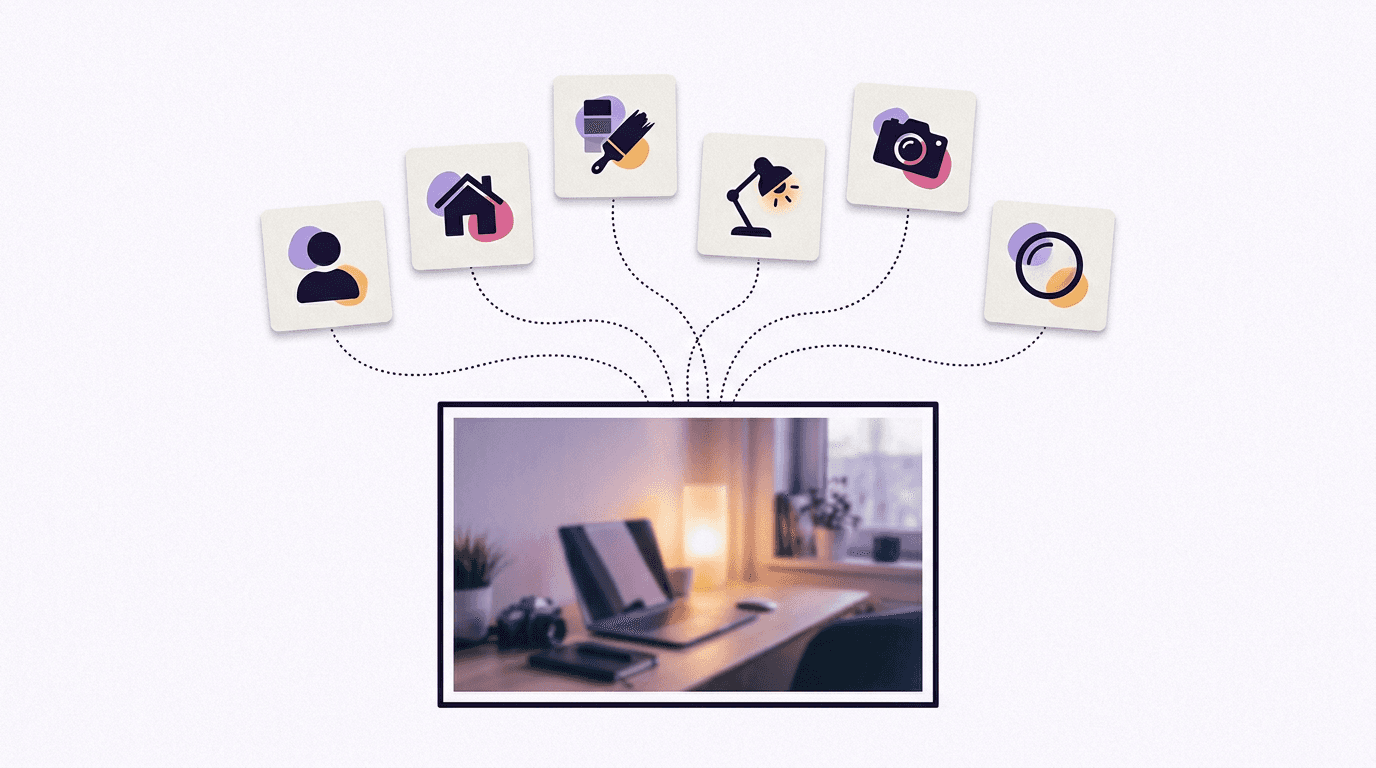
Photorealistic prompts: write like a photographer
For realistic photos the most useful vocabulary is camera language: shot type, subject, environment, light, angle, glass. That's how photographers brief a shoot.
Here's the difference in practice. Both images below came from Nano Banana 2 at 1K resolution, $0.06 each on our pricing. First, the prompt everyone writes on day one, just "A perfume bottle on a table":
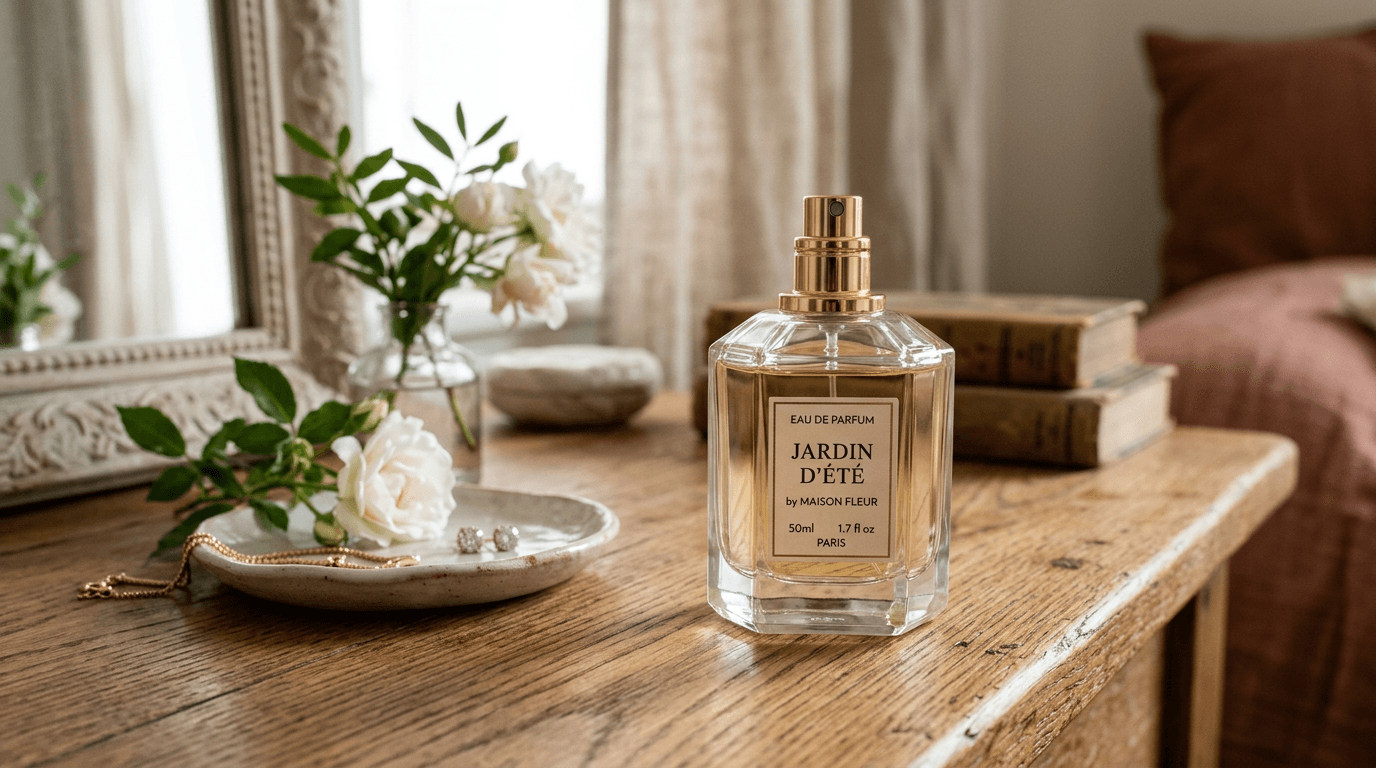
Pretty, honestly. But the window light, the flowers and the jewelry dish were the model's decisions, not yours, and the next run will make different ones. Now the same subject with the ingredients filled in:
A photorealistic close-up of an amber glass perfume bottle standing on wet black slate, fine water droplets across the glass. Warm golden backlight from the right, a faint cool rim light from the left. Shot from a low angle with an 85mm macro lens, shallow depth of field, dark blurred background.
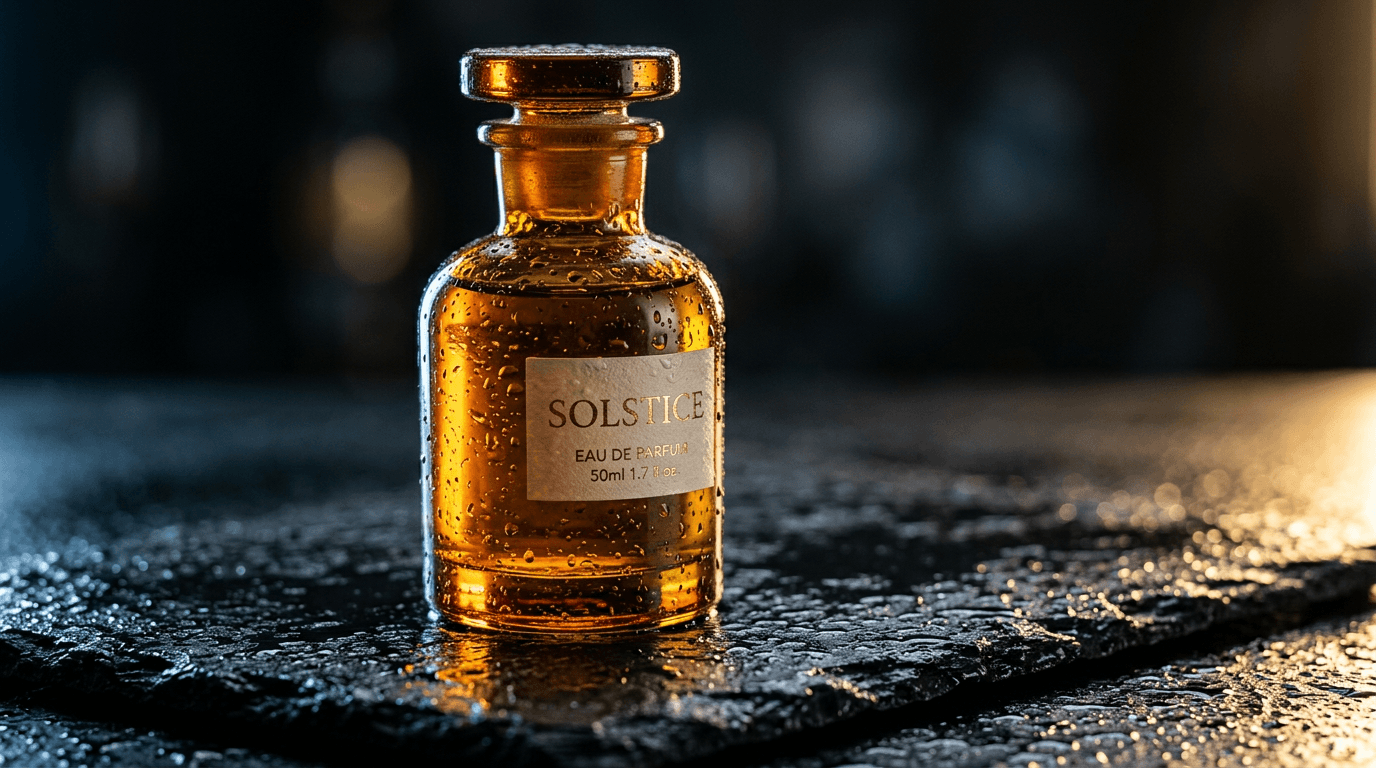
Same model, same price. The droplets, the two-tone light and the low angle were words in the prompt rather than luck. Zoom in on the label, though: I never asked for one, and the model misspelled its own invented text ("EAU DE PARFUIM"). Unprompted text is still Nano Banana 2's weak spot.
Lighting names read reliably (golden hour, three-point studio lighting, hard noon sun, candlelight); vague mood words like "dramatic" read as roughly nothing. In my experience the lens matters almost as much. For products, the product photography guide goes further.
Nano Banana 2 prompts by category
Nano Banana 2 (gemini-3.1-flash-image) is the everyday model: 512px up to 4K, up to 14 reference images (10 objects plus 4 characters, per Google's docs), $0.06 per image at 1K on BananaBanana. Google now lists Nano Banana 2.1 as its primary Flash image model and calls Nano Banana 2 the previous generation. The prompts in this section should run unchanged on 2.1, which costs $0.03 at 1K here. If you don't need 512px drafts or a fixed seed (2.1 rejects seeds), I'd honestly start on 2.1.
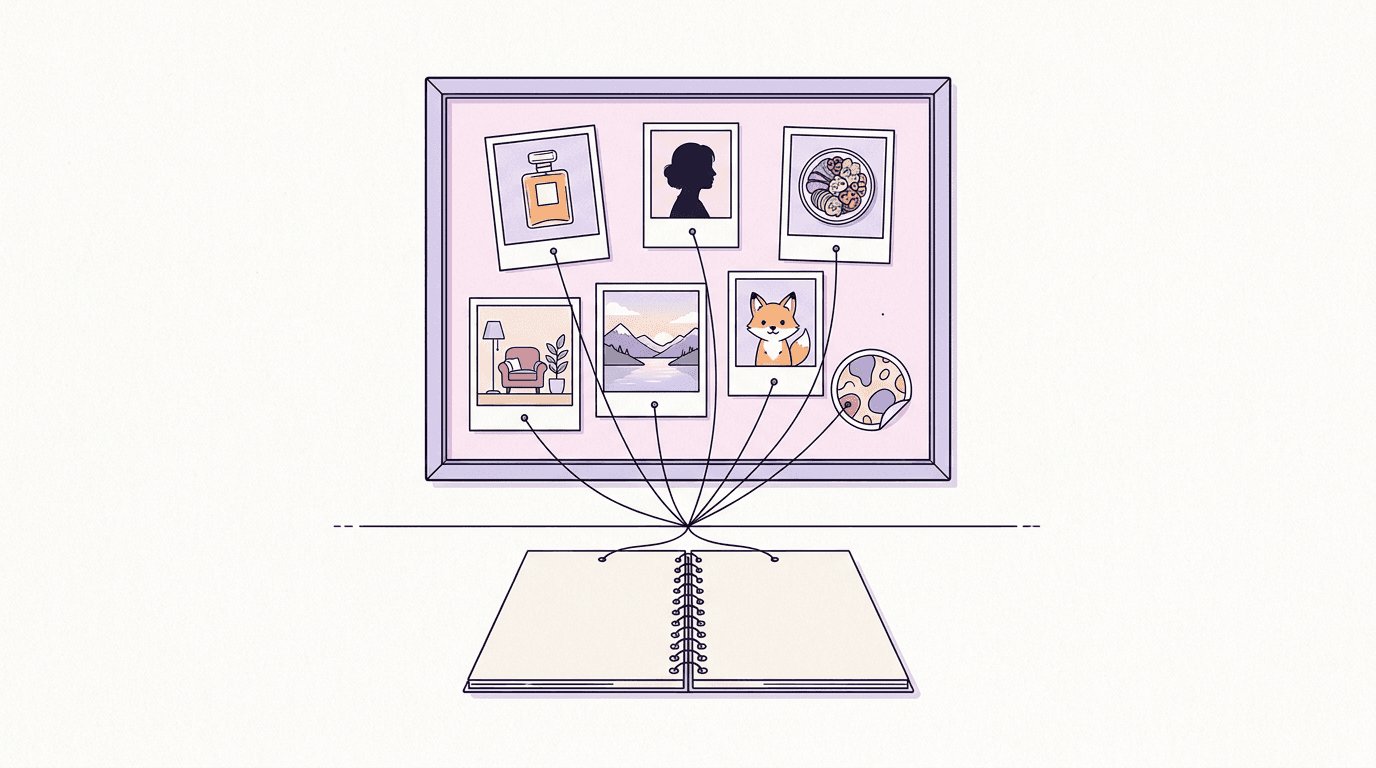
Product photography
1. Serum bottle on travertine
A high-resolution, studio-lit product photograph of a frosted glass serum bottle with a black dropper cap, standing on a block of pale travertine. Soft three-point softbox lighting keeps the glass clean and free of hot spots. Shot at eye level with a 100mm macro lens, sharp focus on the dropper, soft beige background.
2. Floating running shoe
A photorealistic product shot of a white and coral running shoe floating at a slight angle above a pale concrete floor, its laces drifting as if caught mid-bounce. Hard directional light from the upper right casts a crisp shadow below. Shot from a low three-quarter angle with a 50mm lens against a plain light-grey paper backdrop.
3. Earbuds case in still water
A photorealistic close-up of an open matte-black wireless earbuds case resting on a flat river stone in shallow, perfectly still water, tiny ripples spreading from the stone. Cool morning light from behind traces a thin highlight along the case edges. Shot from just above the waterline with a 90mm macro lens.
4. Coffee bag with spilled beans
A studio product photograph of a kraft-paper coffee bag with a blank label, roasted beans spilling from its open top across a dark walnut board. Warm key light from the left, a small reflector filling the shadows on the right. Shot from a slightly raised 30-degree angle with an 85mm lens, shallow depth of field.
5. Wristwatch macro
An ultra-realistic macro photograph of a steel wristwatch with a deep green sunburst dial lying on folded charcoal wool. A single soft light from the top left makes the dial shimmer. The camera looks almost straight down, slightly tilted, to show the dial texture, with sharp focus on the hour markers.
6. Candle in a bedside scene
A photorealistic lifestyle shot of a lit soy candle in a ribbed amber glass jar on a bedside table, next to two stacked hardcover books and a pair of reading glasses. Warm evening lamp light, gentle bokeh from string lights in the background. Shot at eye level with a 35mm lens.
7. E-commerce flat lay
An overhead flat lay of a canvas tote bag on a cream linen sheet, surrounded by a rolled yoga mat, a steel water bottle, a pair of sunglasses and a small succulent. Even, shadowless daylight. Shot straight down with a 35mm lens, with generous empty space at the top for a headline.
8. Negative-space hero shot
A minimalist composition featuring a single glossy red lipstick positioned in the bottom-right of the frame. The background is a vast, empty blush-pink canvas, creating significant negative space. Soft, subtle lighting from the left.
Portraits and people
9. Window-light portrait
A photorealistic portrait of a woman in her thirties with short curly hair and freckles, sitting by a tall window and looking just past the camera with a relaxed half-smile. Soft north-facing window light from the left lets the far side of her face fall into gentle shadow. Shot with an 85mm lens at f/1.8, creamy background.
10. Corporate headshot
A professional headshot of a man in his forties with a trimmed grey beard, wearing a navy blazer over a white crew-neck shirt. Clean light-grey studio backdrop, soft butterfly lighting with a subtle hair light. Head-and-shoulders framing at eye level, 105mm lens, a confident but friendly expression.
11. Golden-hour street portrait
A candid street portrait of a young man in a denim jacket with headphones around his neck, laughing while he crosses a quiet city street at golden hour. The low sun behind him draws a warm rim light around his hair. Shot from eye level with a 50mm lens, background softly blurred.
12. Woodcarver at his bench
A close-up environmental portrait of an elderly woodcarver with deep laugh lines, holding a half-finished bird carving at his workbench. A single warm desk lamp from the left makes the wood shavings glow. Shot slightly from below with a 35mm lens so the cluttered workshop shows behind him.
13. Rooftop fitness editorial
A photorealistic editorial shot of a woman in her twenties in a grey athletic set, mid-stretch on a rooftop at sunrise, the city skyline hazy behind her. Cool blue ambient light mixed with a warm sun flare from the right. Full-body framing from a low angle with a 24mm wide-angle lens.
14. Low-key studio portrait
A low-key portrait of a man with dark skin and a close-cropped beard against a black background, lit by a single strip light from the right so only half of his face is visible. Fine skin texture, a small catchlight in his eye. Tight crop, 100mm lens.
15. Baking together, candid
A warm candid photo of a grandmother and her granddaughter baking together in a sunny kitchen, flour on their hands, both laughing at a lopsided ball of dough. Morning light from a window behind them. Shot at counter height with a 35mm lens and a little film grain.
Food and drink
16. Shakshuka, overhead
A photorealistic overhead shot of shakshuka in a plain, smooth, unbranded black cast-iron pan: three eggs with glossy yolks nested in a bubbling tomato and red pepper sauce, crumbled feta, torn coriander leaves, and a piece of flatbread resting on the rim. Warm morning window light from the left, a linen napkin and a small bowl of chili flakes beside the pan. Shot top-down with a 35mm lens on a weathered blue wooden table.
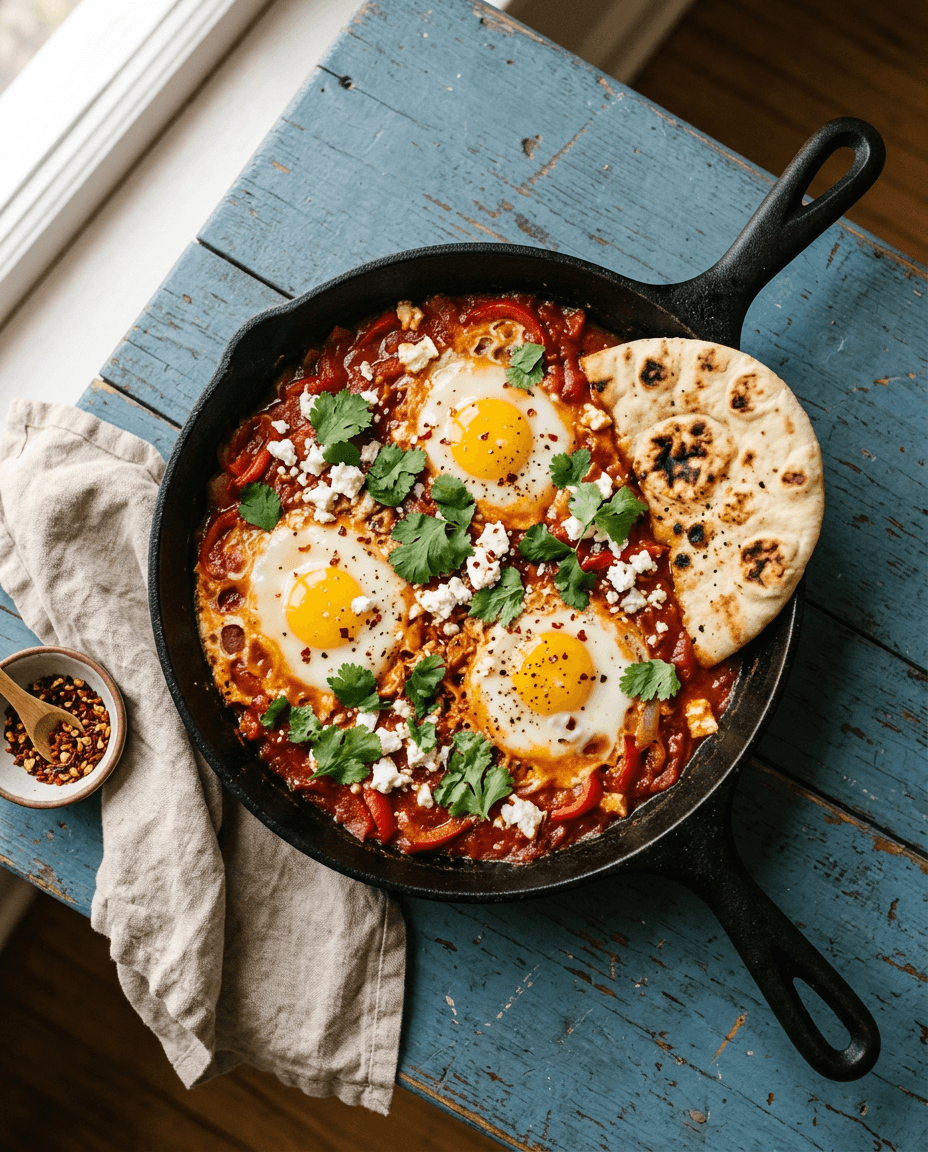
Prompt 16, rendered by Nano Banana 2 at 1K, 4:5, for $0.06. It took three runs, and the reason is the lesson of this section. My first two versions said just "a black cast-iron pan", and both times the model embossed a real-looking brand name on the handle. "Plain, smooth, unbranded" fixed it. Look closely, though: the pan now has two long handles, which no foundry makes.
17. Pancakes with a honey pour
A photorealistic close-up of a tall stack of buttermilk pancakes with fresh blueberries, honey pouring from a wooden dipper onto the top and running down the sides. Soft backlight from a window makes the honey glow. Shot from a slightly low angle with a 100mm macro lens, shallow depth of field.
18. Fruit tart on marble
A high-end overhead photograph of a fruit tart on a marble counter: glossy custard topped with sliced strawberries, kiwi and blueberries in concentric rings, a dusting of icing sugar. Bright, soft daylight. Shot top-down with a 50mm lens, a cake server and a folded napkin at the edge of the frame.
19. Street-food griddle at night
A photorealistic shot of a street-food vendor flipping flatbreads on a wide iron griddle at night, steam and smoke rising into the glow of a single bare bulb. Warm tungsten light against a dark blue evening sky. Shot from eye level with a 35mm lens, slight motion blur on the vendor's hands.
20. Smoothie bowl
A styled overhead photo of an acai smoothie bowl topped with banana slices, granola, coconut flakes and chia seeds, in a matte white ceramic bowl on a pale wooden table. Bright natural light with crisp shadows. Square framing, 50mm lens.
21. Latte art macro
A macro photograph of a cappuccino with a delicate rosetta latte art pattern in a speckled ceramic cup, a few coffee beans scattered on the saucer. Warm side light from the right reveals the texture of the microfoam. Shot from a 45-degree angle with a 100mm macro lens.
22. Moody lentil soup
A dark, moody food photograph of a bowl of red lentil soup with a swirl of yogurt and a drizzle of chili oil, a chunk of crusty bread beside it, on a rough charcoal surface. A single soft light from the back left leaves deep shadows. Shot from a slightly high angle with an 85mm lens.
Interior and architecture
23. Scandinavian living room
A photorealistic wide shot of a Scandinavian living room with a light-grey linen sofa, an oak coffee table, a sheepskin throw and a tall fiddle-leaf fig in the corner. Soft afternoon light streams through sheer curtains. Shot from the doorway at chest height with a 24mm lens.
24. Japandi bedroom
A calm Japandi-style bedroom with a low platform bed, crisp white linen, a paper floor lamp and a single branch of dried eucalyptus in a stone vase. Diffused morning light. Shot straight on at bed height with a 28mm lens, symmetrical composition.
25. Kitchen redesign concept
An interior design photograph of a modern kitchen with sage-green cabinets, brass handles, a white quartz island and three pendant lights, morning sun crossing the floor. Photorealistic architectural photography style, two-point perspective, 20mm lens.
26. Attic reading nook
A cozy reading nook under a sloped attic ceiling: a deep armchair in rust velvet, a knitted blanket, a small side table with a cup of tea, and shelves packed with books. Warm lamp light at dusk, blue twilight in the skylight. Shot at eye level with a 35mm lens.
27. Home office
A bright home office with a walnut desk facing a window, an ergonomic chair, a single monitor, a trailing pothos on a shelf and a pegboard of tools on the wall. Overcast daylight, clean and uncluttered. Shot from behind the chair at a slightly high angle with a 24mm lens.
28. Spa bathroom
A photorealistic shot of a spa-like bathroom with a freestanding stone bathtub, a terrazzo floor, a wall of green glazed tiles and a rolled white towel on a teak stool. Soft light from a frosted window. Shot from a low corner angle with a 20mm lens.
Landscape and travel
29. Alpine lake at dawn
A photorealistic wide view of an alpine lake at dawn, mist lifting off still water that mirrors jagged snow-capped peaks, a single red canoe pulled up on the pebble shore. Soft pink first light. Shot from a low angle near the waterline with a 16mm wide-angle lens.
30. Desert dunes from above
An aerial photograph of rippled orange sand dunes at sunrise, a lone camel caravan casting long shadows across the crests. Shot from a drone looking steeply down, with telephoto compression and high contrast.
31. Hillside coastal village
A sunny coastal village of white houses with blue doors stacked up a hillside, bougainvillea spilling over the walls, small fishing boats in the harbor below. Late afternoon light. Shot from across the bay with a 70mm lens.
32. Rainy city at night
A rain-soaked city street at night, glowing neon shapes above the shopfronts reflected in puddles, a lone cyclist in a yellow raincoat riding through the frame. Cinematic teal and magenta palette. Shot from the curb at knee height with a 35mm lens, slight motion blur on the cyclist.
33. Autumn forest path
A winding path through a beech forest in peak autumn, golden leaves covering the ground, soft fog between the trunks, sunbeams cutting through the canopy. Shot at eye level from the middle of the path with a 24mm lens, deep focus.
34. Cabin under the northern lights
A small wooden cabin with glowing windows on a snowy plain under vivid green and violet northern lights, stars visible above. Long-exposure night photography from a low angle with a 14mm lens, the cabin small in the lower third.
Illustration and anime
35. Anime café on a rainy day
An anime-style illustration of a girl with a short silver bob reading a book at a café window on a rainy afternoon, raindrops streaking the glass, a steaming cup beside her. Soft cel-shading and a detailed background like a still from a slice-of-life film, warm interior light against cool blue rain.
36. Watercolor botanical
A delicate watercolor illustration of a branch of lemon blossoms with two ripe lemons, loose wet-on-wet washes and visible paper texture, on a white background with plenty of breathing room.
37. Children's book page
A whimsical children's book illustration of a small hedgehog carrying a lantern through a moonlit meadow full of fireflies. Soft gouache textures, rounded shapes, a gentle palette of deep blues and warm yellows.
38. Isometric floating island
An isometric 3D render of a tiny floating island with a lighthouse, a winding path and a cluster of pine trees, soft clay-like materials, pastel colors, gentle studio lighting, plain light-blue background.
39. Claymation robot barista
A claymation-style cheerful robot barista with a dented copper body and round glowing eyes, pouring milk into a tiny cup, visible fingerprints in the plasticine, a miniature café set behind it. Soft warm lighting and shallow depth of field, like a frame from a stop-motion film.
40. Retro-futurist Mars poster art
A retro-futurism travel poster illustration of a glass-domed city on Mars at dusk, a sleek silver monorail curving through red canyons, bold flat shapes and grainy gradients in orange, teal and cream. Pure illustration, with the top band left as open, empty sky.
41. Three-panel manga strip
Make a 3 panel comic in a clean black-and-white manga style. Put the character, a determined teenage girl with a ponytail and a bike helmet, in a scene where she races a storm home on her bicycle: panel one shows dark clouds rolling in, panel two shows her pedaling hard, panel three shows her laughing under a porch roof as the rain hits.
Logos, stickers and icons
Simple marks work on Nano Banana 2. Anything with a brand name spelled out belongs to Pro (next section).
42. Teacup cat sticker
A kawaii-style sticker of a sleepy orange tabby cat curled up inside a teacup, tiny steam swirls above its head. Bold clean outlines, simple cel-shading, soft pastel palette. Thick white die-cut border around the whole shape, plain white background.
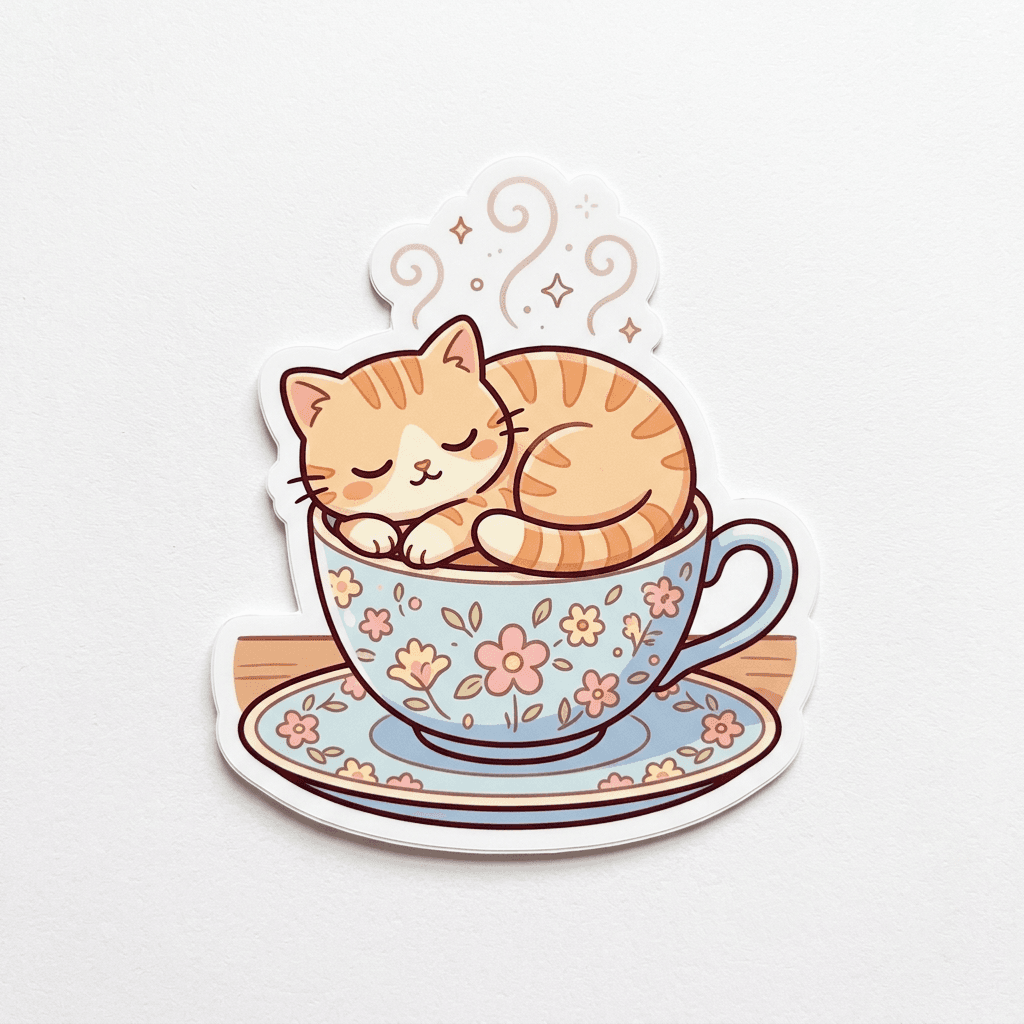
Prompt 42 on Nano Banana 2, first try, $0.06. It showed the sticker as a printed object on paper, with a soft shadow. I didn't ask for that and I like it; for a flat print file, add "flat digital artwork".
43. Houseplant sticker sheet
A sheet of six die-cut stickers of houseplants with cute faces: a cactus, a monstera, a snake plant, a fern, a succulent and a tiny bonsai. Bold outlines, flat colors and white borders, arranged in a neat grid on a light grey background.
44. Minimalist skincare logo mark
Create a logo mark for a high-end, minimalist skincare brand: a single continuous line forming a drop of water inside a circle, solid black on white, flat vector style.
45. Bike shop mascot
A friendly mascot for a bicycle repair shop: a round cartoon wrench character with big eyes and a bike chain worn as a scarf, thick outlines, a two-color palette of orange and navy, plain white background.
46. Paper-plane app icon
A glossy app icon of a paper airplane folded from blue paper, flying across a rounded square with a soft sunrise gradient, subtle 3D depth, centered, with smooth rounded corners.
47. Travel icon set
A set of nine line icons for a travel app arranged in a 3x3 grid: suitcase, passport, airplane, map pin, camera, hotel bed, ticket, compass and sun. Consistent 2px strokes with rounded caps, a single teal color on white.
48. Hiking club badge
A vintage-style circular badge for a mountain hiking club with a pine tree, crossed hiking poles and a mountain peak, engraved line-art look, cream and forest green, the thick outer ring left plain.
Wallpapers, patterns and panoramas
49. Calm phone wallpaper (9:16)
A vertical phone wallpaper of calm abstract dunes in soft peach, lavender and sand tones, smooth gradients, a small crescent moon high in the sky, plenty of empty space in the middle for app icons.
50. Tileable lemon pattern
A tileable repeating pattern of small lemons and leaves on a pale blue background, flat illustration style, evenly spaced so the edges match when the tile repeats.
51. Ultrawide desktop wallpaper (21:9)
An ultrawide desktop wallpaper of a misty valley at blue hour, layered mountain silhouettes fading into the distance, a few lit windows of a tiny village on the valley floor.
52. Sunflower panorama (4:1)
A panoramic banner of a sunflower field stretching to the horizon under a big summer sky with towering white clouds, a single wooden windmill on the right third.
53. Handmade paper texture
A macro photograph of handmade paper with visible fibers and pressed flower petals, soft even light, warm off-white tones, suitable as a website background.
Nano Banana Pro prompts: text, posters, and 4K detail
Nano Banana Pro (gemini-3-pro-image) is the model you pay extra for when the image has to be right on the first pass: legible text, dense layouts, and many references at once. Per Google's docs it accepts up to 6 object images, 5 character images and up to 3 style references; our studio caps the total at 11. It renders 1K, 2K and 4K (no 512px), at $0.11, $0.11 and $0.20 on BananaBanana.
Prompting it isn't a different language: the structure stays identical. What changes is how much you can ask for in one prompt before things start slipping.
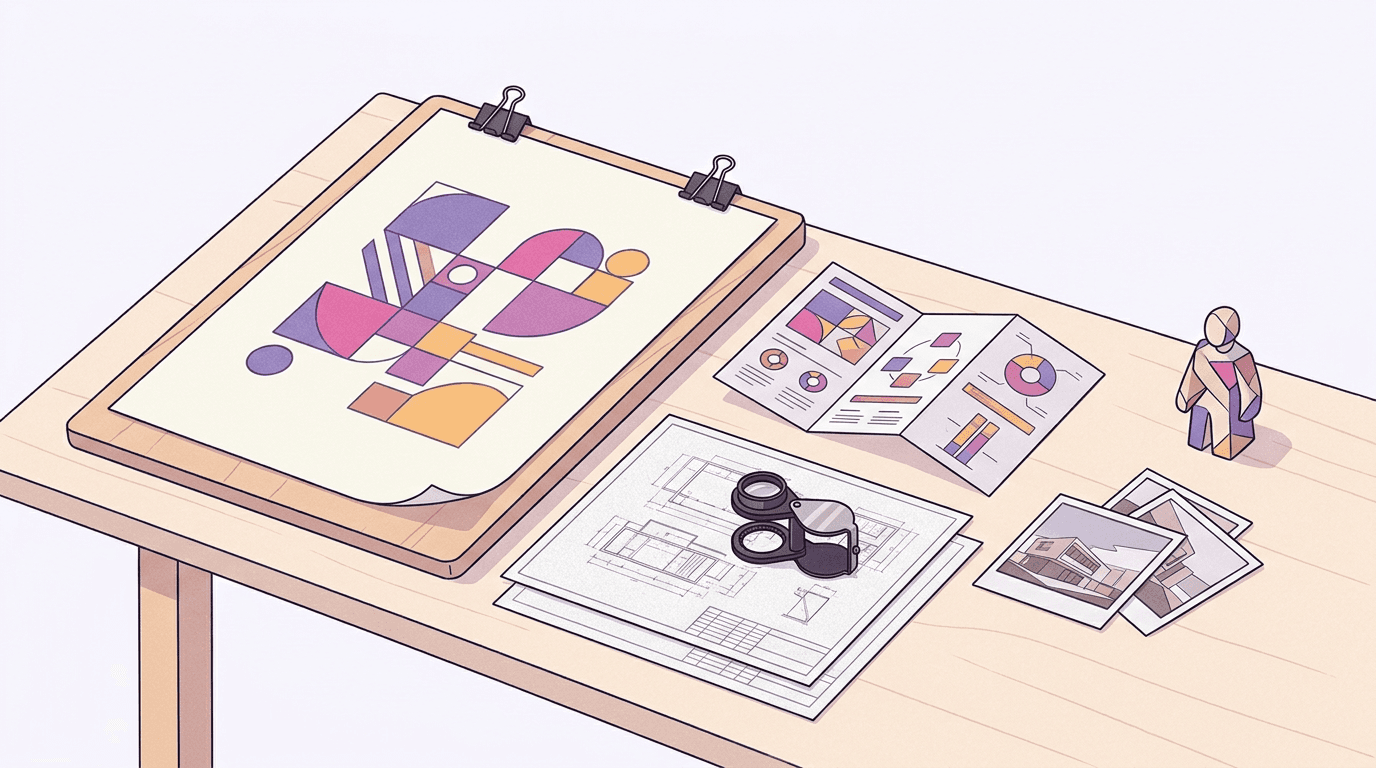
How do you get readable text from Nano Banana Pro?
Text rendering is the reason Pro exists. Google's docs point to it for assets where typography has to be precise. Nano Banana 2 handles a word or two; Pro handles layouts.
The documented template: "Create a [image type] for [brand] with the text '[exact text]' in a [font style]. The design should be [style], with a [color scheme]." Two habits improve the hit rate. Put the exact text in quotes, and describe the font conversationally ("a chunky rounded sans-serif") instead of naming a typeface it may not know. Google also notes that Gemini does best when you settle the wording first and then ask for the image, so write your copy before you write the prompt.
54. Retro coffee stand poster
Create a retro poster for a coffee stand called Banana Brew with the text 'BANANA BREW' in a chunky rounded sans-serif across the top and the slogan 'cold roast, warm people' in a small handwritten script underneath, flat illustration of a single banana-yellow espresso cup in the center, cream background, amber and dark-ink color scheme.
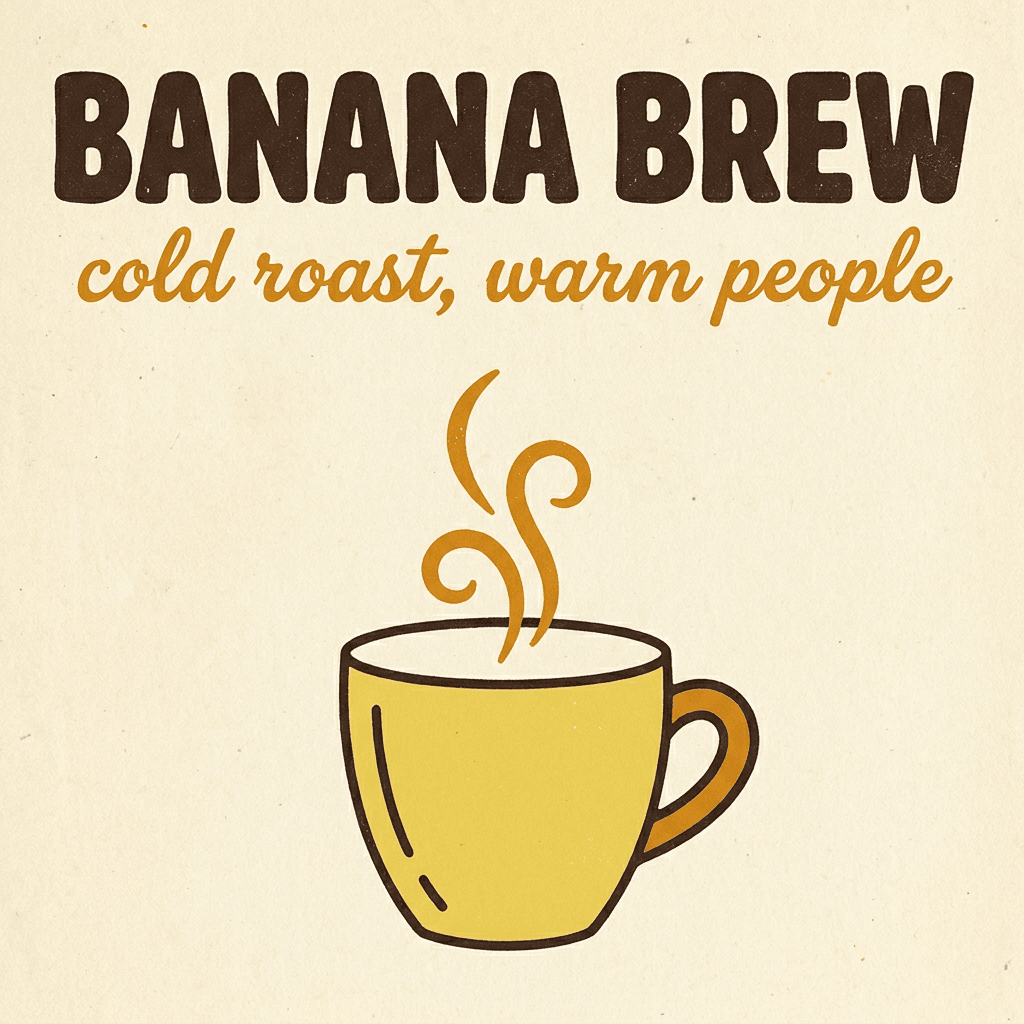
Every character landed on the first try. That stops being guaranteed past a couple of lines: on dense menus Pro still occasionally drops or doubles a letter, so proofread anything over about ten words.
55. Café chalkboard menu
Create a chalkboard menu for a café called "Morning Hours" with the heading "MORNING HOURS" in a hand-lettered chalk script and three lines below in a clean chalk print: "Flat white 3.50", "Cardamom bun 2.80", "Fresh orange juice 4.00". Wooden frame, a few chalk doodles of coffee beans in the corners.
56. Neon sign on brick
A photorealistic pink neon sign that reads "open late" in a flowing cursive script, mounted on a dark brick wall, with a soft glow and faint reflections on the bricks. Shot straight on with a 35mm lens.
57. Mystery novel cover
Create a book cover for a mystery novel titled "The Glass Orchard" with the author name "Mara Ellison" at the bottom. The title sits in a tall, thin, elegant serif across the upper third. Below it, an illustration of a greenhouse at night with one lit pane, in a deep teal and gold color scheme.
58. Plant swap flyer
Create a flyer for a community plant swap with the headline "PLANT SWAP" in a chunky rounded sans-serif and the line "Saturday 10:00, Riverside Library" underneath in a smaller clean sans-serif, above a playful flat illustration of potted plants trading places. Bright green, cream and coral palette, portrait format.
59. Honey jar label
A photorealistic jar of wildflower honey with a kraft-paper label that reads "WILDFLOWER HONEY" in a small-caps serif and "250 g" underneath, standing on a sunny windowsill. Shot at eye level with an 85mm lens.
Posters, packaging and ads
60. Jazz trio gig poster
Create a gig poster for a jazz trio called "The Late Tram" with the text "THE LATE TRAM" in bold condensed letters and "Friday, 9 PM" below, a flat screen-print style illustration of a vintage tram under a crescent moon, in a three-color palette of navy, mustard and off-white.
61. Cereal box mockup
A front-view product mockup of a cereal box for a brand called "Sunny Oats", the name in a bouncy rounded font, a bowl of oats with strawberries on the front and a small round badge reading "high fiber". Studio lighting, white background.
62. Square running-app ad
Create a square social media ad for a running app with the headline "Run your first 5K" in a heavy sans-serif at the top, a photorealistic runner on a park trail at sunrise in the middle, and a rounded button shape at the bottom with the text "Start free". Clean and energetic, orange and white.
63. Sci-fi film poster
A cinematic poster for a sci-fi film titled "LOW ORBIT", the title in wide, spaced-out capital letters near the bottom, an astronaut floating above a glowing blue planet, and the tagline "Nobody looks up anymore" in small type above the title.
64. Chamomile tea box
A flat lay of a tea box design for "Quiet Hour" chamomile tea, the name in a soft rounded serif, botanical line drawings of chamomile flowers, pale yellow and sage palette, shot from above on light linen.
Infographics and diagrams
65. Seed-to-tree infographic
Create a clean educational infographic titled "HOW A SEED BECOMES A TREE" in a bold rounded sans-serif across the top. Below it, four steps run left to right, each with a large number, a flat vector illustration and a one-word label underneath: "1 SEED", "2 SPROUT", "3 SAPLING", "4 TREE". Thin dotted arrows connect the steps. Cream background, forest green and warm amber color scheme, generous margins, no other text.
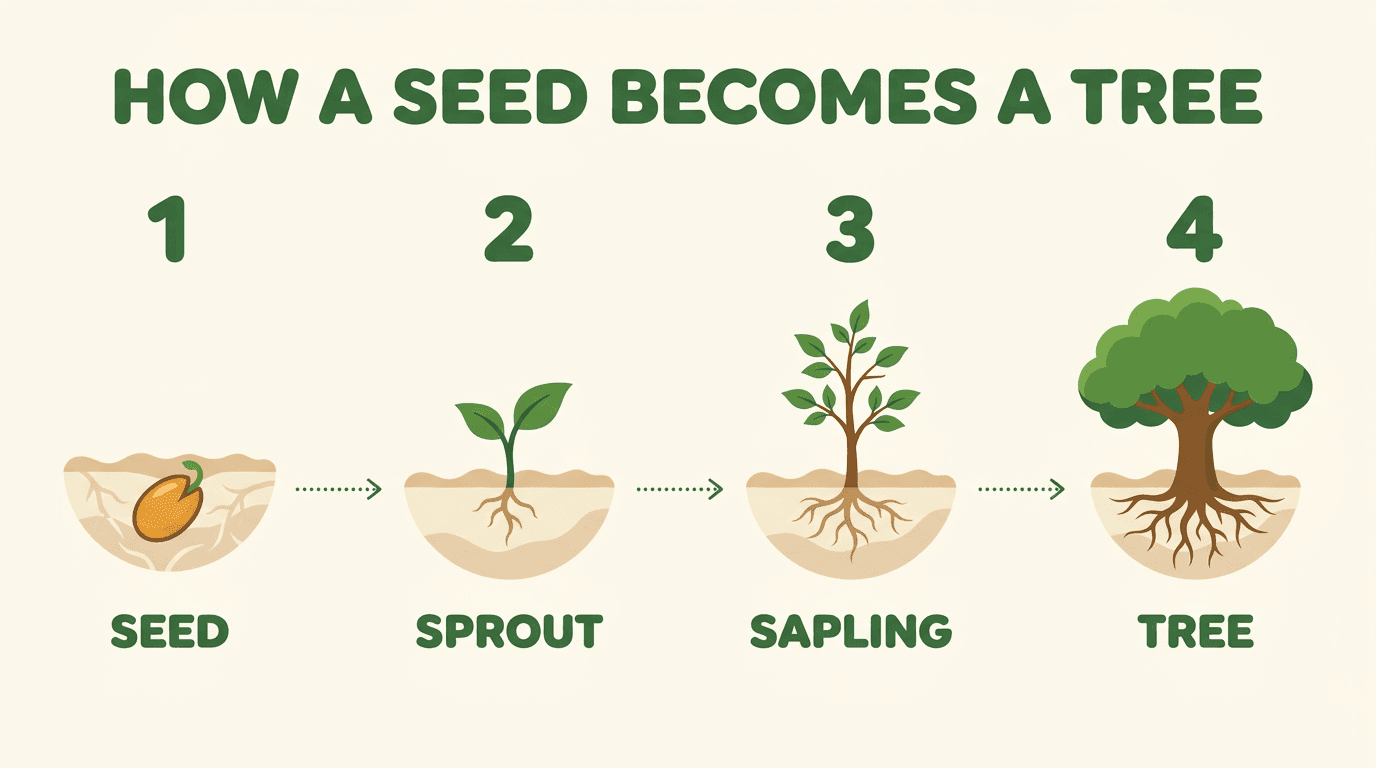
Prompt 65 on Nano Banana Pro at 1K, $0.11, first try. All ten words are spelled correctly. One liberty: the seed in step 1 already has a root curling out, which a botanist might call a sprout.
66. Smoothie recipe card
Create a recipe card infographic for "3-Minute Green Smoothie" with the title at the top and four illustrated ingredients in a row, each labeled: "Spinach", "Banana", "Apple", "Water". Flat vector style, mint and white palette.
67. Parcel delivery flowchart
A clean flowchart showing how a parcel travels, with four rounded boxes labeled "Order", "Warehouse", "Truck" and "Doorstep", connected by arrows, a minimal icon inside each box, navy on white.
68. Labeled bicycle diagram
A labeled diagram of a bicycle with callout lines pointing to six parts: "Saddle", "Handlebar", "Chain", "Pedal", "Brake", "Wheel". Technical illustration style, thin black lines on white, one accent color for the callouts.
69. Day-on-the-farm timeline
A horizontal timeline infographic titled "A Day on the Farm" with five stops: "5:00 Milking", "7:00 Feeding", "12:00 Harvest", "16:00 Market", "20:00 Rest". A small flat illustration above each stop, warm earthy colors.
4K detail shots
Run these at 4K ($0.20 on Pro); at 1K fine texture goes first.
70. Dragonfly wing macro
An ultra-detailed macro photograph of a dragonfly wing resting on a blade of grass, every vein and cell visible, tiny dew drops along the edge refracting the sunrise. Shot with a 100mm macro lens at f/8 with a focus-stacked look.
71. Concrete library facade
An architectural photograph of a brutalist concrete library facade at midday, deep geometric shadows, the texture of board-formed concrete visible in every panel. Shot straight on with a tilt-shift lens to keep the lines vertical.
72. Hand-woven rug close-up
A close-up of a hand-woven wool rug in terracotta and indigo, individual fibers and knots sharp across the whole frame, soft raking light from the left revealing the weave.
73. Morning flower market
A wide photograph of a busy outdoor flower market in the morning, dozens of buckets of tulips, peonies and ranunculus, vendors wrapping bouquets in paper, each stall a distinct little world. Soft overcast light, shot from a slightly raised position with a 35mm lens.
Multi-reference consistency
Attach the references, then refer to them by order ("the first image"). For long character series, see the character consistency guide.
74. Same person, new scene
Use the woman from the first image, keeping her face, hairstyle and freckles exactly the same. Place her in a bright bookshop, reaching for a book on a high shelf, wearing a mustard cardigan. Soft daylight, 50mm lens.
75. Person plus outfit
Dress the man from the first image in the jacket from the second image. Keep his face, beard and build unchanged. Full-body shot on a city sidewalk at golden hour, 35mm lens.
76. Product into a lifestyle scene
Place the bottle from the first image on the bathroom shelf shown in the second image, matching the shelf's lighting and perspective. Keep the bottle's label, shape and cap exactly as they are.
77. Borrow a style
Recreate the scene from the first image in the visual style of the second image: the same composition and objects, but with the second image's color palette, brush texture and lighting mood.
78. Group photo from separate shots
Combine the three people from the first three images into one group photo at a picnic table in a park, all smiling at the camera. Keep each person's face, hair and clothing faithful to their reference. Natural afternoon light, 35mm lens.
79. Character turnaround
Show the character from the first image from behind, standing in the same pose and outfit, with the same lighting and the same plain background.
Prompts for photo editing: change one thing, keep the rest
Nano Banana models edit images as well as they generate them, but the prompt pattern differs. The usual mistake is re-describing the whole scene. Describe only the change.
Google's docs call this semantic masking, and their template is worth copying verbatim:
Using the provided image, change only the [specific element] to [new element]. Keep everything else in the image exactly the same, preserving the original style, lighting, and composition.
That closing sentence does real work; without it, edits drift the palette or recompose the frame. Ask for one adjustment at a time. It feels slower. It's usually faster.
One caveat from the docs: Lite isn't optimized for multiple reference inputs or multi-turn editing, so edit on Nano Banana 2, 2.1 or Pro.
Here's a real two-edit demo. The base image came from Nano Banana 2 (prompt, shortened: a white matte ceramic mug on a light oak kitchen counter, a potted succulent behind it, soft overcast window light):
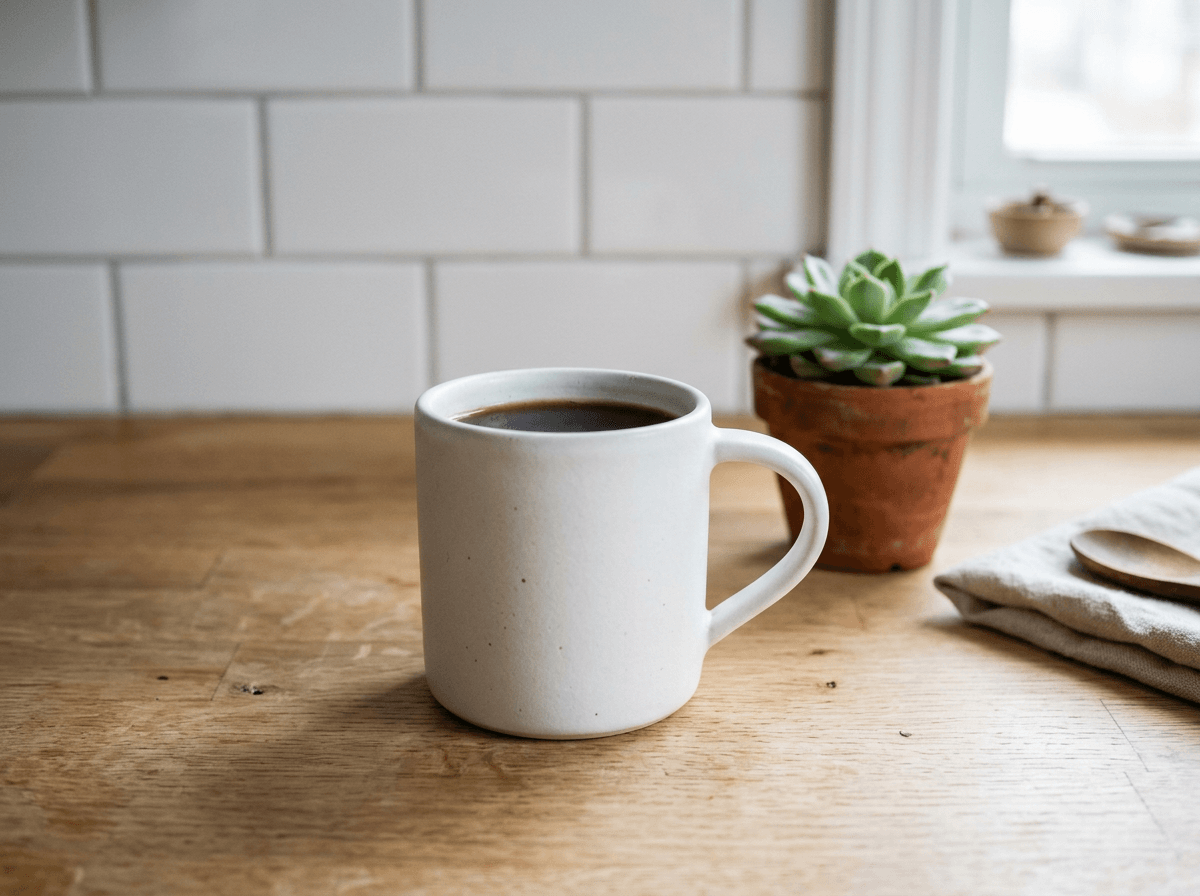
Then I attached that file as a reference and ran prompt 80 on Nano Banana 2:
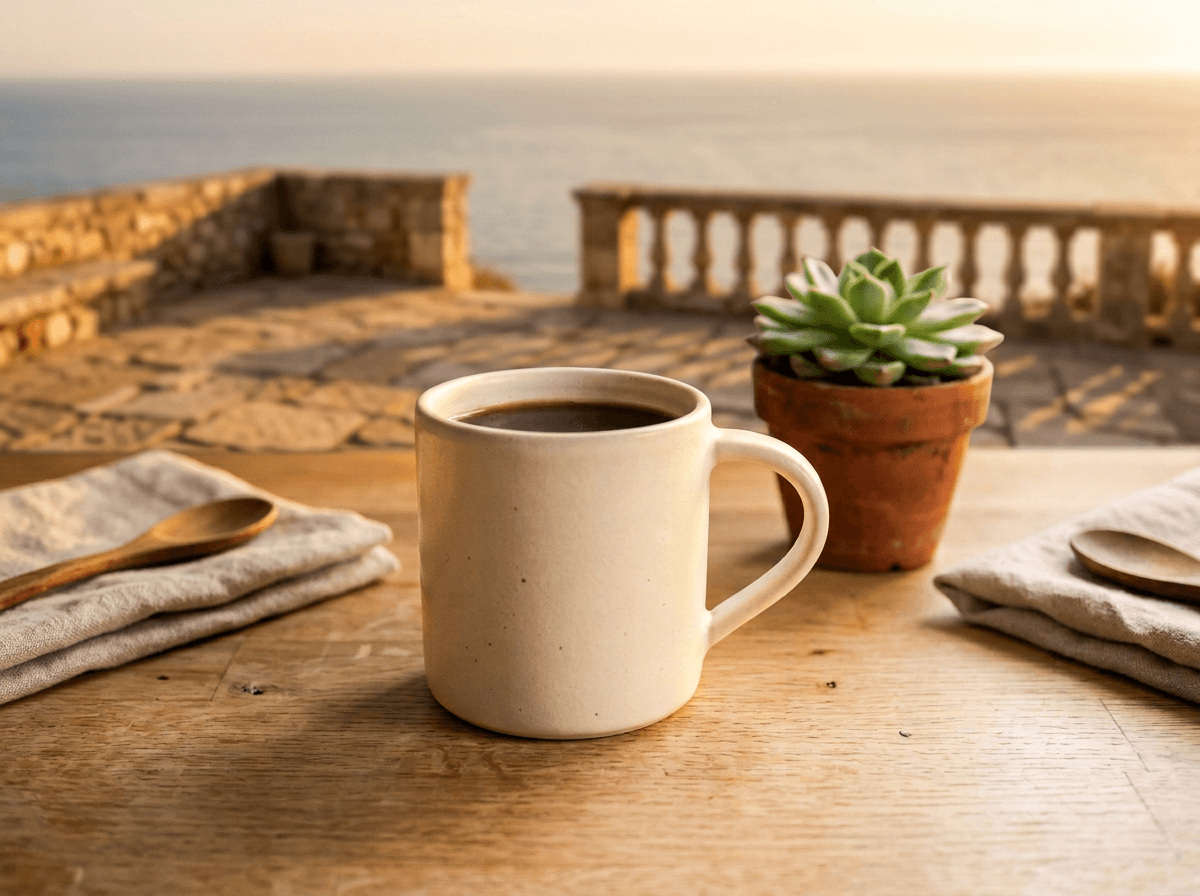
The mug, the speckles and the angle survived. Two things drifted: the mug warmed to cream (fair, I asked for low sun on it), and a second napkin with a spoon appeared on the left, uninvited. Prompt 84 went to Nano Banana Pro with the same base:
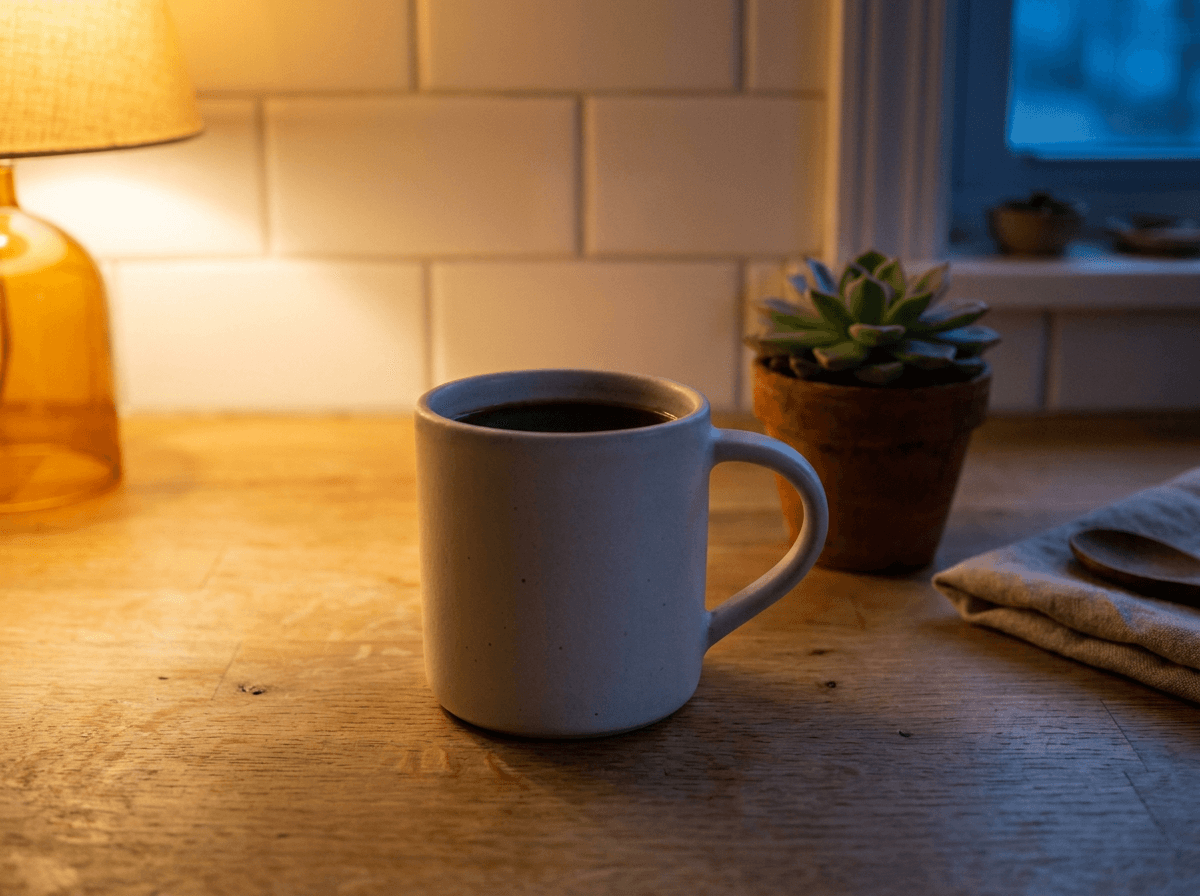
Pro kept every object in place, down to the spoon on the napkin. It did put the lamp inside the frame, though the prompt said off-frame. Both edits cost the same as a fresh image: $0.06 and $0.11 at 1K.
Replace the background
80. Terrace at golden hour (demo above)
Using the provided image, change only the background: replace the tiled kitchen wall and window with a sunlit stone terrace overlooking a calm sea at golden hour, the horizon softly blurred. Keep the white mug, its matte glaze and speckles, the coffee, the oak counter and the camera angle exactly the same, and let the warm low sun fall on the mug naturally.
81. White studio sweep
Using the provided photo of the sneaker, replace the background with a pure white studio sweep and add a soft natural shadow under the sole. Keep the shoe, its colors and the camera angle exactly the same.
82. Office behind a headshot
Using the provided portrait, change only the background to a softly blurred modern office with warm window light. Keep the person's face, hair, expression and clothing exactly the same.
83. Summer to winter
Using the provided image, change the garden behind the house from summer to a snowy winter morning. Keep the house, the camera angle and the composition exactly the same.
Change light, time of day and weather
84. Evening lamp light (demo above)
Using the provided image, change only the lighting to late evening: the window is dark blue, and a single warm table lamp off-frame on the left casts a pool of amber light across the counter, with long soft shadows behind the mug and the succulent. Keep everything else in the image exactly the same, preserving the objects, their positions, the composition and the camera angle.
85. Push to golden hour
Using the provided image, make the light warmer and lower, like golden hour about thirty minutes before sunset, with long shadows falling to the right. Keep everything else the same.
86. Add evening rain
Using the provided street photo, add a light evening rain: wet pavement with reflections, a few people with umbrellas and a cooler color grade. Keep the buildings and the framing unchanged.
87. Fix harsh flash
Using the provided photo taken with a harsh on-camera flash, relight it with soft window light from the left and soften the hard shadow behind the subject. Keep the person exactly the same.
Change clothing, color and materials
88. Recolor one object
Using the provided image, change only the armchair to deep emerald velvet. Keep its shape, the room and the lighting exactly the same.
89. Outfit swap
Using the provided photo, change the man's grey hoodie to a tailored navy wool coat over a white shirt. Keep his face, pose, hands and the background exactly the same.
90. New glaze on a product
Using the provided product shot, change the mug's glaze from glossy white to a speckled matte terracotta. Keep the shape, the handle, the coffee and the light the same.
91. Repaint a front door
Using the provided image of the house, repaint the front door sage green and add two potted olive trees beside it. Ensure the change matches the existing light and perspective.
Remove or add objects
92. Clear the crowd
Using the provided photo of the square, remove all the people in the background and fill the space with the cobblestones and buildings that would naturally be there. Keep the fountain and the light unchanged.
93. Remove power lines and clutter
Using the provided image, remove the power lines crossing the sky and the trash bin on the left. Keep everything else exactly the same.
94. Add a small prop
Using the provided image of my cat, please add a small knitted wizard hat on its head. Ensure the change looks natural, matching the fur, the light and the perspective.
95. Tidy a desk
Using the provided desk photo, remove the cables, the sticky notes and the empty cups, leaving a tidy surface. Keep the laptop, the lamp and the plant exactly where they are.
Extend or reframe the shot
Set the target aspect ratio first: the prompt says what to fill, the setting says how much room.
96. Vertical to 16:9
Using the provided vertical photo, extend the scene to the left and right to fill a wide frame, continuing the beach, the sea and the sky naturally. Keep the person in the center exactly the same.
97. More sky above
Using the provided image, extend the frame upward to show more of the sky and the treetops, keeping the subject at the bottom of the frame unchanged.
98. Product shot to 21:9 banner
Using the provided product photo, extend the background into a wide banner with empty space on the left for a headline, matching the surface, the light and the shadows.
Restyle the image
99. Photo to impressionist painting
Transform the provided photograph of a city street at night into a loose impressionist oil painting with thick, swirling brushstrokes and a deep blue and yellow palette. Keep the original composition of the buildings and the cars.
100. House to watercolor card
Turn the provided photo of our house into a soft watercolor illustration for a greeting card, with loose washes and white paper showing through. Keep the shape of the house and the tree recognizable.
101. Sketch to studio render
Turn the provided pencil sketch of a car into a polished photorealistic studio photo of the same car in glossy red paint, keeping the proportions and the design lines from the sketch.
102. Person to vinyl figurine
Turn the person in the provided photo into a collectible vinyl figurine standing on a round base, keeping their hairstyle, glasses and outfit colors, on a softly lit desk.
Keep a face or a product intact
Google's advice here is blunt: describe critical details (a face, a logo) in great detail. Vague subjects drift.
103. Lock a face with detail
Take the woman from the provided photo, with shoulder-length brown hair, blue eyes, a small mole above her lip and a neutral expression, and place her in a professional studio headshot with a soft grey backdrop. Her face, features and skin tone must stay exactly the same.
104. Put a logo on a shirt
Put the logo from the second image on the black T-shirt worn by the woman in the first image, printed at chest height. Keep the logo's shape and colors exact and let it follow the folds of the fabric.
105. Keep the bottle, swap the world
Using the provided photo of the perfume bottle, keep the bottle, its amber glass, the cap and the label exactly as they are, and replace everything around it with a sunlit marble bathroom counter with a sprig of lavender.
106. Change only the expression
Using the provided portrait, keep everything the same but change the person's expression to a warm, genuine smile. Keep the face shape, eyes, hair and lighting unchanged.
Negative prompts, aspect ratios, and what an image costs
The Nano Banana API has no negative prompt parameter; nothing like Veo's negativePrompt field exists for images. Google's docs recommend "semantic negative prompts" instead. Don't write "no cars"; write "an empty, deserted street". The shakshuka pan above is the live example: "no logo" never entered the prompt, "plain, smooth, unbranded" did the job.
Aspect ratios: all four Google models here take the ten standard formats, from 1:1 through 3:2, 4:5, 9:16 and 16:9 to cinematic 21:9. On BananaBanana they also accept the panoramic 1:4, 4:1, 1:8 and 8:1. The tall 9:21 is the one format only Nano Banana 2.1 renders. Resolutions differ more: Nano Banana 2 runs 512px to 4K, 2.1 and Pro start at 1K, and Lite outputs 1K only (more in the Lite guide).
Current BananaBanana prices per image:
| Model | 512px | 1K | 2K | 4K |
|---|---|---|---|---|
| Nano Banana 2 Lite | n/a | $0.03 | n/a | n/a |
| Nano Banana 2.1 | n/a | $0.03 | $0.05 | $0.10 |
| Nano Banana 2 | $0.03 | $0.06 | $0.09 | $0.13 |
| Nano Banana Pro | n/a | $0.11 | $0.11 | $0.20 |
My default workflow: iterate on Lite or 2.1 at 1K until the composition holds, then rerun the final prompt once on Pro at 2K, which costs the same $0.11 as 1K and is the quiet bargain in that table. New accounts get $0.20 free, enough for six Lite drafts. Crypto top-ups of $50 or more add a 5% bonus, $100 or more add 10%, and an active promo code adds another 10% on top (on any payment method), so a $100 crypto top-up with a code becomes $120 of balance. Full grid on the pricing page, and the prompt library shows each of these models' output next to its prompt.
FAQ
How many Nano Banana prompts are in this guide?
106 numbered prompts: 53 for Nano Banana 2 across eight categories, 26 for Nano Banana Pro and 27 for photo editing, each in its own copy box.
What is the best prompt structure for Nano Banana?
A few narrative sentences covering subject, setting, style, lighting, camera angle and lens: "A photorealistic [shot type] of [subject] in [setting]. [Lighting]. Shot from [angle] with [lens]." Full sentences beat keyword lists because the models parse relationships, not just nouns.
Should I prompt Nano Banana 2 and Pro differently?
The structure is identical. Pro earns its price on text, dense layouts and multi-reference consistency (5 characters, 6 objects); Nano Banana 2 covers everyday photorealism and illustration at about half the 1K price.
How do I edit a photo with Nano Banana?
Attach the photo, then describe only the change: "Using the provided image, change only the [element] to [new element]. Keep everything else in the image exactly the same." Make one change per step, and describe faces or logos in detail when they must survive the edit.
Does Nano Banana 2 support negative prompts?
No. There's no negative prompt parameter in the Gemini image API. Use positive framing instead: describe the scene you want ("an empty street at dawn") rather than the thing you don't ("no cars").
How do I make Nano Banana render text correctly?
Use Nano Banana Pro, put the exact wording in quotes, and describe the font style conversationally ("a chunky rounded sans-serif"). Keep it under about ten words per image; longer layouts still need proofreading.
How much does one Nano Banana image cost?
On BananaBanana, from $0.03 (Lite at 1K, Nano Banana 2.1 at 1K or Nano Banana 2 at 512px) to $0.20 (Pro at 4K). The sweet spot for finals is Pro at 2K for $0.11, priced the same as Pro at 1K.