Fine print that survives
Schedules, price lists, ingredient panels. At 2K, lines around 20 px tall come back aligned, evenly spaced and correctly spelled — a size most models turn into grey mush.
Model · Alibaba Qwen Image 3.0 Pro
Alibaba's flagship image model, built around the thing most image models treat as an afterthought: the writing inside the picture. Price lists, fine print, interface labels, four scripts on one sign. It costs $0.04 per 1K image and $0.08 per 2K, takes a seed, a real negative prompt and up to 3 reference images, and a 2K render finishes in about twenty seconds. Crypto or card, no subscription.
Qwen Image 3.0 Pro is Alibaba's flagship text-to-image model, released on 21 July 2026 and served through Alibaba Cloud Model Studio. Alibaba's pitch fits in three lines: prompts of up to 4,500 tokens, text rendered as small as 10 px, and native rendering of 12 languages with multiple fonts. There are no public weights and no benchmark table, so the only thing to judge is output — which is what this page shows. Here it runs over Alibaba's official API for $0.04 per 1K image and $0.08 per 2K.
Ten pixels is a claim about the file, not about your design. On the poster below, rendered at 1760×2336, the schedule lines sit around 20 px tall and every character is correct on the first attempt. Shrink the same layout to the 1K tier and those lines land near 15 px, where letterforms start to soften. So the rule is simple: if the text is the point of the image, pay for 2K. Four cents is a bad place to save money when one wrong glyph makes the render useless.
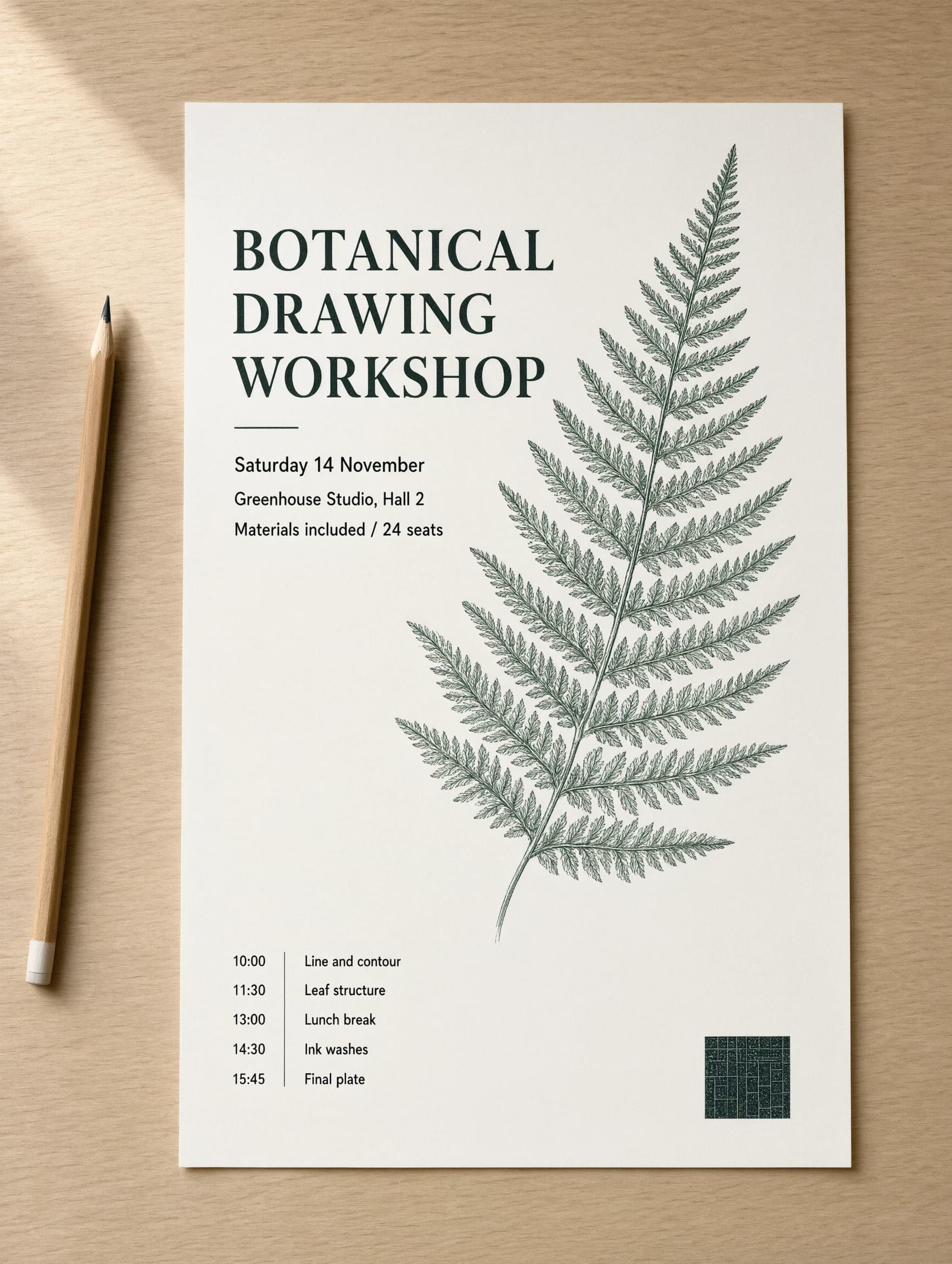
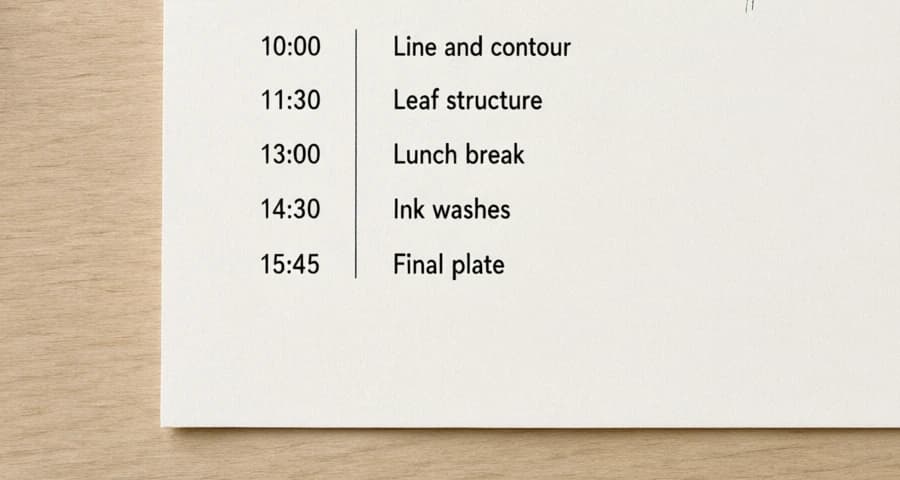
Schedules, price lists, ingredient panels. At 2K, lines around 20 px tall come back aligned, evenly spaced and correctly spelled — a size most models turn into grey mush.
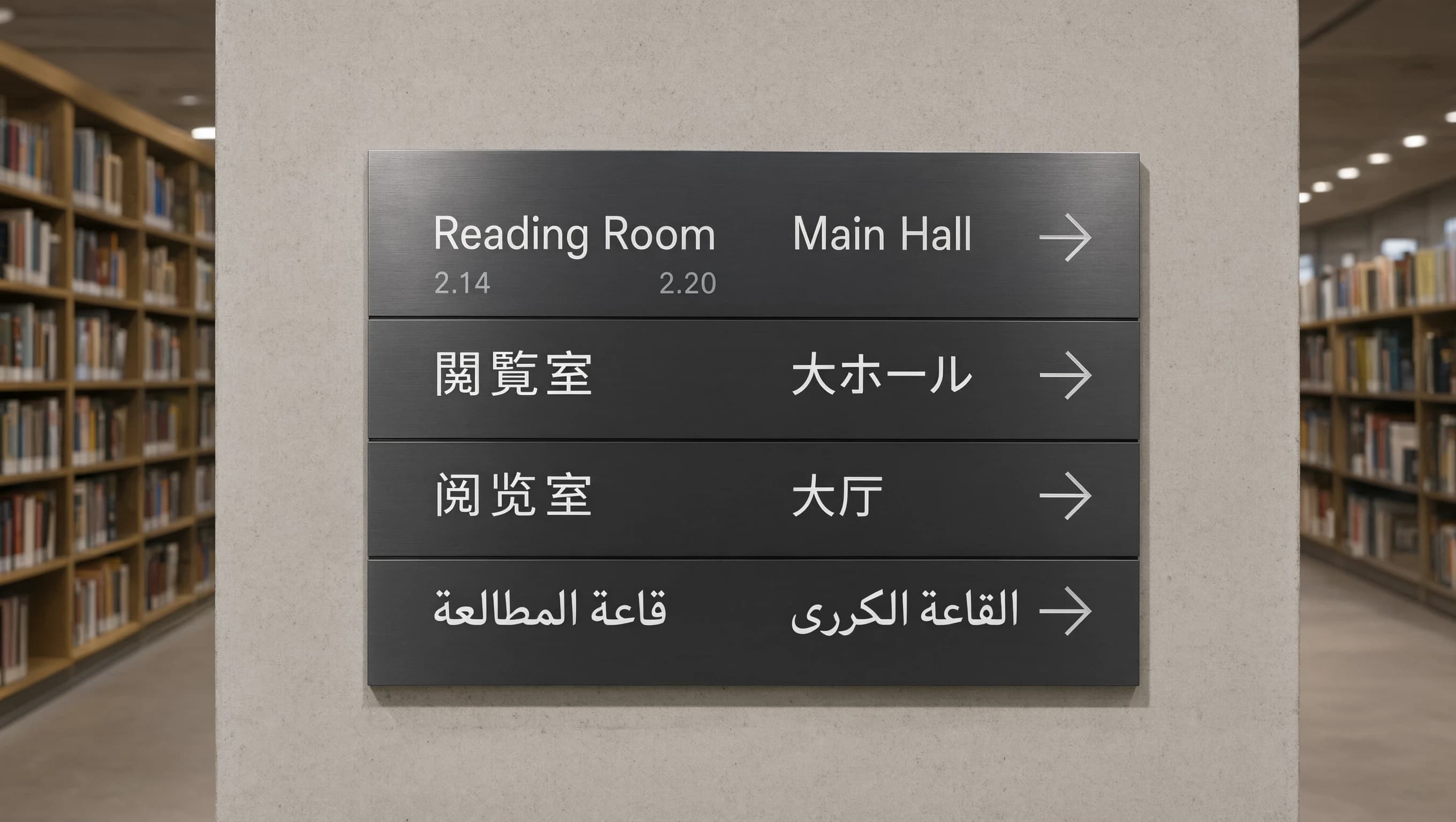
English, Japanese, Chinese and Arabic on the same sign came back correct in all four rows, including Arabic joining, which is where cheaper models fall apart.
Every string you spell out in quotes comes back verbatim: numbers on stat cards, axis labels, table headers, menu items. Dictate the text and you get the text.
The negative prompt goes in as its own field, not as an "avoid:" line glued to your text. Fix the seed and you can see what one changed word did.
Alibaba's API rewrites prompts by default to "optimize" them, and its own docs say to turn that off once a prompt is detailed. We keep it off on every call: with thousands of tokens of layout instructions, a silent rewrite is the last thing you want.
$0.04 for 1K and $0.08 for 2K, with reference images free. That makes it a reasonable draft model even when text is not involved.
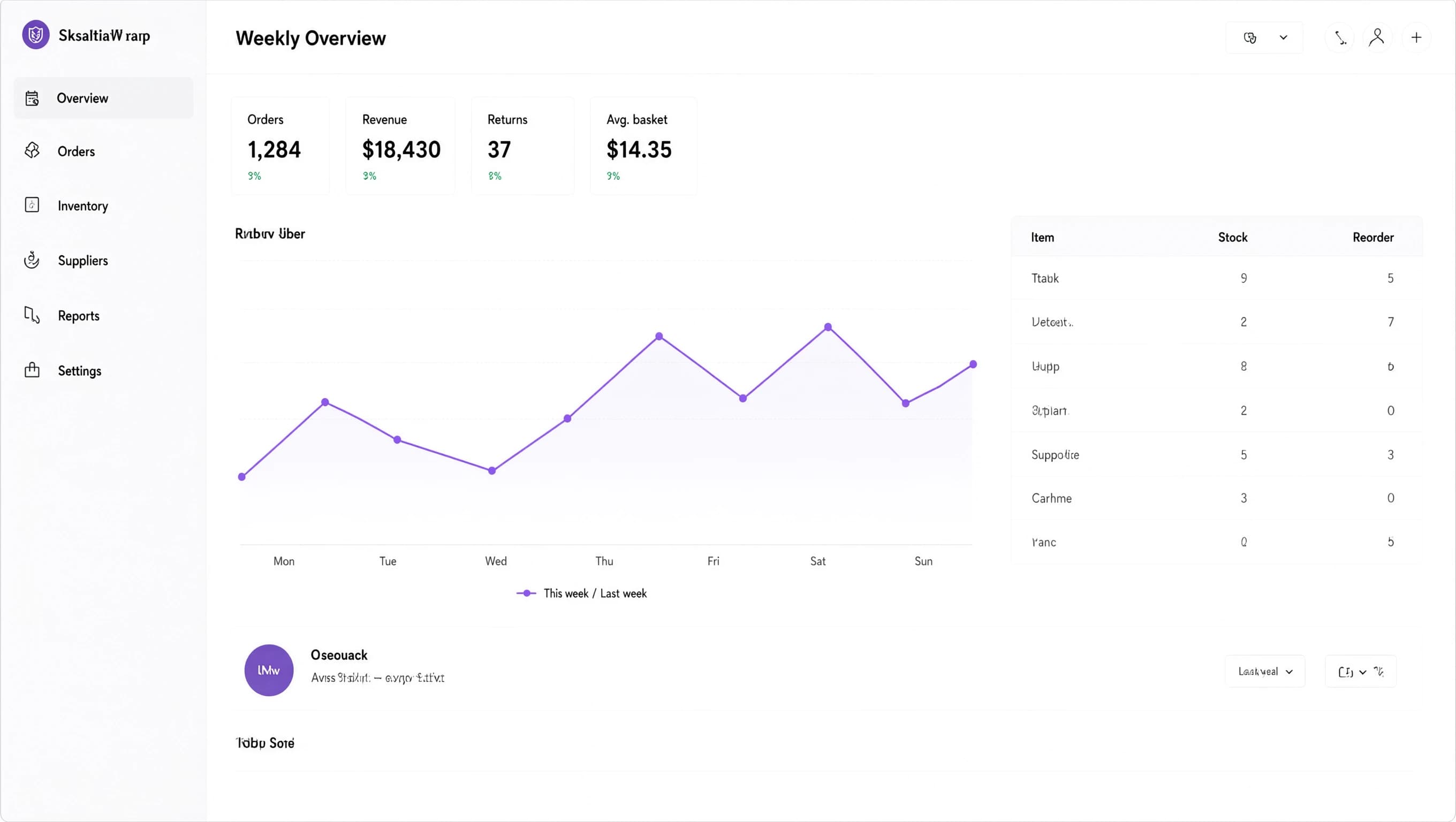
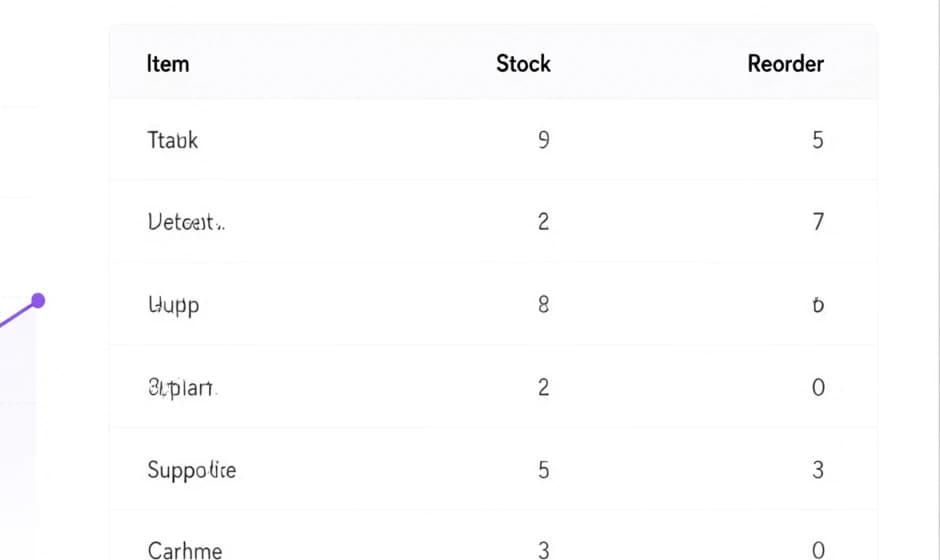
The trap is pseudo-text. I asked for an analytics dashboard for an imaginary bakery supply shop. Everything I spelled out came back verbatim: Orders 1,284, Revenue $18,430, Mon through Sun on the axis, the headers Item, Stock and Reorder. Everything I left to the model came back as convincing nonsense — product names like "Ttabk" and "Supporlice", a logo reading "SksaltiaW rarp". Most image models do this. It is worth a warning here because the rest of the frame looks so much like a real screenshot that a reviewer skimming a deck will not notice. Write out every string you care about, including the boring ones.
The other limits are plainer. There are two tiers, 1K and 2K, and no 4K. There is no conversational editing: to change a picture, send it back as a reference image with an instruction. It takes 3 references, not fourteen. It renders Arabic faithfully but does not mirror your layout for right-to-left reading, so say which column goes where. Photoreal work is very good rather than category-defining — skin, pores and individual hairs hold up at full resolution, but the colour grading is flatter than Nano Banana Pro gives you. And the prompt field here accepts 20,000 characters, while Alibaba states 4,500 tokens as a recommended maximum rather than a hard limit — nothing upstream warns you when you pass it, so we estimate the tokens and warn before the call.
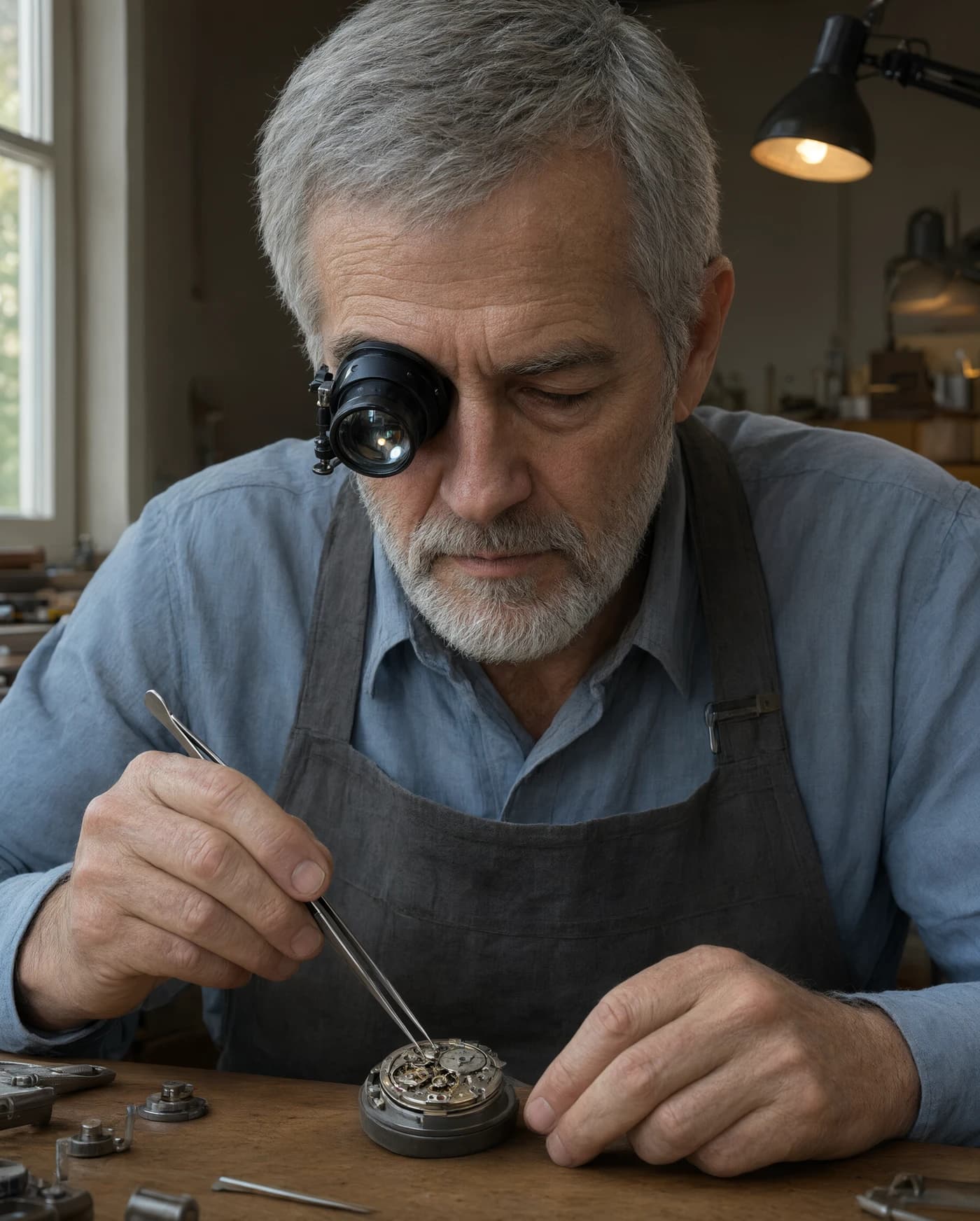
What the object is, how the camera sees it, what it is made of. Alibaba's own sample prompts open exactly this way — "a vertical outdoor portrait photograph" — and only then describe the scene. A printed poster on a wall, a sign on brushed aluminium, a flat interface on a laptop screen.
Headline, subline, each table row, each label — in quotes, with where it sits, the way the official example writes a shop sign as 'Il Messaggero' and says what the lettering looks like. Qwen follows quoted strings closely and fills silence with nonsense. Finish with the lighting and the colour, as Alibaba's examples do.
Check the layout for $0.04, then render the keeper at 2K for $0.08 with the same seed. A failed or filtered generation is refunded automatically. Top up with crypto or a card; there is no monthly fee.
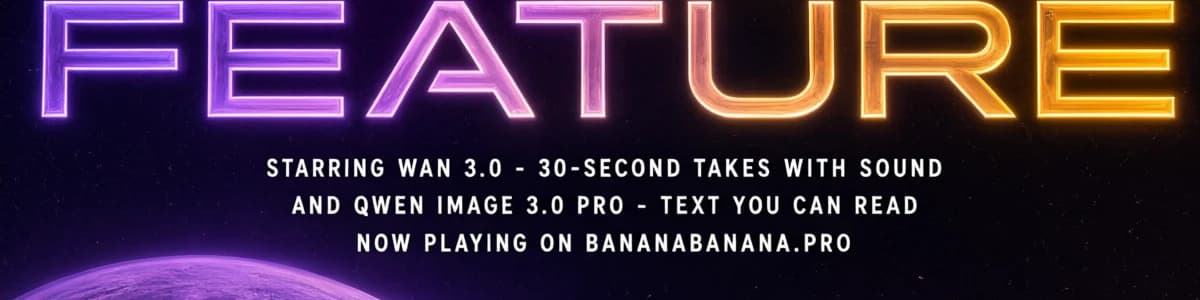
Alibaba ships a showcase prompt with this model: a sci-fi poster titled 'A QWEN PLANET', with big neon type, three lines of credits, small text along the bottom edge and a creator credit in the corner. I kept that skeleton and swapped in our own announcement, shifted the palette to ours, and dictated all six strings word for word instead of leaving any of them to the model. One 2K call at $0.08, one attempt, no retouching: every line came back exactly as written, BANANABANANA.PRO included. Everything that is not text — the astronaut, the planets, the neon glow — is the model filling in around the copy, which is the whole point of writing the copy first.
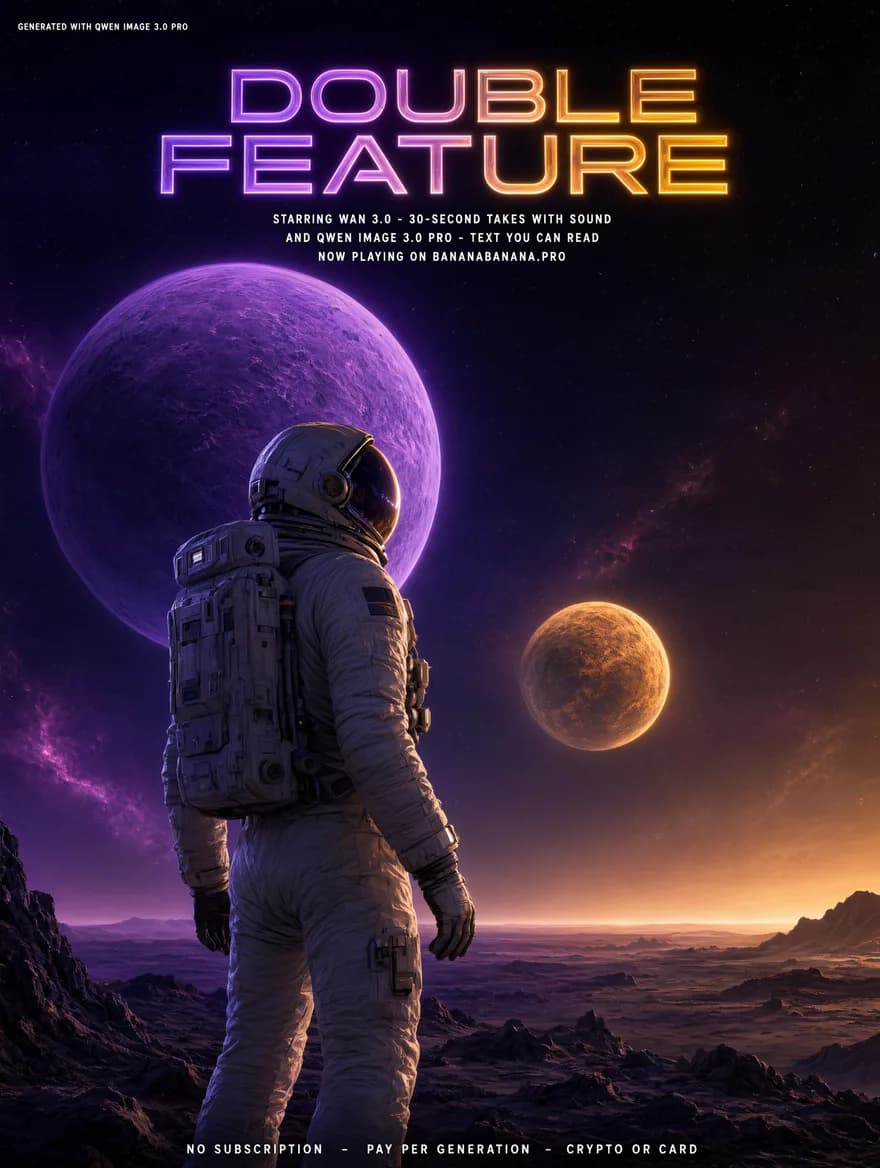
Sci-fi cinematic movie poster design titled 'DOUBLE FEATURE', vertical format. Two glowing planets hang in a deep starry background: a large violet planet high on the left, a smaller amber one further away on the right. In the foreground an astronaut in a detailed white space suit stands on a dark rocky alien plateau, seen from behind at a three-quarter angle, gazing toward the planets; helmet visor and life-support backpack clearly visible with realistic reflections and textures, violet and amber rim light along the suit. Large creative neon-glowing typography 'DOUBLE FEATURE' centered at the top, the letters glowing in a violet-to-amber gradient. Three lines of small white credit text centered beneath the title, reading exactly, line by line: 'STARRING WAN 3.0 - 30-SECOND TAKES WITH SOUND', 'AND QWEN IMAGE 3.0 PRO - TEXT YOU CAN READ', 'NOW PLAYING ON BANANABANANA.PRO'. A single line of small white text along the bottom edge reading 'NO SUBSCRIPTION - PAY PER GENERATION - CRYPTO OR CARD'. Small subtle white credit text in the upper left corner reading 'GENERATED WITH QWEN IMAGE 3.0 PRO'. Dramatic volumetric lighting, deep space colour palette with violet and fuchsia nebula accents and a warm amber horizon glow, epic scale, photorealistic CGI rendering, IMAX poster composition.
| Model | 1K | 2K | 4K | References |
|---|---|---|---|---|
| Qwen Image 3.0 Proseed, negative prompt | $0.04 | $0.08 | — | 3 |
| Nano Banana Promulti-turn editing, filter control | $0.11 | $0.11 | $0.20 | 11 |
| GPT Image 2.5 Sunburstlong literal briefs | $0.05 | $0.11 | $0.18 | 14 |
| Nano Banana 2fast, up to 4K | $0.06 | $0.09 | $0.13 | 14 |
Prices are per image; reference images are free. A dash means the model does not sell that tier. Deposits of $50 add 5% to your balance and $100 adds 10%; an active promo code adds another 10% on top of the same deposit. The +5% / +10% volume bonus applies to crypto top-ups only.
The full table for every model lives on the pricing page.
The same prompts through the Google side of the catalogue, with costs and failure cases.
Read the guideThe model to reach for when colour and light matter more than the label.
Read the guideWhy paying per image beats a monthly plan for most people, with the arithmetic.
Read the guideNo. Alibaba did not publish weights for the 3.0 generation, so there is no self-hosted route; it runs as a hosted API only. Here it is $0.04 per 1K image and $0.08 per 2K, charged per image, with no subscription and no monthly minimum. New accounts start with $0.20 on the balance, which is five 1K renders before you decide anything.
Yes. Alibaba claims native rendering of 12 languages, and the four-script sign at the top of this page came back correct in all four, Arabic joining included. It does not mirror the layout for right-to-left scripts, so say which column goes where.
1K and 2K only. Alibaba's API takes any output between 512×512 and 2048×2048 with an aspect ratio between 1:8 and 8:1; here you pick one of the usual ten ratios from 21:9 to 9:16, and the model returns a PNG. There is no 4K tier; for that, use Nano Banana Pro or GPT Image 2.5.
Not as a back-and-forth conversation. Pass the picture as one of up to 3 reference images together with an instruction and the model re-renders the scene. For multi-turn editing where each round keeps the previous result, use Nano Banana Pro.
Because any text you do not dictate is drawn as texture. Labels, product names, logos, small print in the background — if you care what they say, write them in the prompt in quotes. Strings you spell out are reproduced exactly.
The full amount goes back to your balance automatically, content-filter refusals included. That is the same rule for every model on the platform.
Read the full answerYes. Over the MCP server it is the generate_image tool with the model id qwen-image-3.0-pro and a resolution of 1024 or 2048. References accept a previous job id, a public URL or an inline base64 image, so an agent can hand back a picture it made a minute ago.
New accounts start with $0.20 on the balance — five 1K renders to see whether Qwen spells your layout. Images from $0.04, no subscription, no commitment.