AI Image Generator Without Subscription: Pay Per Image
How a pay-per-use AI image generator works: from $0.03 per image, credits that never expire, honest math vs subscriptions and free daily credits.

An AI image generator without a subscription charges you per result from a prepaid balance instead of a fixed monthly fee. BananaBanana runs entirely on that model: you buy AI credits once (a USD balance, topped up from $1 in crypto or $20 by card), then pay $0.03 to $0.20 per image or $0.10 to $6.00 per video clip. There are no plan tiers, nothing renews, and there's no cancellation flow because there's nothing to cancel.
Quick answer, if you're just comparing options:
- Images: $0.03–$0.20 each across three Nano Banana models (512px to 4K).
- Video: silent clips from $0.10, clips with sound from $0.18, across several models including Veo 3.1.
- Credits never expire. A $10 balance from January is still $10 in July.
- No card on file. Deposits are crypto from $1 (20+ coins and stablecoins), or card, PayPal and SEPA from $20; new accounts start with $0.20 free.
- The honest catch: the card route starts at $20, so the smallest top-ups are crypto-only.
I'll walk through what pay-per-use actually costs, how it stacks up against free daily credits, and, just as important, when a subscription genuinely beats it. It's not always.
What does "AI credits instead of subscription" mean?
Three billing models dominate AI image tools right now, and they behave very differently once you stop generating daily.
A subscription bills a fixed amount monthly and grants quota: GPU minutes, "fast generations", or a credit allowance. Miss a month of usage and the money is gone anyway. On most subscription tools, unused monthly quota doesn't roll over either, so a slow month quietly subsidizes the platform.
Expiring credit packs look like pay-as-you-go but aren't quite. You buy a bundle, and it evaporates after 30 or 90 days. Read the fine print on these; expiry dates hide in FAQ pages.
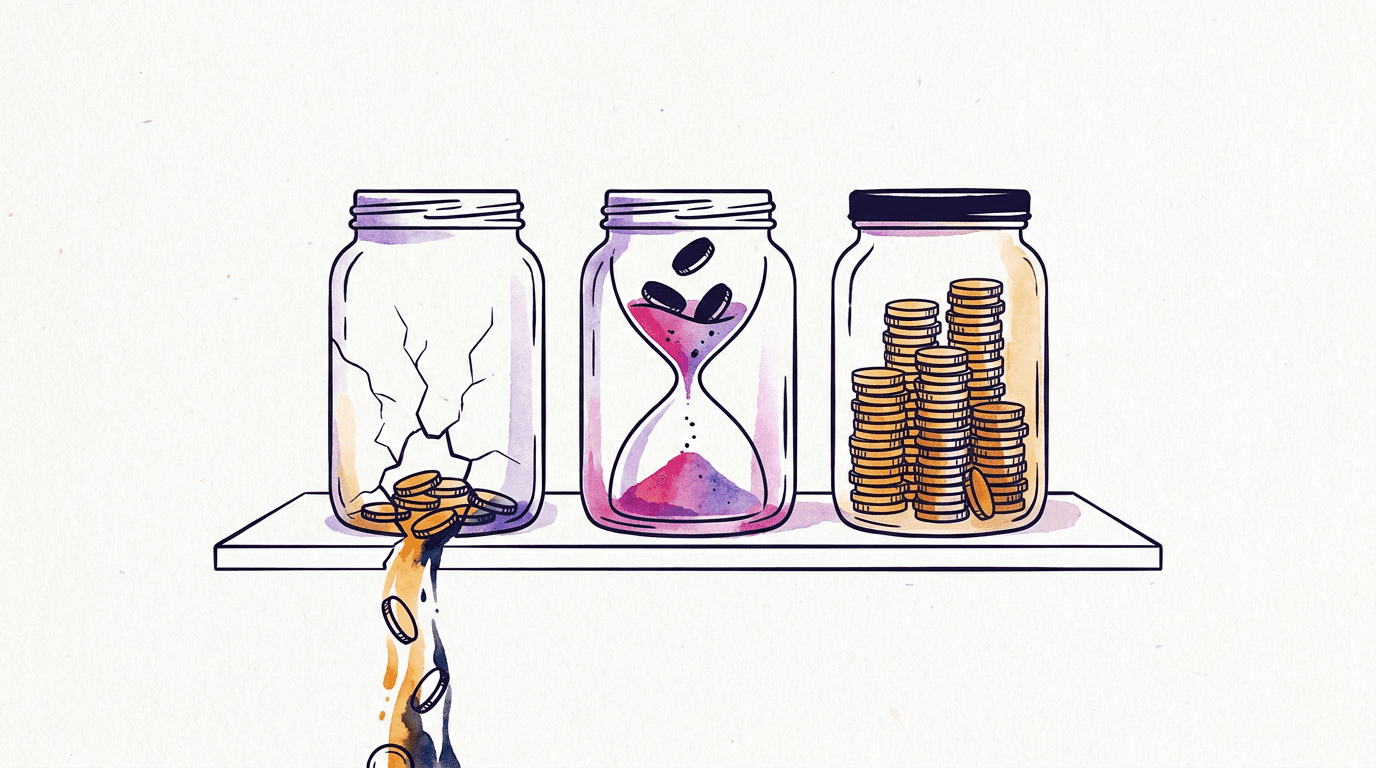
Pure pay-per-use is the third model and the one this platform uses. Money goes into a balance. Each generation deducts its exact price. That's it. The balance behaves like cash in a drawer: it sits there until you spend it, whether that's tomorrow or next year. When a generation fails on Google's side, the price comes back automatically, which matters more than people expect (generative APIs fail more often than anyone advertises).
The practical difference shows up in usage patterns. If you generate in bursts, a logo project this week, then nothing for six weeks, the first two models bill you for the silence. The third doesn't.
How does the balance work instead of a plan?
Instead of a plan, the balance prices every image on its own and charges it against money you've already deposited. No quota, no renewal date. On BananaBanana the whole loop is four steps:
- Top up a USD balance once: crypto from $1, or card and PayPal from $20.
- Pick a model and resolution in the generator. The price is printed on the Generate button, so you see the cost before you click.
- Start the job. The price comes off your balance, and if the generation fails, the same amount goes back on its own.
- Download the file. There's no watermark on it, and commercial use works the same on a $1 account as on a $1,000 one.
That's the entire mechanism. There's no "fast" versus "relaxed" mode to ration and no premium lane reserved for a bigger plan, because nobody is on a bigger plan.
What people underestimate is how pay per use changes the unit you think in. With a plan you think in months. Here you think in images: a product shot on Nano Banana Pro at 2K is $0.11, a rough layout draft on Lite is $0.03, four drafts are $0.12. The honest downside? You watch every cent leave. Some people find that more stressful than one flat charge they've stopped noticing, and I get it.
What do images and video cost from one balance?
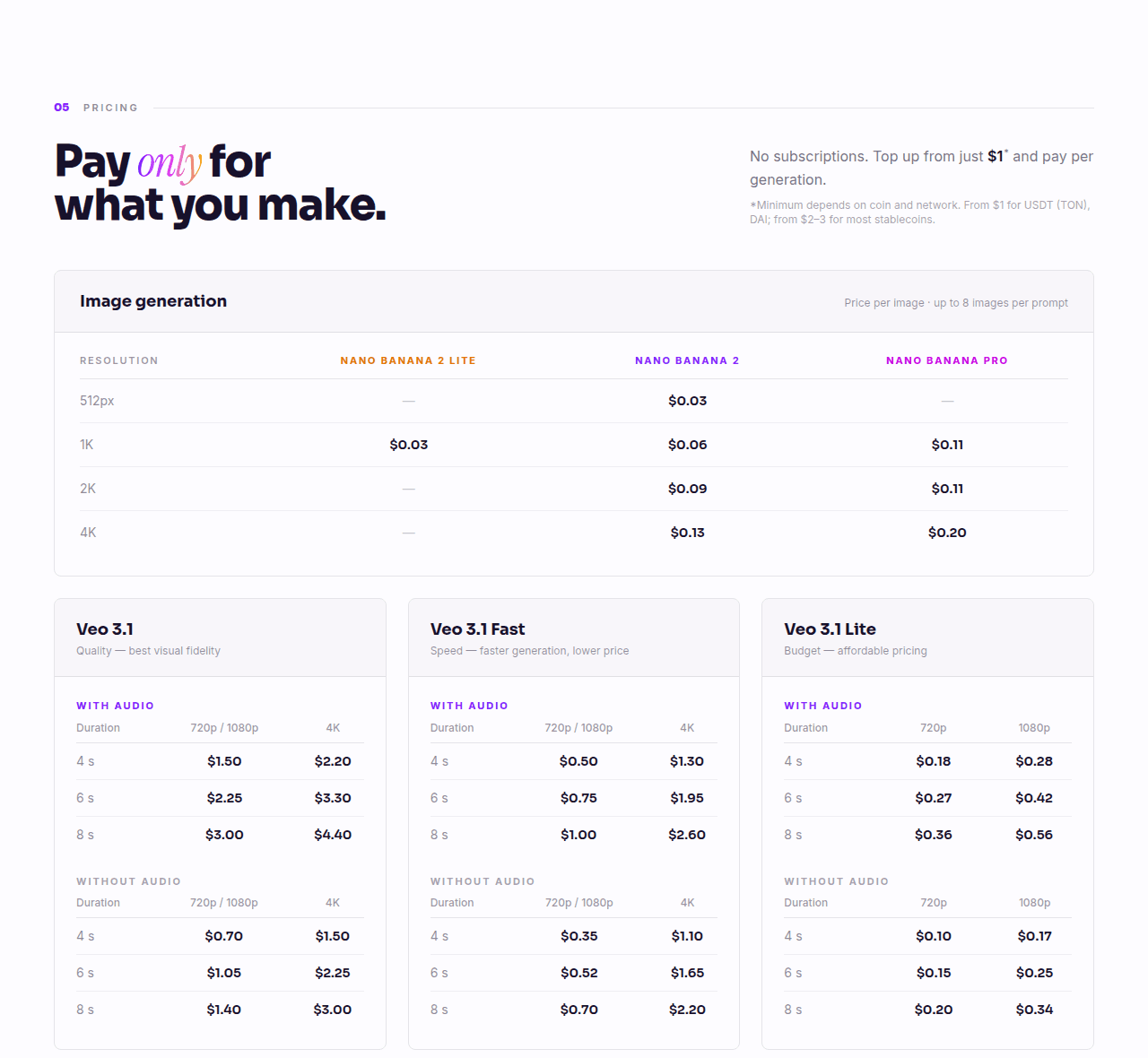
Real numbers from our pricing page, as of July 2026:
| Model | 512px | 1K | 2K | 4K |
|---|---|---|---|---|
| Nano Banana 2 Lite | — | $0.03 | — | — |
| Nano Banana 2 | $0.03 | $0.06 | $0.09 | $0.13 |
| Nano Banana Pro | — | $0.11 | $0.11 | $0.20 |
Some coffee math: a $5 top-up buys about 160 Lite images, or 83 mid-tier images at 1K, or 45 images on the top model. For most people testing prompts or making a handful of assets per week, $5 lasts weeks. If you want the full per-model table with effective prices after bonuses, that's in the pay-per-use cost breakdown, and the top model gets its own comparison against Google's plans in the Nano Banana Pro price guide. We wrote up where the $0.03 model is genuinely enough if budget is the whole point for you.
Video works the same way, per clip instead of per image. A 4-second silent 720p clip on Veo 3.1 Lite costs $0.10. The same clip with sound is $0.18. Top-end 8-second 4K with audio on Veo 3.1 Standard runs $4.40, and Gemini Omni Flash (always with sound) bills $0.10 a second at 720p, so $0.30 to $1.00 at that resolution. So "AI video generator without subscription" isn't a separate product here; it's the same balance, and you can spend Monday's $2 on images and Tuesday's on clips.
One thing I'd flag as a practitioner: per-image billing changes how you prompt. When a draft costs $0.03, you iterate freely on the cheap model and only pay Pro prices for the final render. Subscriptions with "unlimited relaxed mode" encourage the opposite habit of brute-forcing thirty variations because they feel free.
When is a subscription actually cheaper?
Fair is fair: heavy daily users can do better on a flat plan.
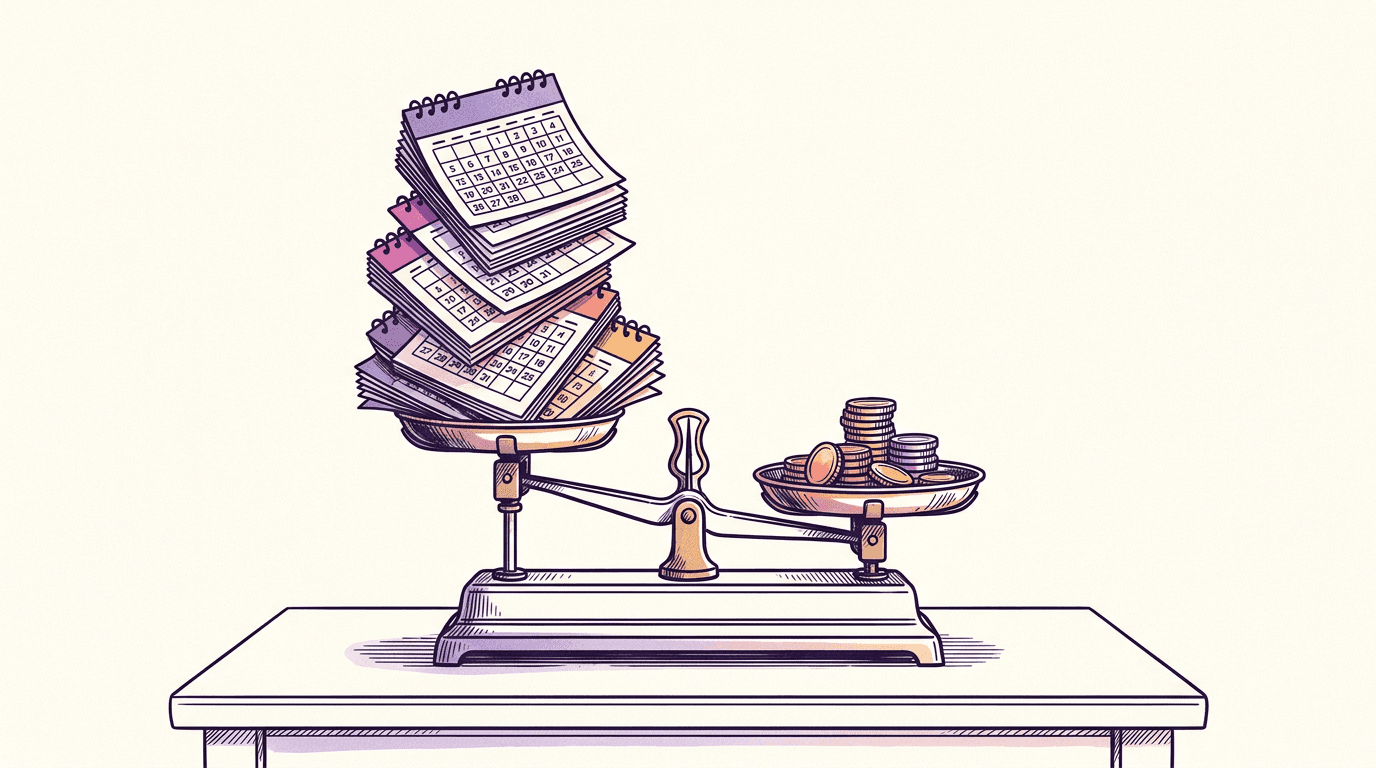
Take Higgsfield, since it sells some of the same models we do. Their Ultra plan runs $129/month for 3,000 monthly credits, or $99/month on an annual commitment; Nano Banana Pro costs 2 credits per image there, so a fully used month works out to $0.07–$0.09 per Pro image, according to Higgsfield's pricing page (re-checked July 16, 2026; their lineup shifts often). That beats our flat $0.11, and the top tiers add rotating 7-day unlimited windows on selected models. If you genuinely burn through 900+ top-tier images every single month, a plan like that wins on unit price and I won't pretend otherwise. We took this exact matchup apart, model by model, in the Higgsfield alternative breakdown.
The catch is the phrase fully used. Subscription math only works at consistent volume. The credit allowance resets every month instead of rolling over, the unlimited windows slow down under load, and the smaller tiers flip the math entirely: Starter at $19/month buys 270 credits, 135 Nano Banana Pro images, which is about $0.14 apiece. Even the mid Plus tier ($59 for 1,200 credits) only lands near $0.10 monthly, a cent under our rate, and one skipped month erases that edge for the rest of the year. My rough break-even: fewer than ~900 top-tier images a month, or usage that swings a lot, and pay-per-use wins. And that's against our sticker price; our top-up bonuses (5% extra balance on $50+ in crypto, 10% on $100+, plus another 10% from a promo code on any deposit, all stacking) pull the effective rate to about $0.09 and move the line past 1,000. Above that, at steady volume, the subscription probably edges ahead and I'd tell you so.
A subtler cost sits on top: figuring out what you're even paying per image. Higgsfield's pricing page lists over sixty separate credit rates, one per model, resolution and clip length (Kling 3.0 at 720p is about 14 credits per 8-second clip as of mid-July 2026; Seedance 2.0 at 4K is 110), prices exclude VAT until checkout, the signup banners push limited 30% discounts that anchor you to a number the renewal won't match, and a fine-print note says the unlimited models only work in their web app. Another note below it warns that new models may roll out gradually and "not available to all users at launch", so the shiny model on the plan card isn't guaranteed live on your account on day one. The lineup isn't even stable: loading the same pricing URL from two locations showed me two different sets of tiers at different prices. None of that is fraud. It's just arithmetic nobody actually does: to know your real per-image cost you'd divide the plan price by monthly credits, then credits by your model's rate, then add the tax back. Compare that with a flat $0.11 per Nano Banana Pro image, which is the entire calculation.
There's also a category subscriptions can't serve at all: people who need 20 images once, for one project. A $10/month plan for a one-week need is a 4x overpay even before the auto-renewal you'll forget about. A $3 one-time top-up covers it with change left over.
Free daily credits vs pay-per-use: which is cheaper?
Free daily credits are the freemium model: every account gets a small allowance that refills once a day, and anything beyond it needs a paid plan. For a hobbyist that's a genuinely good deal. If two or three images a day is all you'll ever need, zero dollars beats $0.03, and I'd take the free tier.
The catch is what the allowance tends to come with. Terms differ from service to service, so read them, but free daily tiers commonly:
- reset every 24 hours without rolling over, so a quiet week banks nothing for a busy one;
- put a visible watermark on free output, or restrict commercial use;
- send free jobs to a slower queue behind paying users;
- cap the resolution, or keep the newest models for paid plans.
Then there's the cost nobody lists: time. Say a client needs 30 banner variations by tonight. A daily allowance gives you a slice of that today and the rest over the following days, if the limits allow it at all. On pay-per-use, 30 drafts on Nano Banana 2 Lite cost $0.90, and three final renders on Nano Banana Pro at 2K add $0.33. One afternoon. $1.23.
To be clear about our side: BananaBanana doesn't hand out daily credits. A new account gets a one-time $0.20 welcome balance (six Lite images), one per person, and that's the whole freebie. It exists so you can judge output quality before paying, not as a free tier. My rule of thumb, then: occasional personal images where a watermark doesn't bother you go to a free daily tier. Deadlines, client work and anything you'll publish go to pay per image, where a few cents buys you no daily cap and a clean file.
How do you buy AI credits on BananaBanana?
The flow takes about five minutes the first time:
- Register with an email. You get $0.20 of starting credit, six Lite images' worth, before paying anything.
- Open your profile and pick how to pay: a cryptocurrency (USDT on TON and Solana are what most users pick; BTC, ETH, SOL and 20+ other options work too), or card, PayPal or SEPA from $20.
- For crypto, send at least the minimum the panel shows ($1 for USDT on TON or DAI, $1–3 for most other coins) to your personal deposit address; the balance lands in USD after network confirmation, usually within minutes. A PayPal payment credits as soon as it's confirmed. Deposits of $50+ arrive with a 5% bonus, $100+ with 10% — on crypto; the card route doesn't carry that bonus, though a promo code still adds its 10% on any deposit.
- Generate. Each image or clip deducts its listed price; failures refund automatically.
Nothing in that flow forces a card on you, which we covered in detail in the no-credit-card guide — and when you do pay by card, the number goes into PayPal's window rather than a form of ours. If someone shared a promo code with you, activating it adds +10% to every deposit, not just the first, and it stacks with the size bonuses: $100 with a code active credits $120.
The crypto part deserves a straight answer: if you've never touched a wallet, there's a real 15-minute learning curve, and that's a genuine downside against typing in a card number. The crypto payment walkthrough goes through it step by step, fees included. After the first deposit it takes under a minute — and if wallets just aren't for you, the card route from $20 skips that whole detour.
Balances don't expire, don't auto-convert, and can't go negative. When yours hits zero, generation stops. Nothing else happens. That non-event is basically the whole product pitch.
FAQ
Is there a truly one-time payment AI image generator?
Pay-per-use is the closest real model. On BananaBanana each top-up is a one-time payment: $3 once buys ~100 images, and no recurring charge ever follows. "Lifetime deal" tools exist but usually cap daily usage or resell cheaper models at a markup.
Is there an AI image generator with free credits daily?
Yes, many freemium tools give a daily allowance that resets every 24 hours, usually with watermarks, slower queues or locked models on the free tier. BananaBanana isn't one of them. There are no daily credits here: new accounts get a one-time $0.20 welcome balance (six Nano Banana 2 Lite images), and after that it's pay-per-use from $0.03 per image, with no watermark and nothing that expires.
Is there a monthly minimum or a plan I have to pick?
No. There are no tiers and no minimum monthly spend: top up from $1 in crypto or $20 by card, and every generation deducts its listed price, $0.03 to $0.20 per image. The full per-model sheet, with what $5 or $20 buys, is on the pay-per-use pricing page.
Do BananaBanana credits expire?
No. The balance is a USD amount on your account and stays there until you spend it. There's no monthly reset and no expiry date.
Can I generate AI video without a subscription too?
Yes, from the same balance. Silent 720p clips start at $0.10 (Veo 3.1 Lite, 4 seconds), clips with sound at $0.18, and Gemini Omni Flash costs $0.10 per second at 720p with audio included — $0.30 for three seconds, $1.00 for ten at that resolution.
What's the minimum to start?
From $1, depending on the coin and network: USDT on TON and DAI start at $1, most other coins at $1–3, and card, PayPal or SEPA payments at $20. Before that, the free $0.20 signup balance covers six images on Nano Banana 2 Lite, enough to see output quality before paying.
What happens if a generation fails?
The full price returns to your balance automatically. Video capacity errors are retried up to four times first; partial safety-filter blocks refund proportionally.