Prompt library · Jewelry photography

Jewelry prompts that respect the metal

Ten tested prompts for the hardest thing to photograph — polished metal and faceted stones. Macro detail, editorial hero shots, clean e-commerce packshots, each with the unedited result and the model that made it.

01How to prompt

How do you write a jewelry photography prompt?

Jewelry is a lighting problem, not a subject problem. Polished metal is a mirror — it doesn't have a colour of its own, it reflects whatever surrounds it — so the prompt has to describe what the metal is reflecting. That's why real jewelry shoots use big diffused sources and white cards: “lit by a large diffused softbox directly overhead with white bounce cards on both sides, producing long soft highlights along the band and no harsh hotspots”. Say that and you get metal that looks expensive. Say “beautiful lighting” and you get a grey ring with random blown-out patches.

The second half is the material vocabulary. “Brushed 18k yellow gold”, “high-polish platinum”, “oxidised blackened silver”, “brilliant-cut diamond with visible fire and dispersion”, “cabochon-cut moonstone with a soft blue sheen” — each of those is a different surface with different behaviour, and the models know them. Add the surface it sits on and the lens: “on a slab of honed grey marble, 100mm macro at f/8, focus stacked, tack sharp throughout”. Every image on this page is the unedited first output of the prompt beside it, generated on BananaBanana.
Can I photograph my actual jewelry this way?

Yes, and that's where this gets commercially useful. Text prompts generate a piece that doesn't exist — beautiful for concept work, moodboards, campaign direction and marketplace category art, but not for selling a specific item. For a real product, upload your own photograph and use the editor: “keep the ring exactly as it is, replace the background with honed grey marble, relight with a large overhead softbox and white bounce cards, remove the dust specks”. The piece stays truthful; the production value goes up.

That distinction matters legally as well as practically. Product listings have to show the actual item, and a generated stand-in on a shop page is misrepresentation, not marketing. Use generation for the imagery around the product — banners, lifestyle context, seasonal campaign art — and editing for the product shots themselves. All the lighting language on this page works identically in both modes.

02The prompts

10 prompts, real results

Every image below is the unedited output of the prompt on its card — no cherry-picking across dozens of attempts, no retouching. The model badge shows exactly what generated it and what it cost.

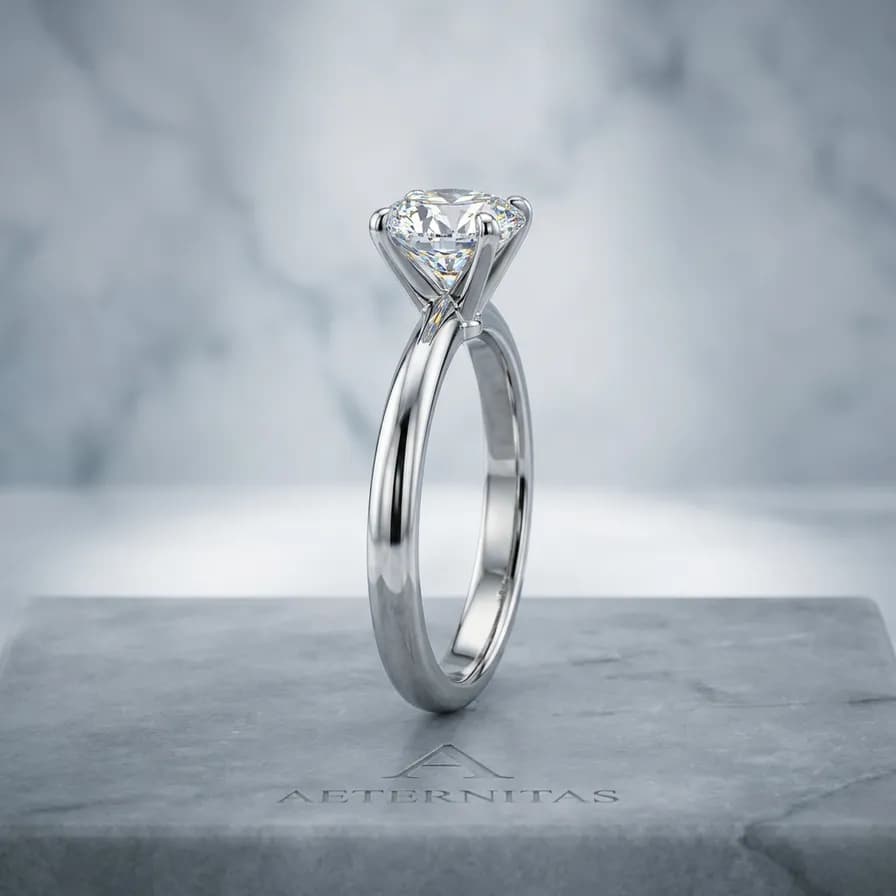
AI-generated jewelry photography example — Diamond solitaire macro, made with Nano Banana Pro on BananaBanana

Diamond solitaire macro

Nano Banana Pro$0.11 / image

Macro product photograph of a platinum solitaire ring with a brilliant-cut diamond, standing upright on a slab of honed grey marble. Lit by a large diffused softbox directly overhead with white bounce cards on both sides, producing long soft highlights along the polished band and visible fire and dispersion in the stone. 100mm macro lens at f/8, focus stacked, tack sharp throughout, cool neutral white balance, luxury catalogue style.

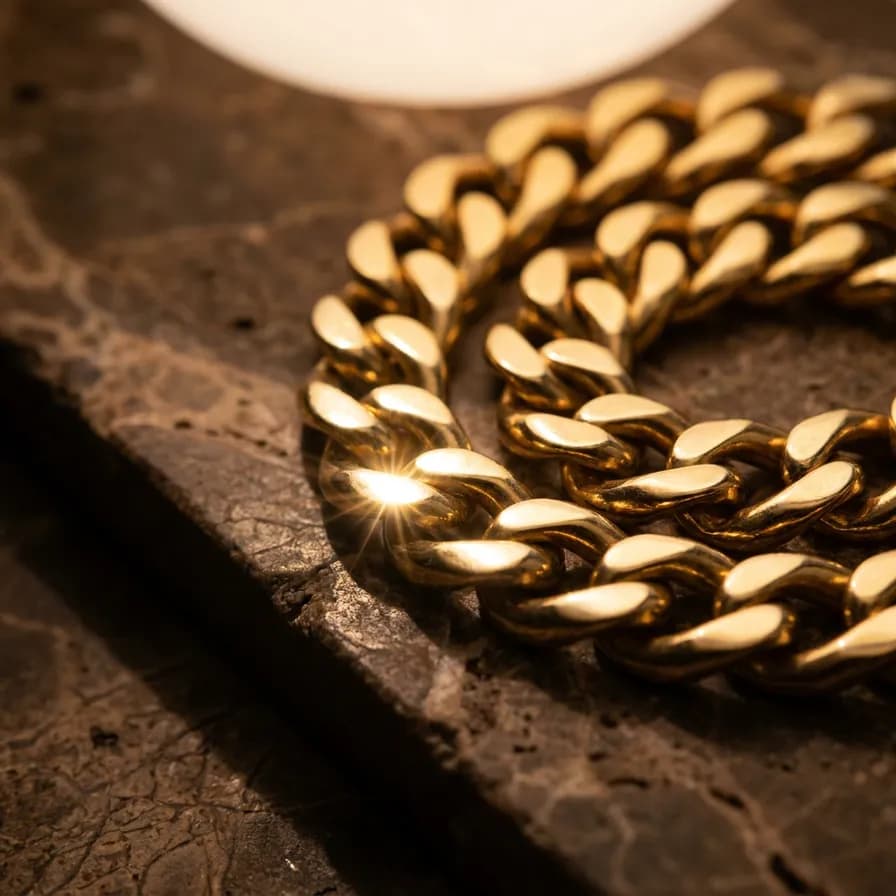
AI-generated jewelry photography example — Gold chain on stone, made with Nano Banana Pro on BananaBanana

Gold chain on stone

Nano Banana Pro$0.11 / image

Macro photograph of a heavy 18k yellow gold curb chain coiled loosely on a slab of dark travertine, one link catching a bright specular highlight. Large diffused overhead source with a black flag on the left to create a defined dark edge along the metal, warm reflections in the gold. 100mm macro at f/5.6, shallow band of focus across the front links, rich warm tones, editorial jewellery style.

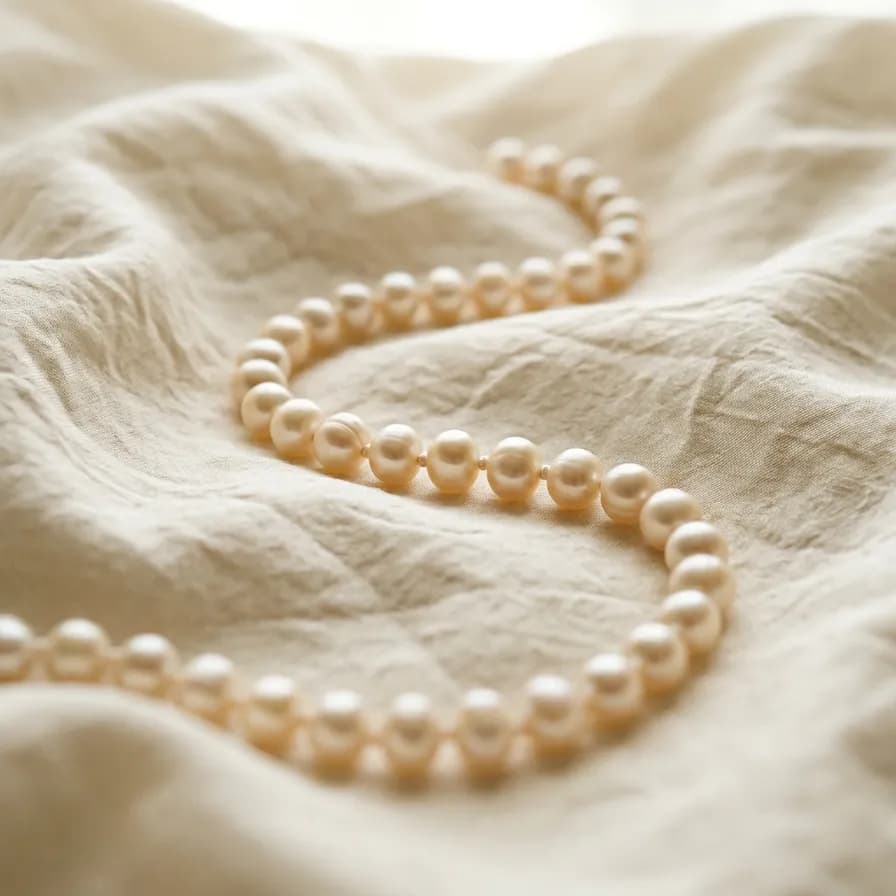
AI-generated jewelry photography example — Pearl strand on silk, made with Nano Banana 2 on BananaBanana

Pearl strand on silk

Nano Banana 2$0.06 / image

Product photograph of a strand of freshwater pearls laid in a soft S-curve across rumpled ivory silk, each pearl showing a gentle lustre gradient rather than a hard highlight. Very soft, broad, diffused light from above and slightly behind, no harsh reflections. 90mm macro at f/6.3, creamy neutral palette, elegant and restrained.

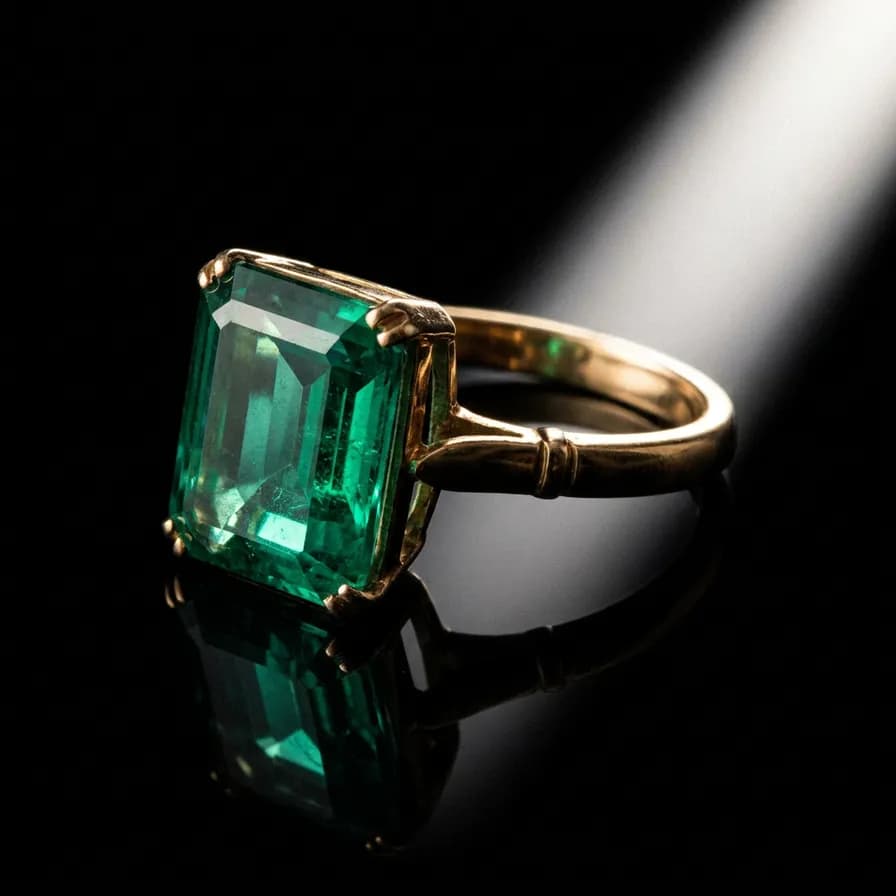
AI-generated jewelry photography example — Emerald ring on black, made with Nano Banana Pro on BananaBanana

Emerald ring on black

Nano Banana Pro$0.11 / image

Dramatic macro photograph of a gold ring set with a deep green emerald-cut stone, resting on a sheet of black glass that gives a clean mirror reflection beneath it. Single narrow strip softbox raking from the upper right creates a long highlight down the shank, deep shadows elsewhere, background falls to pure black. 100mm macro at f/8, jewel tones, high-end advertising style.

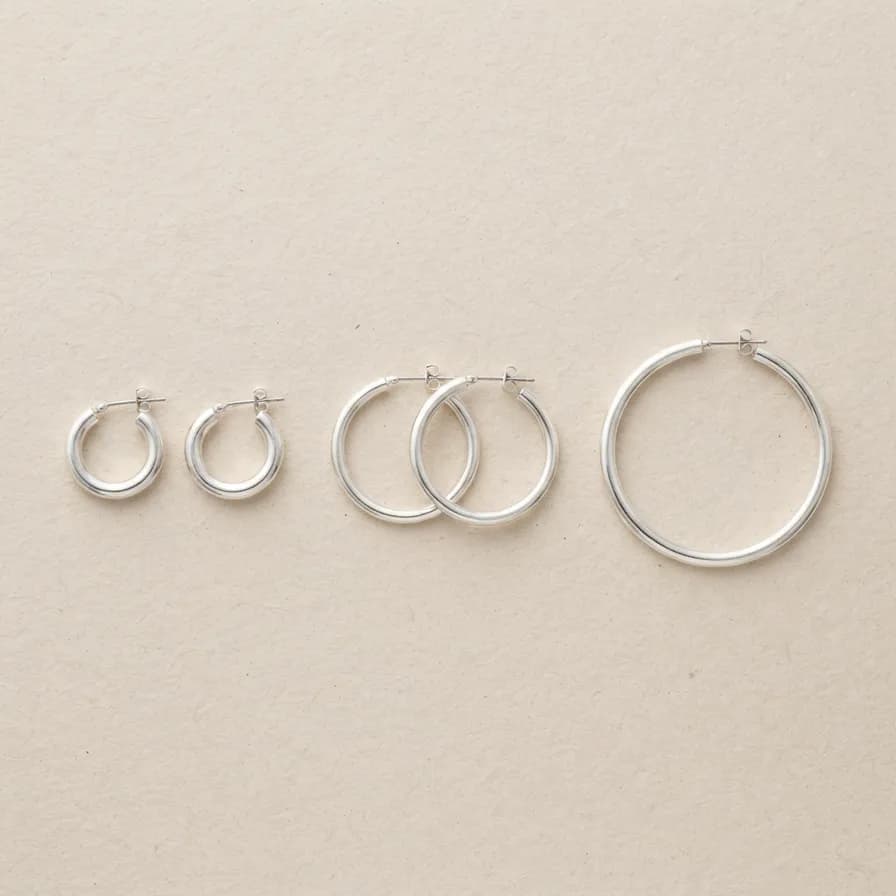
AI-generated jewelry photography example — Silver hoops flat lay, made with Nano Banana 2 Lite on BananaBanana

Silver hoops flat lay

Nano Banana 2 Lite$0.03 / image

Overhead flat lay of three pairs of sterling silver hoop earrings in different diameters, arranged with even spacing on a pale sand-coloured textured paper. Broad soft diffused daylight from above, gentle contact shadows, no glare. 60mm macro at f/8, clean minimal e-commerce styling with generous negative space, cool neutral tones.

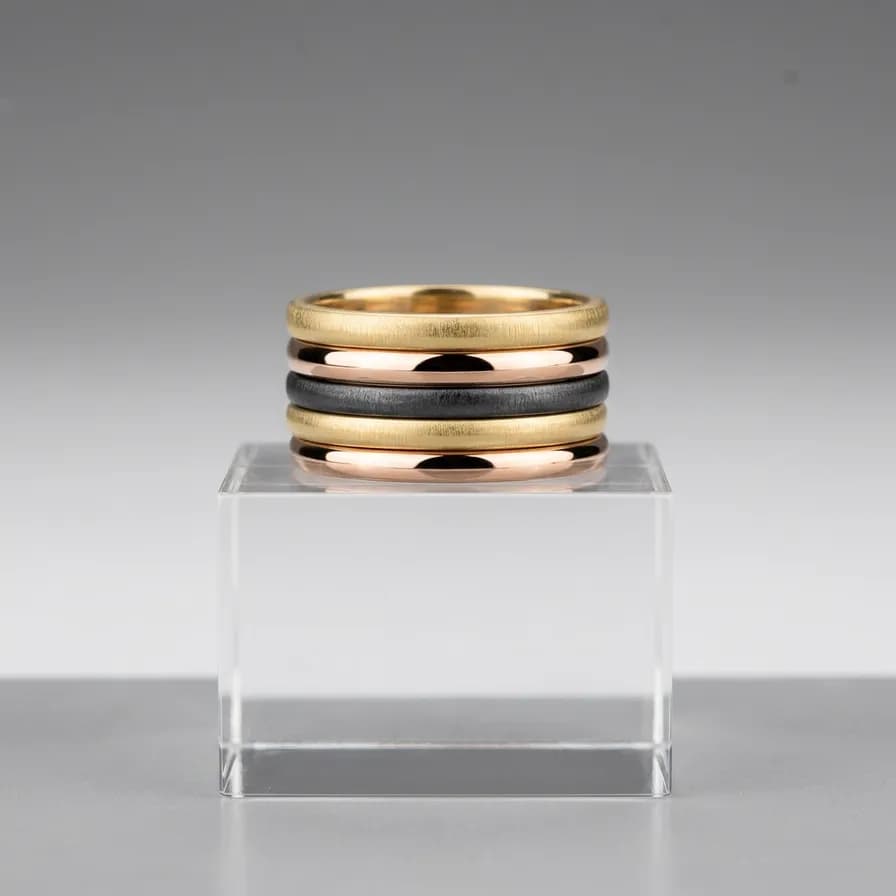
AI-generated jewelry photography example — Stacking rings, made with Nano Banana 2 on BananaBanana

Stacking rings

Nano Banana 2$0.06 / image

Product photograph of five slim stacking rings — mixed brushed gold, high-polish rose gold and oxidised blackened silver — stacked on a clear acrylic riser against a soft gradient grey backdrop. Large overhead diffusion with white cards either side so each metal reads distinctly. 100mm macro at f/9, sharp front to back, contemporary jewellery brand look.

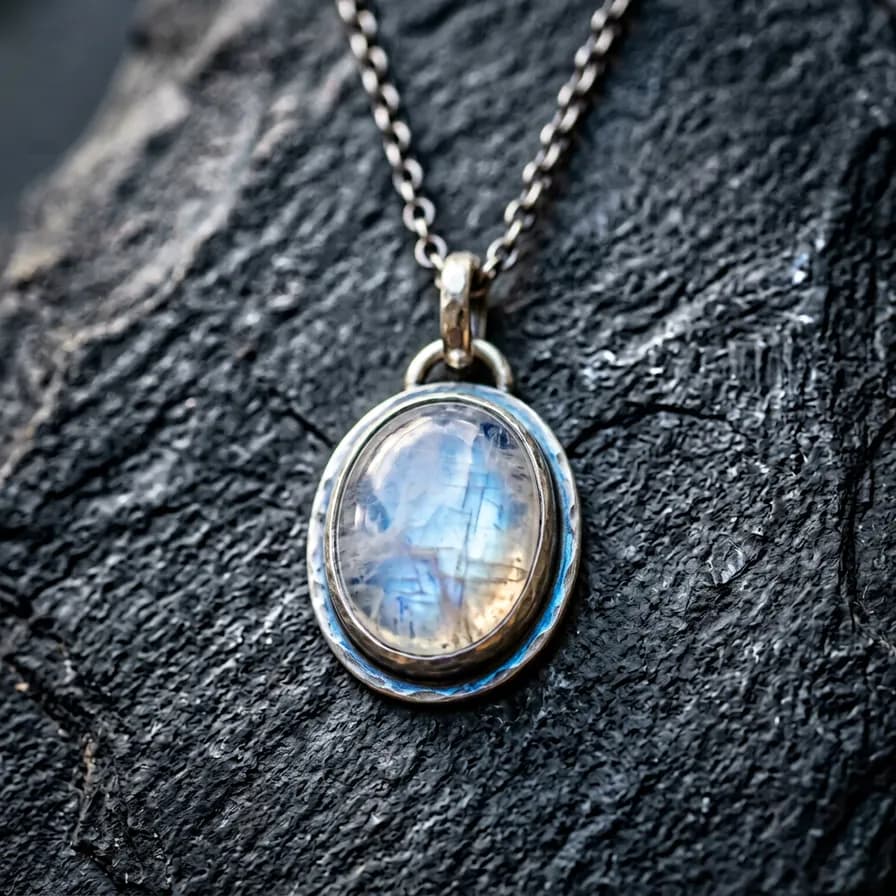
AI-generated jewelry photography example — Moonstone pendant, made with Nano Banana 2 on BananaBanana

Moonstone pendant

Nano Banana 2$0.06 / image

Macro photograph of a silver pendant set with a cabochon-cut moonstone showing its soft blue adularescent sheen, hanging from a fine chain against a smooth slate background. Soft directional light from the upper left brings out the sheen inside the stone; a subtle blue rim of reflected light along the bezel. 100mm macro at f/5.6, cool moody palette, artisan jewellery feel.

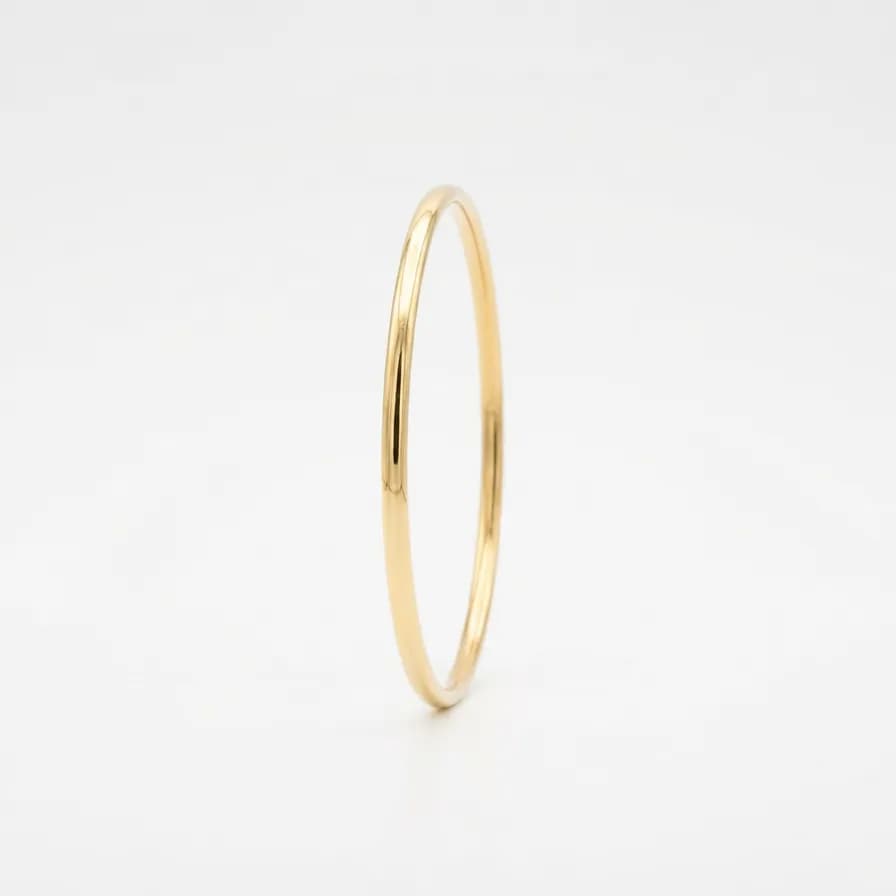
AI-generated jewelry photography example — Clean e-commerce packshot, made with Nano Banana 2 Lite on BananaBanana

Clean e-commerce packshot

Nano Banana 2 Lite$0.03 / image

Clean e-commerce packshot of a thin gold bangle standing upright on a pure white seamless background, evenly lit from all sides by large diffusion panels so shadows are almost eliminated and the metal reads bright and consistent. 100mm macro at f/11, sharp throughout, generous white space around the product, marketplace listing style.

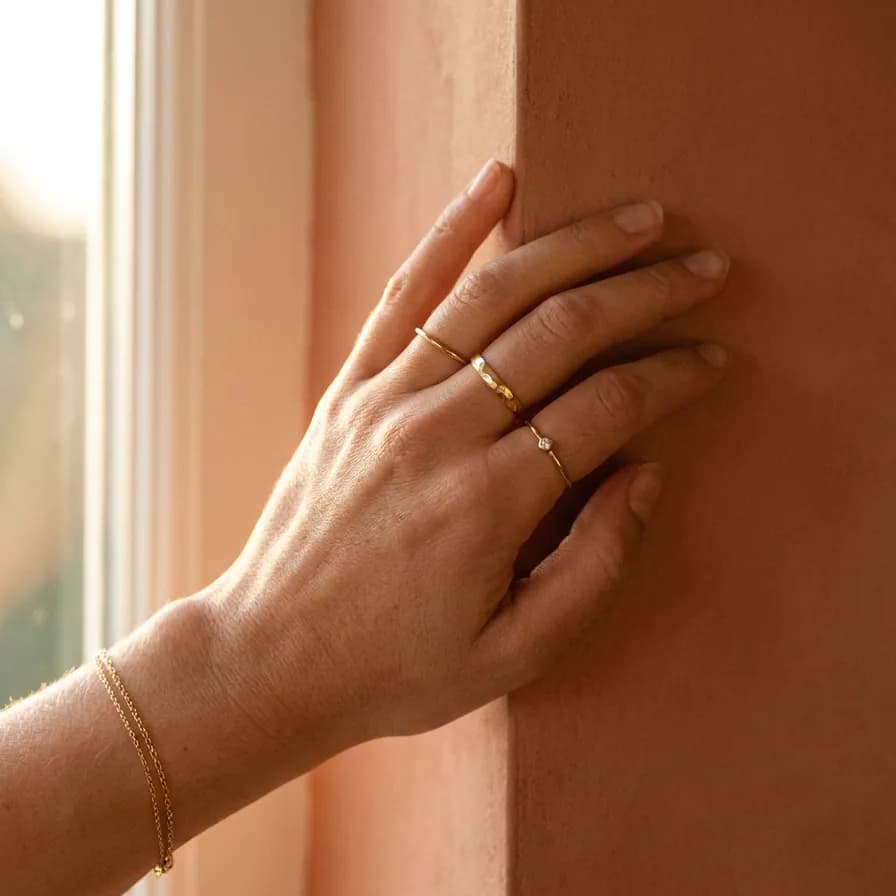
AI-generated jewelry photography example — Editorial hand shot, made with Nano Banana Pro on BananaBanana

Editorial hand shot

Nano Banana Pro$0.11 / image

Editorial jewellery photograph of a hand at rest against a warm terracotta plaster wall, wearing three delicate gold rings and a fine chain bracelet, fingers relaxed and slightly curled. Soft late-afternoon window light from the left, warm skin tones with natural texture, shallow focus on the rings. 85mm lens at f/2.8, elegant lifestyle campaign feel, neutral manicure.

03Technique

What makes these work

Describe what the metal reflects

Polished metal is a mirror with no colour of its own. “Large diffused softbox overhead with white bounce cards either side” tells the model what to put in the reflection; “nice lighting” leaves it grey and blotchy.

Use black flags for edge definition

Real jewellery shooters place black cards beside the piece so the metal has a defined dark edge instead of dissolving into the background. Say “black flag on the left” and you get exactly that.

Name the cut and the finish

“Brilliant-cut diamond with visible fire”, “cabochon moonstone with blue adularescence”, “brushed versus high-polish gold” — the models know these terms and render them differently. Generic “gemstone” gets you generic glass.

Stop down and say “focus stacked”

Jewellery is small, so depth of field is thin. “100mm macro at f/8, focus stacked, sharp throughout” gives the whole piece in focus, which is what catalogue work needs — save f/2.8 for lifestyle shots.

04More prompts

Keep browsing

05Learn more

Guides from the blog

06FAQ

Jewelry photography prompts, answered

Can I use generated images on my product listings?

Not as the product photo. A listing has to show the actual item you're shipping, and a synthetic stand-in is misrepresentation — several marketplaces will remove listings for it. Use generation for banners, campaign art and lifestyle context, and edit your own photographs when you need the real piece to look better.

How do I improve photos of my real jewelry?

Upload the photo and describe only the changes: replace the background, relight with an overhead softbox and bounce cards, clean up dust and fingerprints. The piece stays exactly as photographed while the production value goes up — and the lighting vocabulary on this page works the same way in edit mode.

Which model handles reflective metal best?

Nano Banana Pro, without much competition. Specular highlights, faceted stones and mirror reflections are precisely where cheaper models produce mush — five of the ten shots here use Pro for that reason. Lite is fine for flat lays and clean white-background packshots where lighting is simple.

Why do the gemstones look like plastic?

Because the prompt didn't describe the optical behaviour. Add the cut and what it does — “brilliant-cut with visible fire and dispersion”, “step-cut with clean internal reflections”, “cabochon with a soft internal sheen” — and use a harder, more directional light. Broad flat lighting kills the sparkle that makes a stone read as real.

What about hands and models wearing the jewelry?

Hands are the hardest thing for image models, so keep them simple: one hand, relaxed, fingers slightly curled, no complex grips. The editorial hand shot above is deliberately posed that way. Expect to re-generate a couple of times, or crop tighter to the piece.

Copy a prompt, make it yours

Every new account starts with a free $0.20 balance — enough to test six image prompts before paying anything. No subscription, no credit card, crypto top-ups from $1.