Prompt library · Pixel art

Pixel art prompts with an honest grid

Ten tested prompts for retro game art — 16-bit town squares, dungeon interiors, item icon sheets, parallax skies. Each card shows the unedited output, the model and the price, plus what to fix by hand afterwards.

01How to prompt

How do you prompt for pixel art?

Pixel art has one prompt ingredient that nothing else needs: the era. “16-bit SNES-era pixel art” and “8-bit NES-era pixel art with a four-colour palette” produce completely different images, because the era carries resolution, colour count and shading conventions with it. Add the palette size — “limited 32-colour palette” — and the shading style — “dithered shading”, “flat cel shading with a single highlight” — and you have the three settings that matter. Then describe the scene as usual: “a small harbour town square at dusk, cobblestones, market awnings, a fountain, warm lamplight in the windows”.

Be honest about what these models do and don't do. Nano Banana renders convincing pixel-art *illustration* — the look, the palette, the mood — but it does not snap to a true pixel grid, so if you zoom in, blocks are not perfectly uniform and stray anti-aliased pixels appear along edges. For mood boards, key art, store banners and style exploration that is invisible and completely usable. For sprites that go into an engine, treat the output as a reference and redraw or downsample it in Aseprite. All ten images below are unedited first outputs generated on BananaBanana, mostly on Lite at $0.03.
Which era should you ask for?

“8-bit NES-era” gives you chunky blocks, hard black outlines and a handful of colours — great for icons, UI and anything that has to read at tiny sizes. “16-bit SNES-era” is the sweet spot most people actually mean when they say pixel art: enough colours for gradients and dithering, still unmistakably pixels, and it handles scenes with depth. “Modern indie pixel art with soft lighting and subtle gradients” goes further again and looks closer to today's storefront art.

Whichever you pick, keep it identical across a set, together with the palette clause. A town, a dungeon and a forest generated with the same era and palette wording will sit together as one game; generated with three different era words they'll look like three different games. The same discipline that makes icon sets work makes tilesets work.

02The prompts

10 prompts, real results

Every image below is the unedited output of the prompt on its card — no cherry-picking across dozens of attempts, no retouching. The model badge shows exactly what generated it and what it cost.

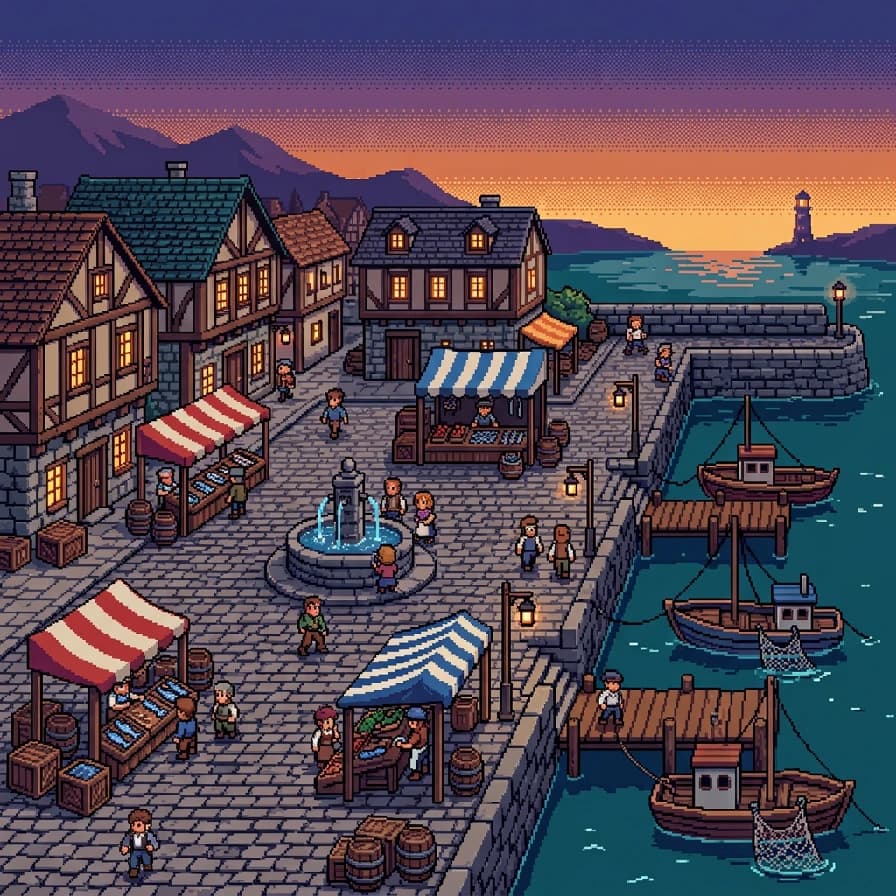
AI-generated pixel art example — Harbour town at dusk, made with Nano Banana 2 on BananaBanana

Harbour town at dusk

Nano Banana 2$0.06 / image

16-bit SNES-era pixel art scene of a small harbour town square at dusk: cobblestone paving, striped market awnings, a stone fountain in the centre, fishing boats moored beyond the sea wall, warm lamplight in the windows. Limited 48-colour palette of dusk violet, teal and warm amber, dithered sky gradient, crisp chunky pixels, side-scrolling game perspective.

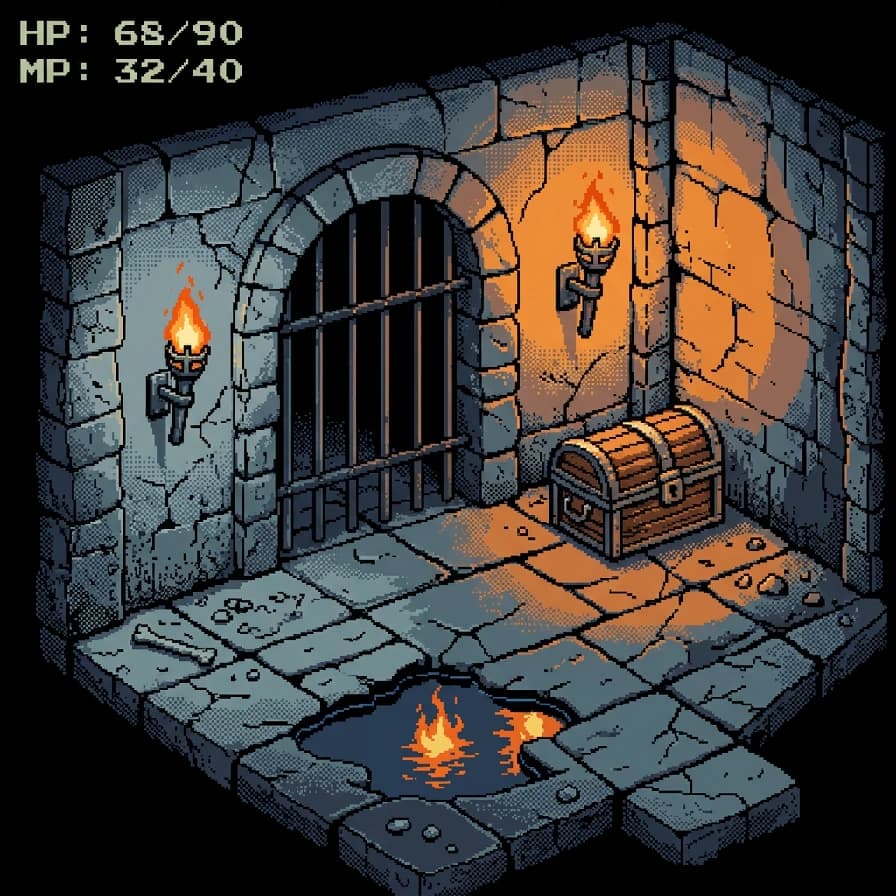
AI-generated pixel art example — Dungeon room, made with Nano Banana 2 on BananaBanana

Dungeon room

Nano Banana 2$0.06 / image

16-bit SNES-era pixel art of a stone dungeon chamber seen from a top-down three-quarter angle: cracked flagstones, two lit wall torches throwing orange pools of light, a wooden treasure chest, iron bars in the archway and a puddle reflecting the flame. Limited 40-colour palette of cold grey-blue and torch orange, dithered shading, hard black outlines, classic RPG look.

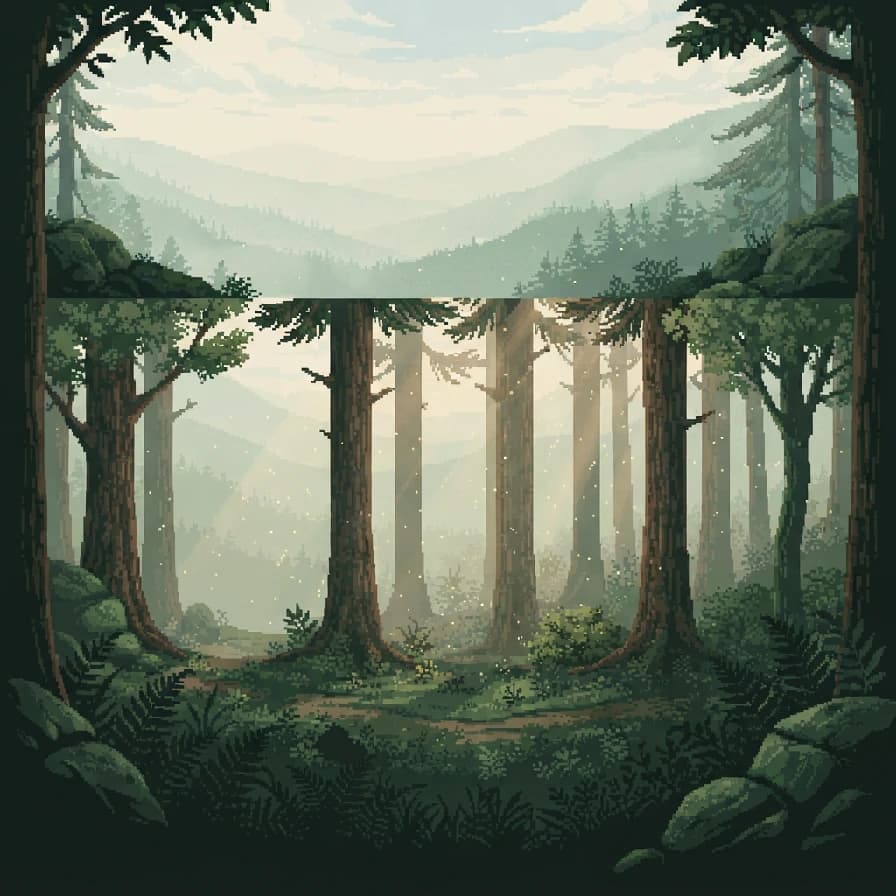
AI-generated pixel art example — Forest parallax backdrop, made with Nano Banana 2 Lite on BananaBanana

Forest parallax backdrop

Nano Banana 2 Lite$0.03 / image

16-bit pixel art side-scrolling forest background with three depth layers: dark foreground ferns, mid-ground pine trunks, and pale misty hills far behind. Shafts of morning light between the trees, floating pollen specks. Limited 32-colour palette of deep green, sage and cream, dithered atmospheric fade between layers, no characters, seamless-feeling composition.

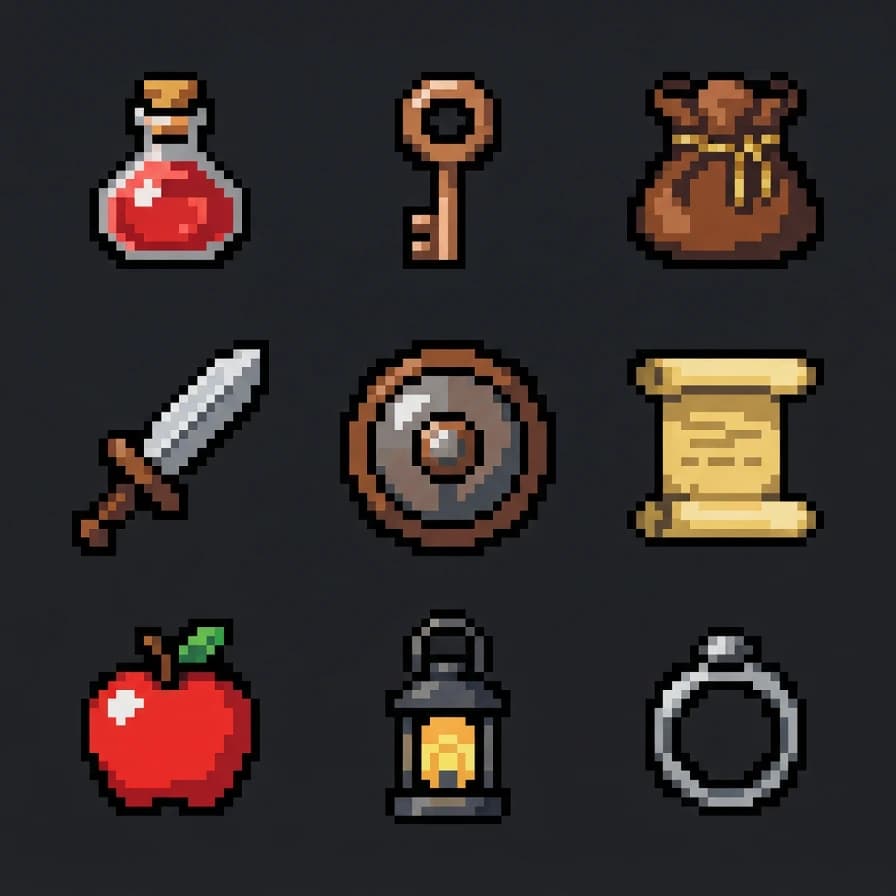
AI-generated pixel art example — Item icon sheet, made with Nano Banana 2 Lite on BananaBanana

Item icon sheet

Nano Banana 2 Lite$0.03 / image

8-bit NES-era pixel art sprite sheet on a plain dark slate background: a neat grid of nine RPG item icons — a red potion flask, a bronze key, a leather pouch, a short sword, a round shield, a scroll, an apple, a lantern and a silver ring. Chunky uniform pixels, hard black outlines, flat four-tone shading per item, limited 16-colour palette, even spacing between icons.

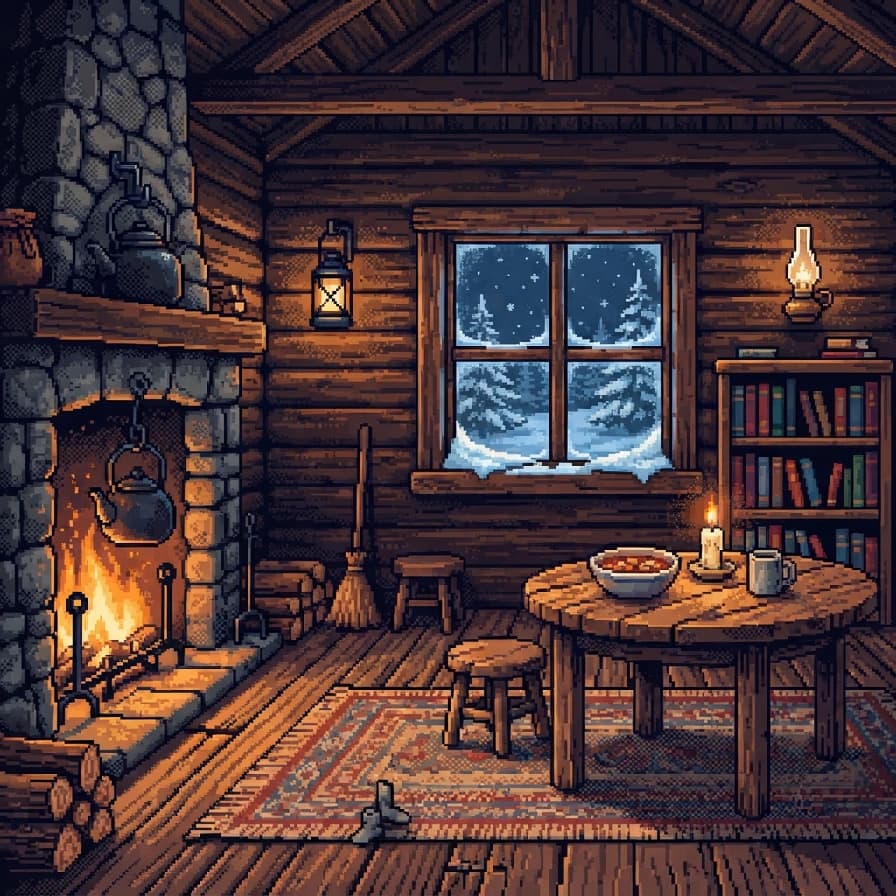
AI-generated pixel art example — Cozy cabin interior, made with Nano Banana 2 Lite on BananaBanana

Cozy cabin interior

Nano Banana 2 Lite$0.03 / image

16-bit pixel art interior of a small wooden cabin: a lit fireplace with a kettle on a hook, a rug, a bookshelf, a round table with a bowl and a candle, and snow visible through the window. Warm amber firelight against cool blue window light, limited 40-colour palette, dithered shading, front-facing room view like a classic adventure game.

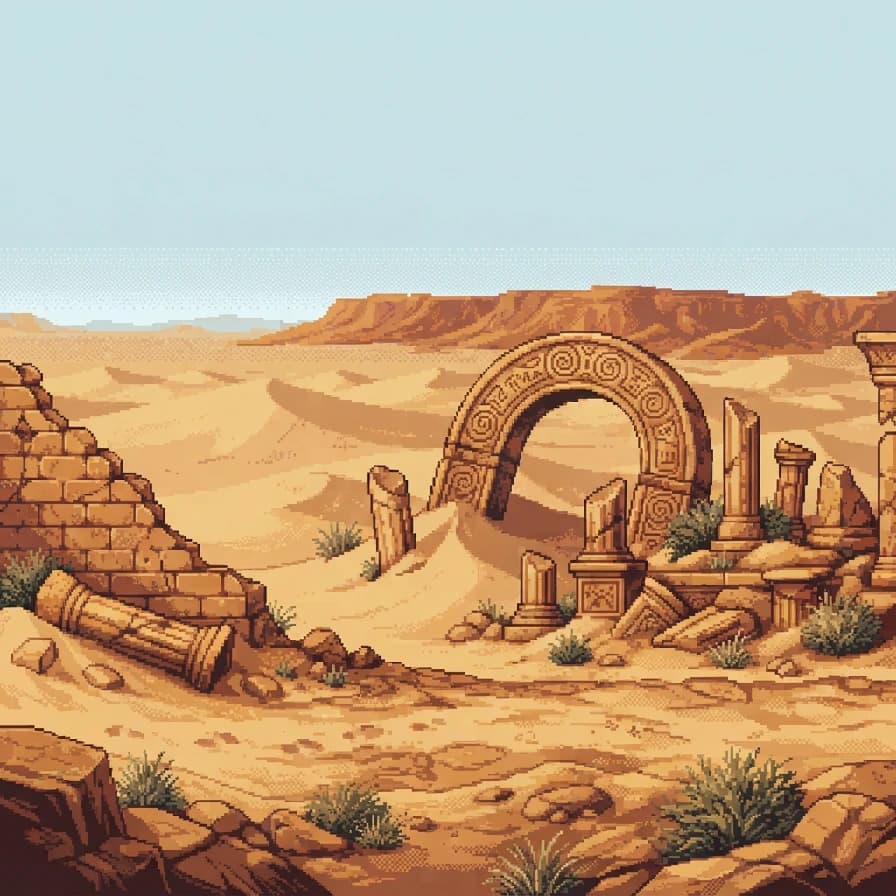
AI-generated pixel art example — Desert ruins, made with Nano Banana 2 Lite on BananaBanana

Desert ruins

Nano Banana 2 Lite$0.03 / image

16-bit pixel art side-scrolling scene of sandstone ruins in a desert: broken columns, a half-buried archway carved with spirals, scrubby bushes and a distant plateau under a hot flat sky. Limited 32-colour palette of ochre, rust and pale sky blue, dithered heat haze on the horizon, crisp pixel edges, no characters.

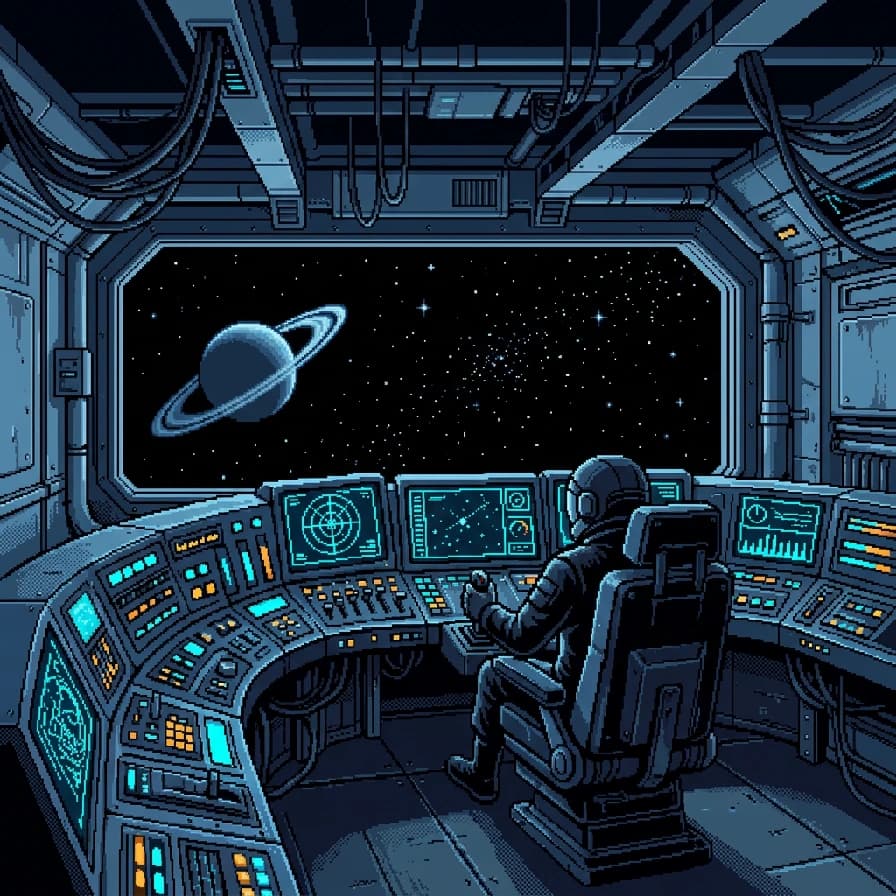
AI-generated pixel art example — Spaceship bridge, made with Nano Banana 2 on BananaBanana

Spaceship bridge

Nano Banana 2$0.06 / image

16-bit pixel art interior of a small spaceship bridge seen from behind the pilot seat: a curved control console with rows of blinking indicator lights, a wide viewport showing a starfield and one ringed planet, cables running along the ceiling. Limited 40-colour palette of steel blue, cyan glow and deep space black, dithered light falloff, retro sci-fi game look, no readable text on screens.

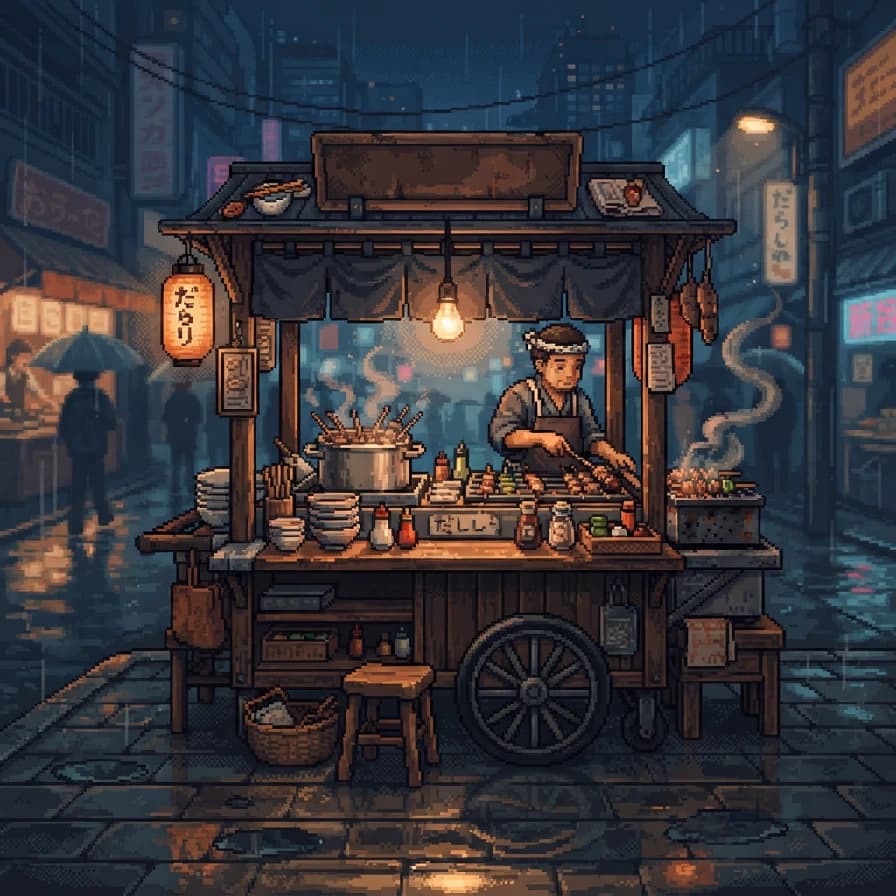
AI-generated pixel art example — Street food stall, made with Nano Banana 2 Lite on BananaBanana

Street food stall

Nano Banana 2 Lite$0.03 / image

16-bit pixel art of a night street food stall: a wooden cart under a warm hanging bulb, steam curling from a pot, skewers on a small grill, stacked bowls and a stool beside it, wet asphalt reflecting the light. Limited 40-colour palette of night blue and warm orange, dithered glow around the bulb, cozy and detailed, no text on the banner.

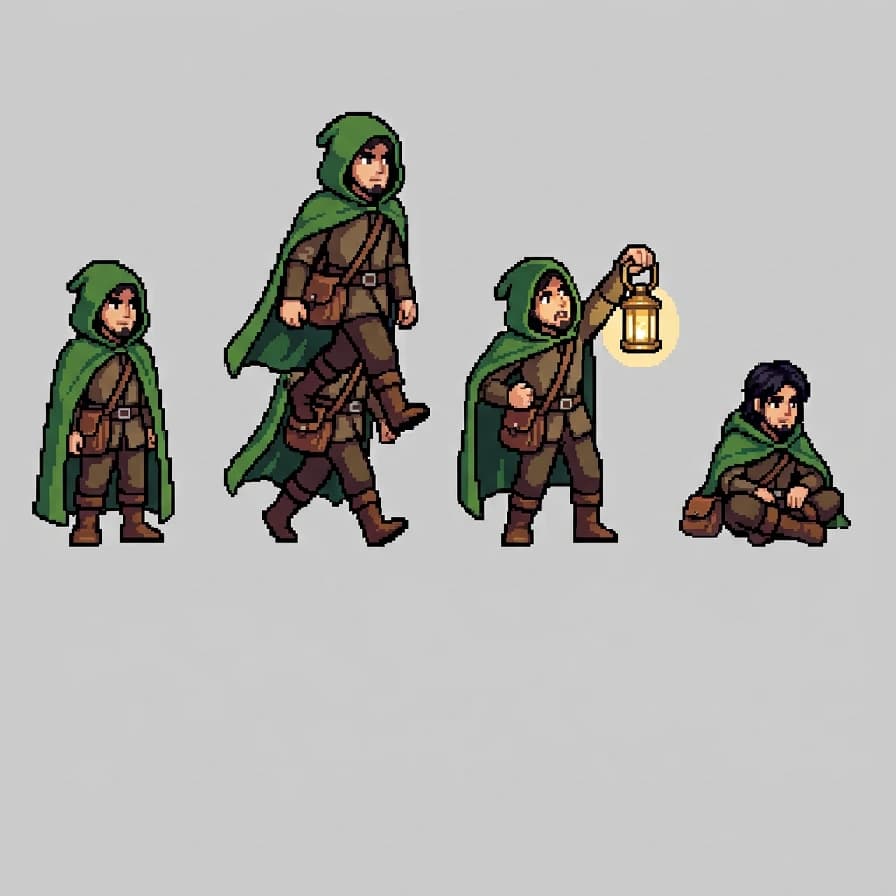
AI-generated pixel art example — Hero sprite poses, made with Nano Banana 2 on BananaBanana

Hero sprite poses

Nano Banana 2$0.06 / image

16-bit pixel art character sprite sheet on a plain light grey background: one adventurer in a green hooded cloak with a satchel, shown in four poses in a single row — standing, walking, raising a lantern, and sitting. Consistent proportions and palette across all four, limited 24-colour palette, hard outlines, flat three-tone shading, classic RPG overworld scale.

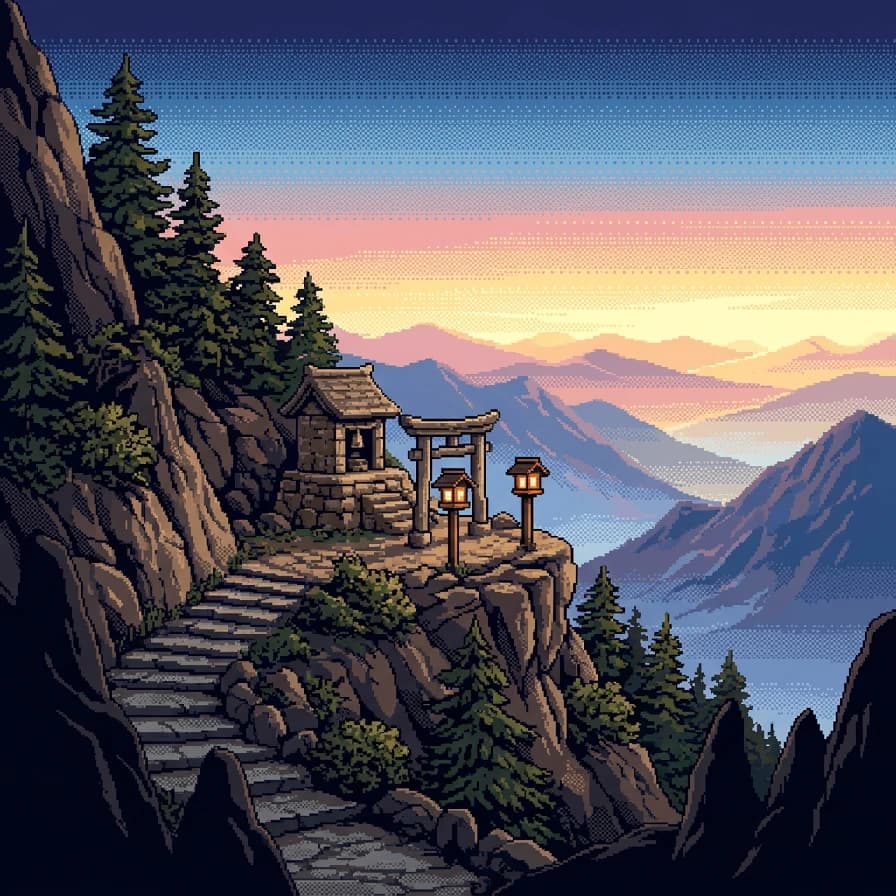
AI-generated pixel art example — Mountain shrine at sunrise, made with Nano Banana 2 on BananaBanana

Mountain shrine at sunrise

Nano Banana 2$0.06 / image

16-bit pixel art landscape of a small stone shrine on a mountain ledge at sunrise: a stepped path winding up to it, two lanterns on posts, pine trees clinging to the rock, and layered peaks fading into pink and gold sky. Limited 48-colour palette, heavy dithering in the sky gradient, silhouetted foreground rocks, wide serene composition.

03Technique

What makes these work

Name the era, not just “pixel art”

“8-bit NES-era” and “16-bit SNES-era” carry resolution, colour count and shading conventions with them. Leaving it out is the main reason pixel prompts come back looking like a blurry filter over a normal illustration.

Cap the palette

“Limited 32-colour palette of deep green, sage and cream” is what gives pixel art its cohesion. An uncapped prompt returns hundreds of shades and the retro feel evaporates.

Ask for dithering by name

Dithered gradients in skies and light falloff are the signature of the era. Say “dithered sky gradient” and you get it; leave it implicit and you get a smooth modern gradient that breaks the illusion.

Treat output as reference, not final sprites

The grid isn't mathematically clean, so game-ready sprites still need a pass in Aseprite. For key art, banners, mood boards and store pages, the raw output is already fine.

04More prompts

Keep browsing

05Learn more

Guides from the blog

06FAQ

Pixel art prompts, answered

Is the output true pixel art on a clean grid?

No. These models render the look of pixel art rather than snapping to an exact grid, so at 400% zoom you'll find irregular blocks and a few anti-aliased edge pixels. At normal viewing size it reads perfectly, which is why it works for banners, mood boards and concepting — and why engine-ready sprites still need a manual cleanup pass.

How do I get a usable sprite from this?

Generate at 1K, downsample hard in an editor — to 64×64 or 128×128 with nearest-neighbour, no smoothing — and then clean up the edges by hand. You keep the composition and palette the model found, and end up with an honest grid.

Can I keep one character consistent across poses?

Ask for several poses in a single image, as the hero sprite sheet above does — one generation means one interpretation of the costume and palette, which is much steadier than four separate runs. Look closely at ours and the figures aren't all at the same scale: that's the honest limit. Nail the character in one pose, then edit that image into the other poses rather than re-prompting.

Which model is best for pixel art?

Lite at $0.03 is genuinely strong here, because flat, limited-palette art is the easiest thing for a smaller model to get right — half the prompts above use it. Step up to Nano Banana 2 for scenes with layered depth, glow and reflections, like the harbour, the dungeon and the shrine.

Can I use these in a commercial game?

Yes — you own the images you generate on BananaBanana. Storefronts increasingly ask you to disclose AI-generated assets when you publish, so check the rules of the platform you're shipping on.

Copy a prompt, make it yours

Every new account starts with a free $0.20 balance — enough to test six image prompts before paying anything. No subscription, no credit card, crypto top-ups from $1.