Prompt library · Business headshots

Headshot prompts that pass the LinkedIn test

Ten tested prompts covering the setups a real headshot photographer books — clean corporate grey, soft window light, on-brand outdoor, high-key studio. Each card shows the unedited portrait and what it cost.

01How to prompt

How do you write a headshot prompt?

Brief the lighting setup, not the person's attractiveness. A headshot prompt has five parts and they always appear in the same order: framing, subject, wardrobe, lighting, background. “Corporate headshot, chest-up, of a woman in her forties with short silver hair, wearing a charcoal blazer over a white shirt, lit by a large softbox 45 degrees to camera left with a subtle hair light, seamless mid-grey backdrop, 85mm lens at f/2.8, sharp eyes, natural skin texture.” Every clause there is a decision a photographer makes on set, and the model responds to all five.

Two phrases are worth memorising. “Natural skin texture, visible pores, no beauty retouching” is what stops the model producing the plastic, airbrushed face that instantly reads as AI. And “85mm lens at f/2.8” gives the mild background separation people expect from a professional portrait, rather than the exaggerated blur of a phone portrait mode. Every headshot on this page is the unedited first output of the prompt next to it, generated on BananaBanana. The people in them are not real — see the FAQ on using your own face.
Can an AI headshot replace a photographer?

For a lot of everyday uses, honestly yes: a speaker bio, a team page for a small company, a conference badge, a personal site. A studio session costs a few hundred and takes half a day; these cost cents and take twenty seconds, and the difference is not visible at the size a headshot is actually displayed. Where it stops working is anything that has to be verifiably you — press credentials, regulated professional profiles, ID.

The other honest limit is that a prompt-only headshot is a portrait of a person who doesn't exist. If you need your own face, the workflow is different: upload a decent existing photo of yourself and use the editor to restyle the lighting, background and wardrobe around it, rather than generating from text. That keeps the likeness and gives you the studio look. Only do this with photos of yourself or people who've agreed to it — generating a realistic portrait of someone who hasn't consented is a bad idea whatever the tool.

02The prompts

10 prompts, real results

Every image below is the unedited output of the prompt on its card — no cherry-picking across dozens of attempts, no retouching. The model badge shows exactly what generated it and what it cost.

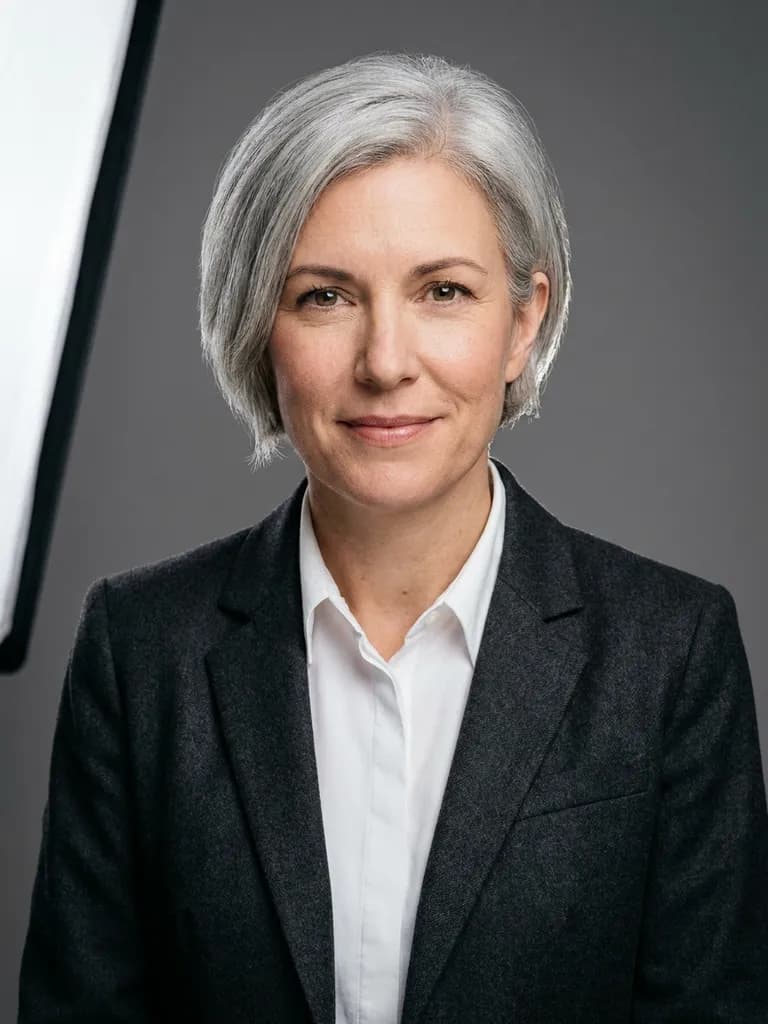
AI-generated business headshots example — Classic corporate grey, made with Nano Banana Pro on BananaBanana

Classic corporate grey

Nano Banana Pro$0.11 / image

Professional corporate headshot, chest-up, of a woman in her forties with short silver hair, wearing a charcoal blazer over a crisp white shirt. Large softbox 45 degrees to camera left, subtle hair light from behind, seamless mid-grey studio backdrop with a soft falloff. 85mm lens at f/2.8, sharp focused eyes, natural skin texture with visible pores, no beauty retouching, calm confident expression, slight smile.

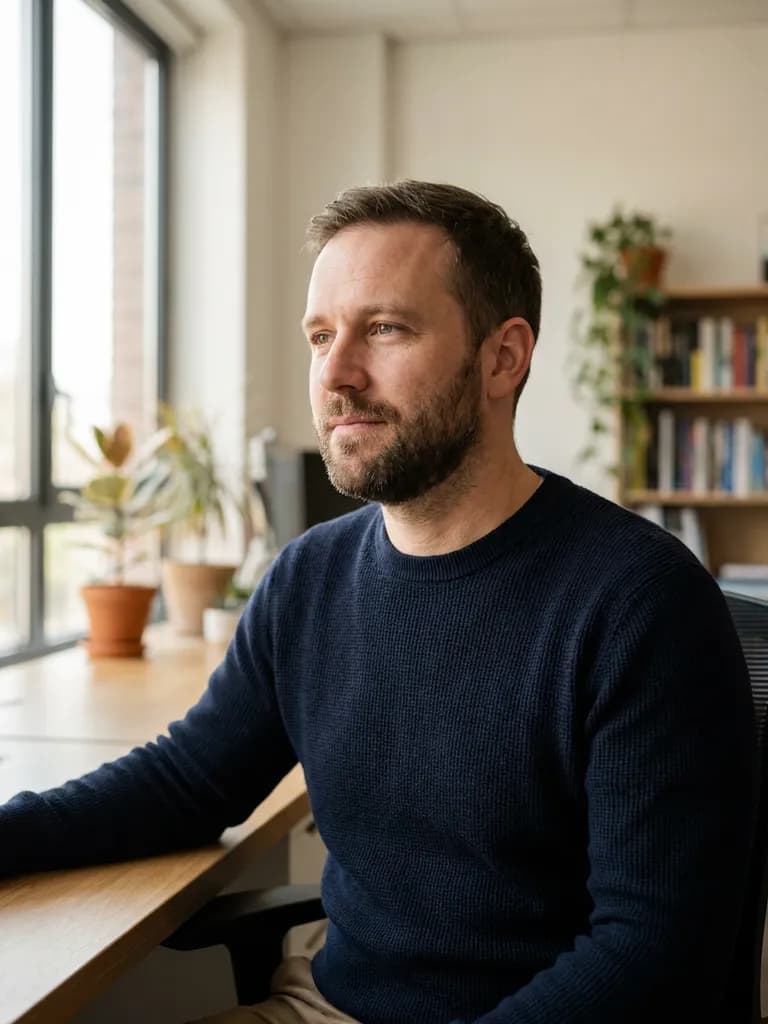
AI-generated business headshots example — Editorial window light, made with Nano Banana Pro on BananaBanana

Editorial window light

Nano Banana Pro$0.11 / image

Editorial business portrait of a man in his thirties with a short beard, wearing a navy knit sweater, seated at an angle beside a large window in a bright office. Soft directional daylight from the left wraps around his face, gentle shadow on the right cheek, out-of-focus plants and a bookshelf far behind. 50mm lens at f/2, natural skin texture, relaxed thoughtful expression, warm neutral colour grade.

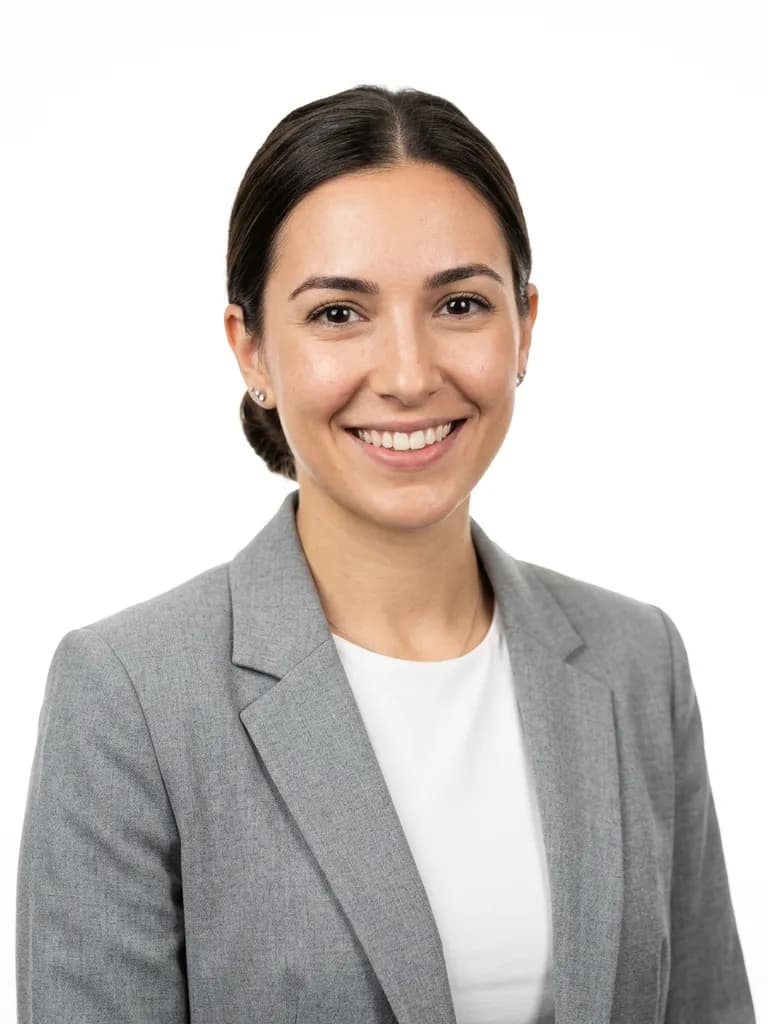
AI-generated business headshots example — High-key on white, made with Nano Banana 2 on BananaBanana

High-key on white

Nano Banana 2$0.06 / image

High-key business headshot, shoulders-up, of a woman in her late twenties with long dark hair tied back, wearing a light grey blazer. Two softboxes at 45 degrees plus a background light making the white seamless backdrop pure and clean, very soft shadows. 85mm lens at f/4, bright even exposure, natural skin texture, open friendly expression, modern startup look.

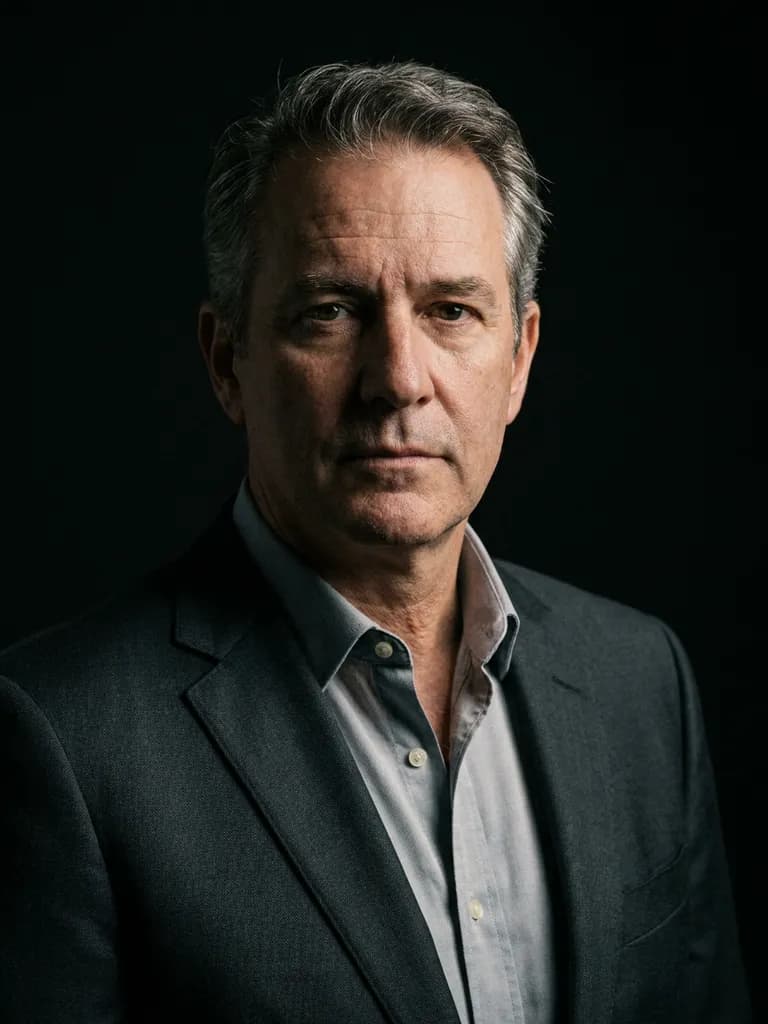
AI-generated business headshots example — Moody low-key portrait, made with Nano Banana Pro on BananaBanana

Moody low-key portrait

Nano Banana Pro$0.11 / image

Low-key executive portrait of a man in his fifties with greying hair, wearing a dark tailored suit and no tie, against a near-black background. Single softbox high to camera right, deep controlled shadows across the left of the face, faint rim light separating the shoulder from the background. 85mm lens at f/2.8, natural skin texture and visible lines, serious composed expression, dramatic and authoritative.

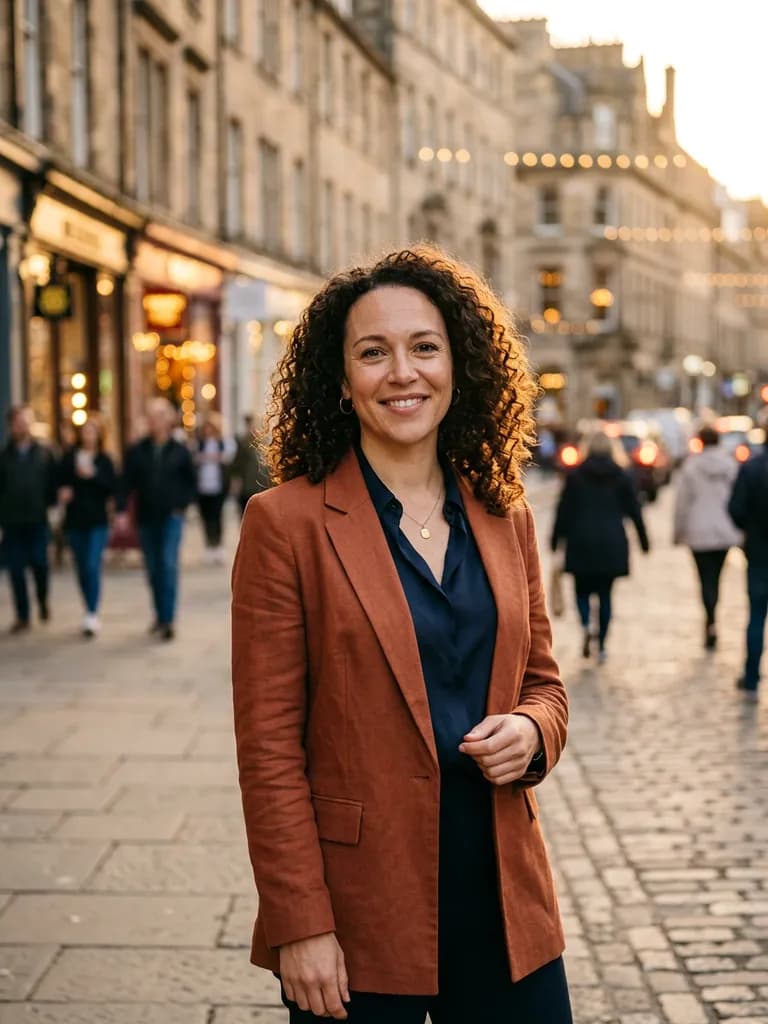
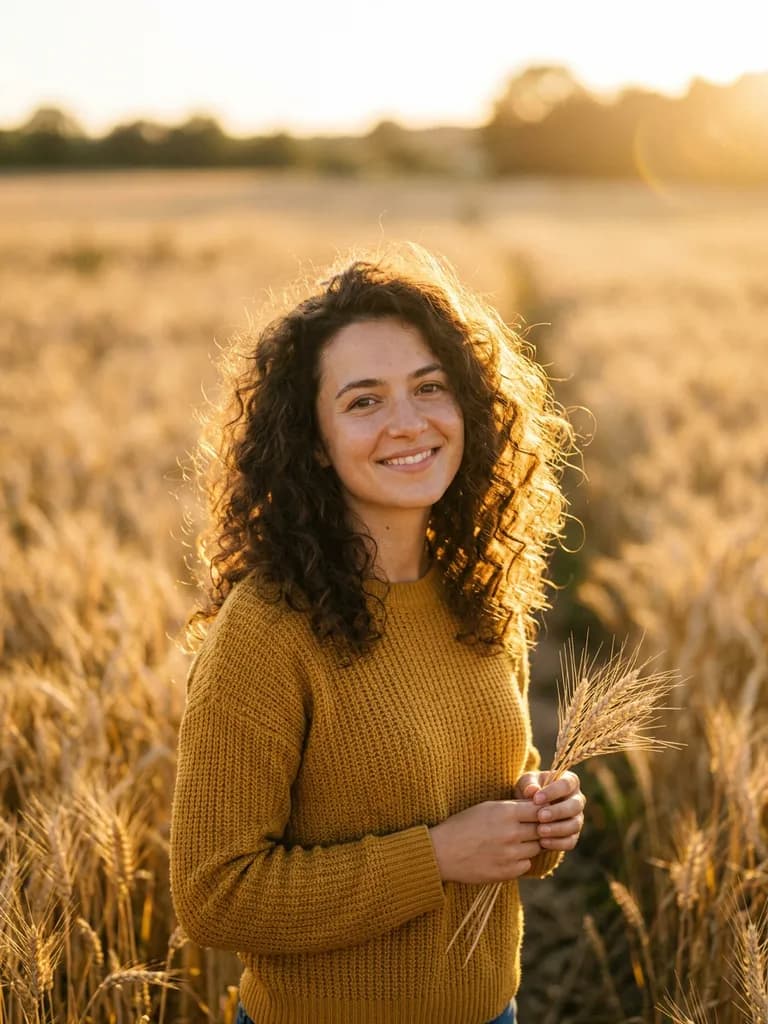
AI-generated business headshots example — Outdoor golden hour, made with Nano Banana 2 on BananaBanana

Outdoor golden hour

Nano Banana 2$0.06 / image

Outdoor business portrait of a woman in her thirties with curly hair, wearing a rust-coloured blazer, standing on a city street at golden hour. Warm low sun backlights her hair; a reflector fills the face softly. Background of blurred buildings and warm bokeh from shop windows. 85mm lens at f/1.8, natural skin texture, easy natural smile, contemporary and approachable.

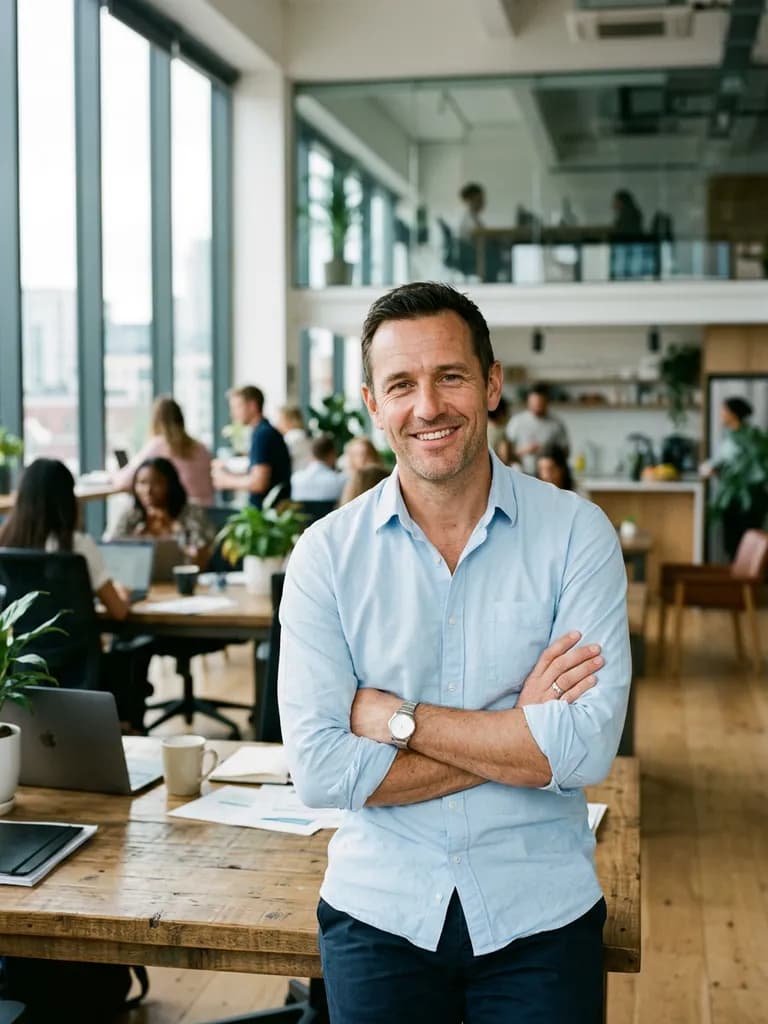
AI-generated business headshots example — Environmental office portrait, made with Nano Banana 2 on BananaBanana

Environmental office portrait

Nano Banana 2$0.06 / image

Environmental business portrait, waist-up, of a man in his forties in a light blue shirt with rolled sleeves, leaning against a desk in a modern open-plan office. Mixed daylight from tall windows with a soft fill from the front, colleagues blurred far in the background. 35mm lens at f/2.8, some environment visible for context, natural skin texture, confident relaxed posture.

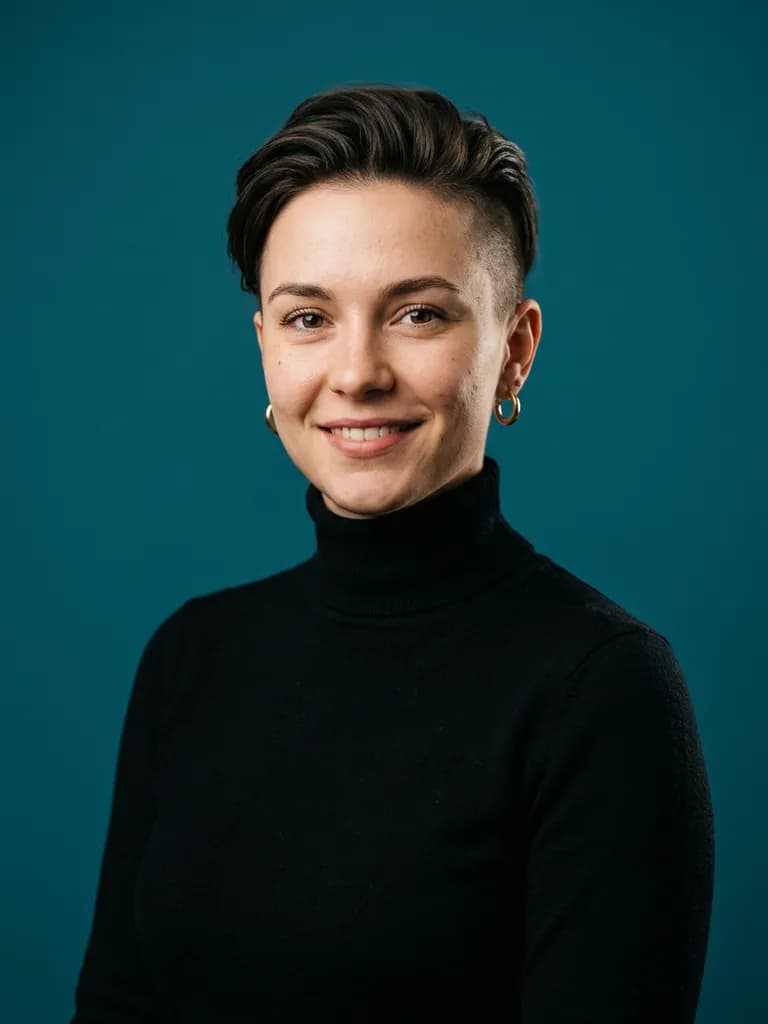
AI-generated business headshots example — Creative colour backdrop, made with Nano Banana 2 on BananaBanana

Creative colour backdrop

Nano Banana 2$0.06 / image

Contemporary business headshot of a woman in her twenties with an undercut and small gold earrings, wearing a black turtleneck, against a solid deep teal seamless backdrop. Beauty dish above and slightly to the front, soft shadow under the chin, subtle rim light on the right shoulder. 85mm lens at f/2.8, natural skin texture, direct eye contact, creative-industry feel.

AI-generated business headshots example — Clinical professional, made with Nano Banana 2 on BananaBanana

Clinical professional

Nano Banana 2$0.06 / image

Professional headshot of a man in his thirties wearing a white lab coat over a light blue shirt, standing in a bright modern clinic corridor. Clean even daylight, softly blurred background of pale walls and a doorway. 85mm lens at f/2.5, natural skin texture, reassuring calm expression, crisp neutral white balance, no visible signage or text.

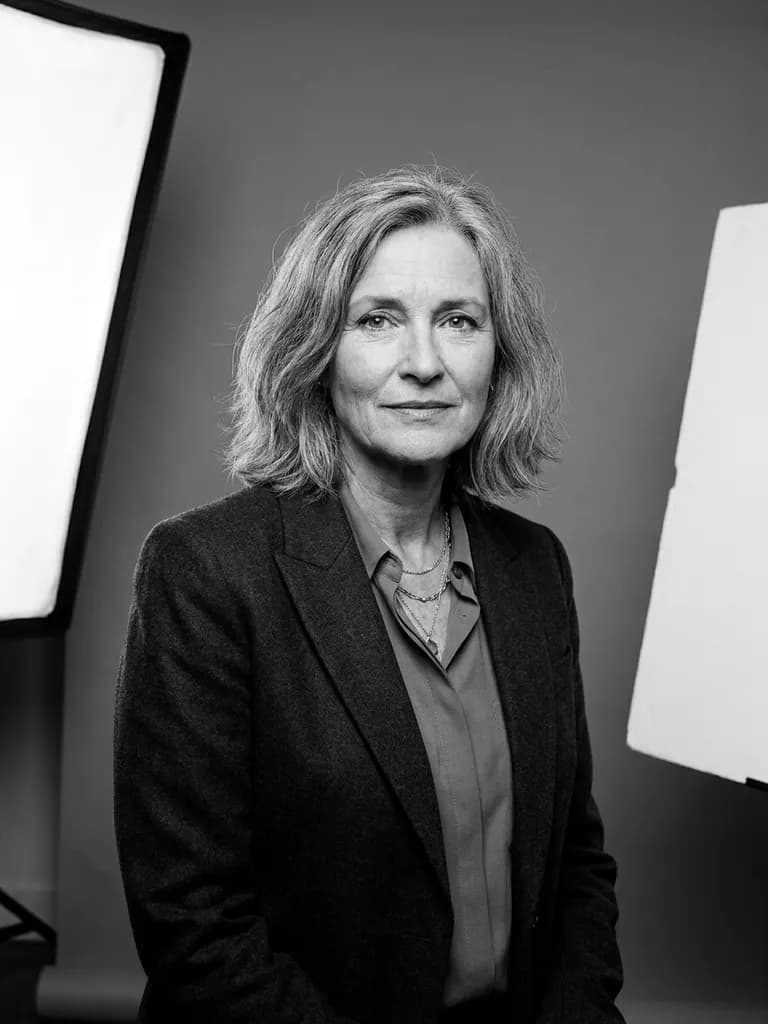
AI-generated business headshots example — Black and white classic, made with Nano Banana Pro on BananaBanana

Black and white classic

Nano Banana Pro$0.11 / image

Classic black and white business portrait, chest-up, of a woman in her fifties with shoulder-length hair, wearing a simple dark jacket. Single large softbox to camera left with a white fill card on the right, mid-grey background rendered in monochrome. 85mm lens at f/2.8, rich tonal range from deep blacks to clean highlights, natural skin texture with visible lines, dignified timeless expression.

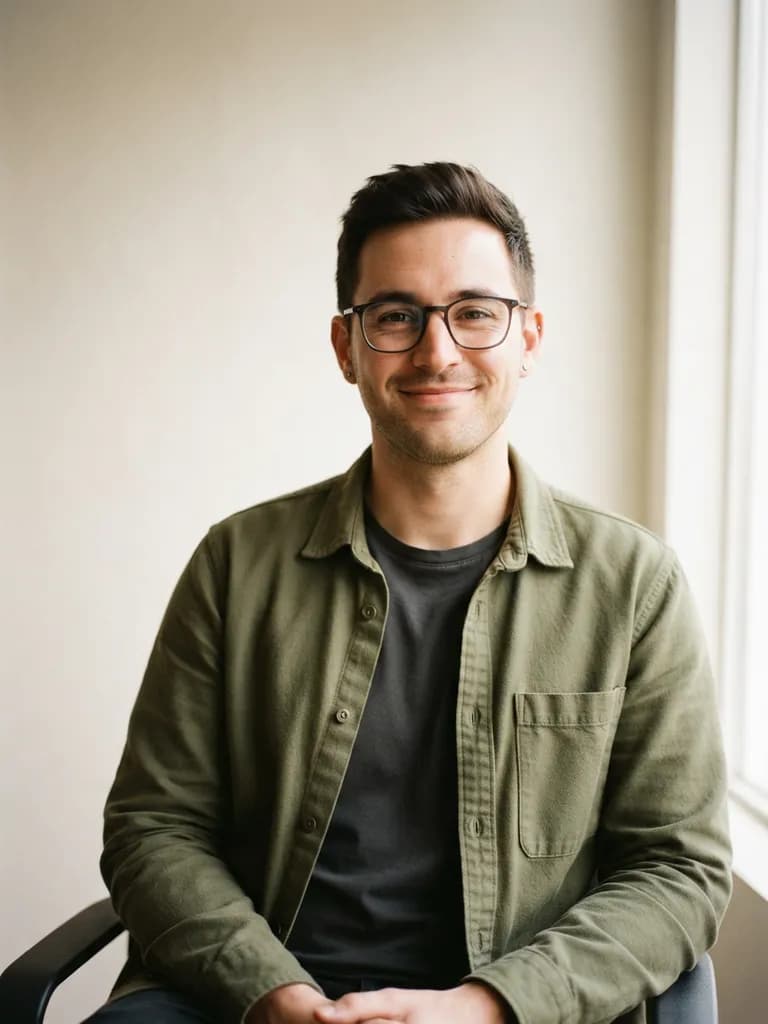
AI-generated business headshots example — Casual tech portrait, made with Nano Banana 2 Lite on BananaBanana

Casual tech portrait

Nano Banana 2 Lite$0.03 / image

Relaxed business-casual headshot of a man in his late twenties with glasses and short dark hair, wearing an olive overshirt over a plain t-shirt, seated against a plain warm-white wall. Soft window light from camera right, gentle shadow gradient across the wall behind him. 50mm lens at f/2, natural skin texture, easy half-smile, informal startup team-page style.

03Technique

What makes these work

Ask for natural skin texture, every time

“Natural skin texture, visible pores, no beauty retouching” is the single clause that separates a believable headshot from the glossy plastic face that gives AI portraits away. Skip it and no amount of good lighting saves the image.

Describe the lighting setup, not the mood

“Large softbox 45 degrees camera left with a subtle hair light” is a real instruction. “Professional lighting” is not — it returns whatever the model feels like, which is why sets generated that way never match.

Name the lens and aperture

85mm at f/2.8 gives the shallow-but-not-silly separation people read as professional. A 35mm at f/2.8 keeps context for environmental portraits. Without a lens clause you often get phone-portrait blur with a smeared edge around the hair.

Keep a team page consistent

Fix the lighting, backdrop and lens sentence and change only the person description. Ten headshots that share a setup look like a company; ten shot in ten different styles look like a stock-photo raid.

04More prompts

Keep browsing

05Learn more

Guides from the blog

06FAQ

Business headshots prompts, answered

Can I get a headshot of my own face?

Not from a text prompt — that produces a person who doesn't exist. Upload an existing photo of yourself in the generator instead and describe the change you want: “keep the face exactly, replace the background with a mid-grey studio backdrop, relight with a softbox from camera left, change the jacket to charcoal”. That preserves your likeness and gives you the studio setup.

Are the people in these examples real?

No. Every portrait on this page was generated from text alone, so none of the faces belong to a real person. That's also the ethical line to hold: only generate realistic portraits of yourself or of people who have agreed to it.

Is an AI headshot acceptable on LinkedIn?

For a professional profile, a restyled photo of your actual face is safe and increasingly common. A fully synthetic face presented as you is misrepresentation and can get a profile actioned. Anything requiring verified identity — press passes, regulated professional registers, ID documents — needs a real photograph.

Why do the hands or ears look wrong?

Crop tighter. Headshots framed chest-up or shoulders-up avoid hands entirely, which is where most portrait artefacts live. If you need a waist-up shot with visible hands, either give the hands something to do — “arms folded”, “one hand resting on the desk” — or plan to fix them in an edit pass.

Which model gives the most realistic faces?

Nano Banana Pro, clearly — skin texture, catchlights in the eyes and hair detail hold together where cheaper models start to smooth things out. Nano Banana 2 is close enough for most team pages, and Lite at $0.03 is best used for testing compositions before committing.

Copy a prompt, make it yours

Every new account starts with a free $0.20 balance — enough to test six image prompts before paying anything. No subscription, no credit card, crypto top-ups from $1.